Help · For wedding businesses · Quotes, contracts and getting paid
Send a quote
One message with the package, the total, the deposit they can pay to book, and your contract to sign. Priced per guest if you like, sent now or later.
A quote on The Veil is one send: what you're offering, the price, the Deposit to book, and, if you choose, your contract. The couple can accept it, pay the deposit and sign, all from the same message.
Send one
- Open the lead and click + Send a quote above the reply box. (For a client who isn't on The Veil, use Send a quote on Their client page.)
- Under Package, pick one of the packages from your page, or Custom and write what you're quoting, for example "Full Saturday hire". What the package includes shows underneath.
- Check the Total. It starts at the package price, and you can type any amount.
- Set the Deposit to book with the slider, from 0% to 100% in steps of 5%. The dollar amount shows beside it. It starts at 25%.
- Under Contract, choose one of your saved contracts, or leave No contract with this quote. See Contract templates.
- Add A line from you, such as "Lovely to talk today. This holds the date once the deposit is in."
- Click Send quote, or Later to schedule it. See Send later.
Per-guest packages
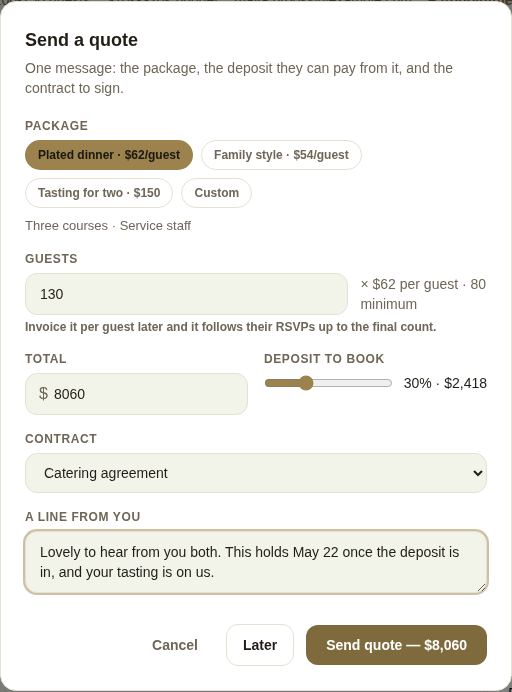
If a package is priced per guest, a Guests box appears. It starts on the number attending today when the couple keeps their guest list on The Veil (shown as "88 attending now"), and never below the package's minimum. Change the number and the total follows: 130 guests × $62 per guest is $8,060. The couple sees the sum spelled out under the package name.
The quote itself is a fixed price. To bill a count that follows the couple's RSVPs up to their final number, invoice it per guest. See Menus and per-guest pricing.
What happens when you send
- The lead moves to Waiting on them, marked Quoted.
- A deposit invoice is created for the deposit amount, so they can pay it straight away.
- If you attached a contract, it is filled in with their details, turned into a PDF and sent to sign, just before the quote.
What the couple sees
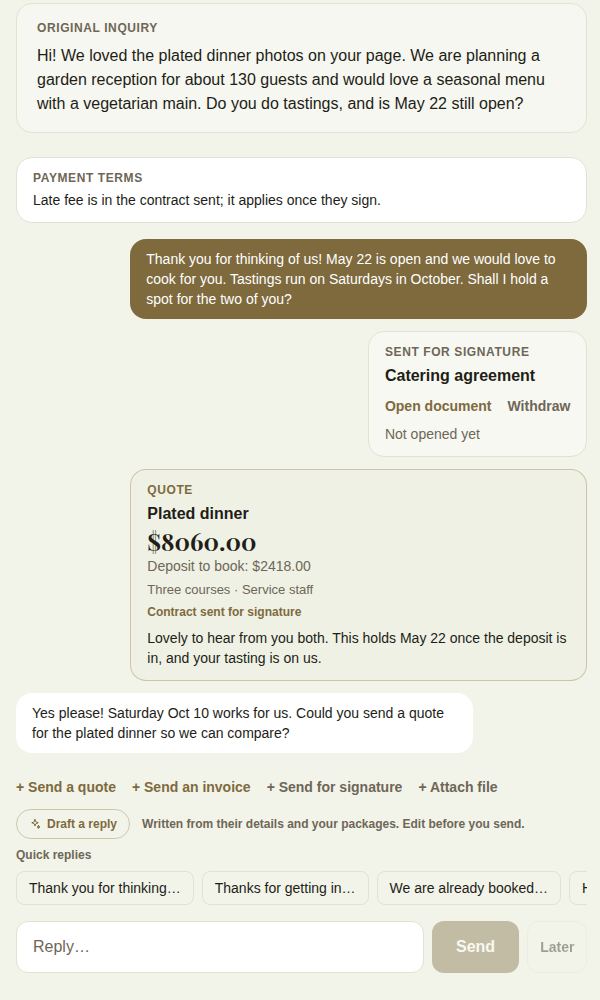
A couple on The Veil gets the quote in their conversation: the package and what it includes, the Total, the Deposit to book, your note, the contract to sign, Accept quote and Pay with the deposit amount. Accepting tells you yes; the quote then shows "Accepted" with the date, on both sides. Accepting doesn't book anything. Paying through The Veil does: the lead moves to Booked.
A client without an account sees the same on their client page, with Accept this quote. See Your client's page.
A custom quote
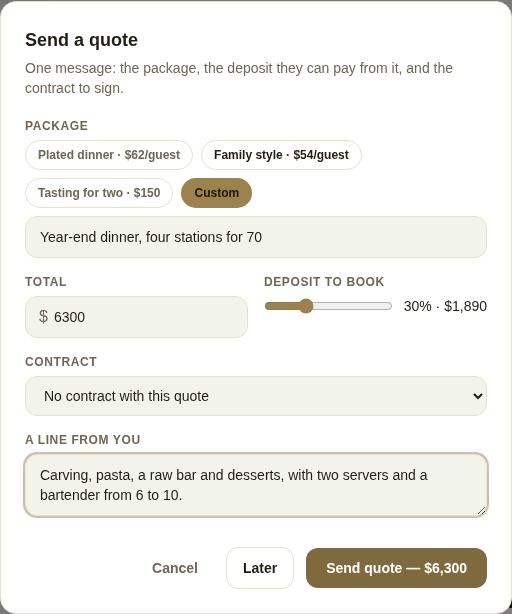
Choose Custom for anything that isn't one of your packages: a corporate dinner, a half-day, a bundle. Type what you're quoting and the total.
Good to know
- Your packages come from your page. See Your public page.
- Sending a new quote doesn't withdraw an earlier one or its deposit invoice. If the price changed, say so in your note. A client without an account only sees the latest quote on their page.
- If you attach a contract with a late fee in it, the fee only applies once they sign. See Payment plans, autopay, reminders and late fees.
- "They're not on The Veil yet" means you used the thread on a client with no account. Send from Their client page instead.
Did this answer it?
Updated September 30, 2026