Help · For wedding businesses · Quotes, contracts and getting paid
Invoices
Build an invoice with line items, your menu and price list, a discount, service charge, tax and gratuity, then track it, download it and record how it was paid.
Send an invoice from any lead. It goes to a couple on The Veil in their conversation and budget, and to a client without an account on their client page, and either way they pay by card or bank through Stripe.
Build one
- On the lead, click + Send an invoice (or Send an invoice on Their client page).
- Fill in the first line: Item, Qty and Price. + Add line adds more; × removes one.
- Add anything you've saved with one tap (see the list below).
- Set Quantity follows on any line that should follow the couple's guest count or another count.
- Click Discounts, tax & more for Discount $ (off the whole invoice), Service charge % (up to 50%), Tax % (up to 30%), Gratuity $, Tax the service charge too, and per line, Line discount $ and Taxable.
- Say what it's for, for example "Balance for your wedding on June 12", and pick a Due date.
- Check the totals at the bottom, then click Send with the total.
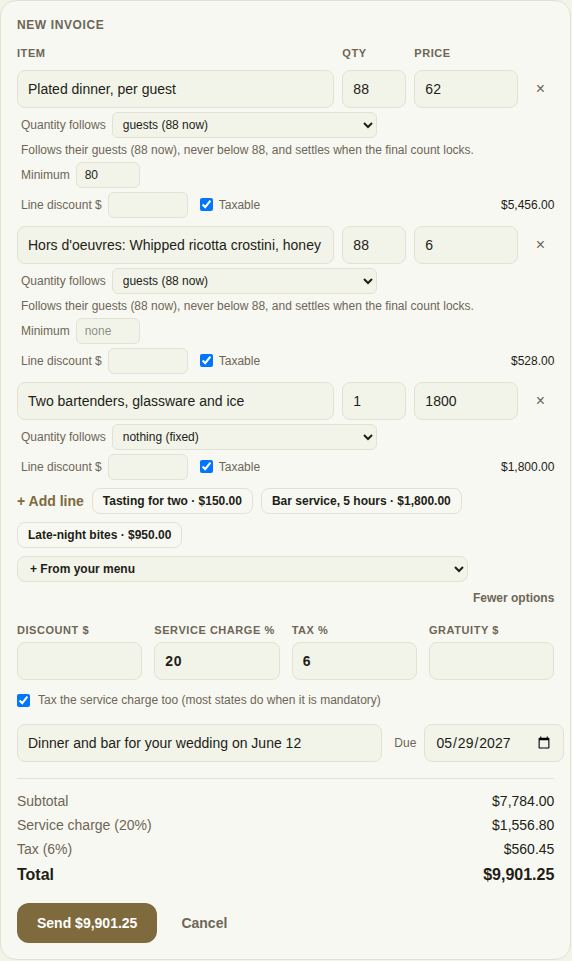
Your service charge and tax rates are remembered on this browser, so the next invoice starts with them.
One-tap lines
Next to + Add line you'll find whatever you have saved. To save presets, open Settings, Invoice presets: give each a label, an amount and an optional description, up to five, and click Save presets. The description becomes the line's item name.
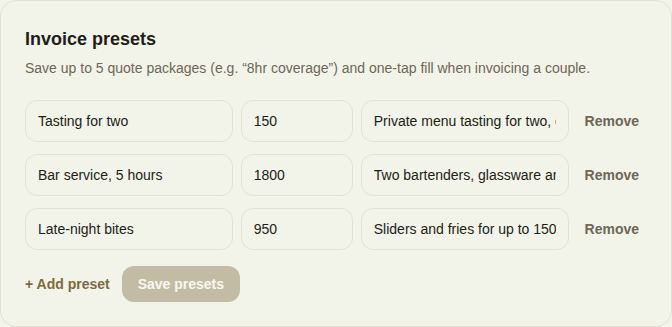
- Your invoice presets, shown as buttons like "Bar service, 5 hours · $1,800.00" (Pro and Studio; set them in Settings under Invoice presets, up to five).
- + From your menu for caterers and bakers. See Menus and per-guest pricing.
- + From your price list, once you've brought your Products & Services over from QuickBooks. See QuickBooks Online.
- + Travel and + Overtime, when you've set travel and overtime pricing in Settings. The travel fee is worked out from the distance to their venue.
- For venues, the room's rental for that date, from your rates.
Food and beverage minimums
For a venue room with a food and beverage minimum on that date, the builder tracks it as you add menu lines and per-guest lines. If you're short, it says by how much and offers + Add the shortfall as a line.
A tasting or consult before they book
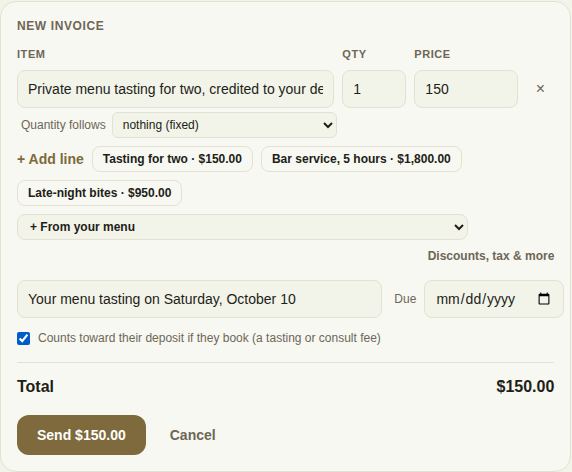
Before a lead is booked, you can tick Counts toward their deposit if they book (a tasting or consult fee). When they book, the payment plan offers to take it off their deposit. See Confirm a booking and set its payment plan.
Every invoice on the lead
The Invoices card on the lead lists each one: what it's for, the amount, and Paid, Scheduled (with the due date) or Waiting for payment. Under each:
- The invoice number, such as #1011.
- PDF downloads it, with your business details, the lines, the totals and whether it's paid.
- Record a payment marks it paid when they paid you another way (owners and managers). See Checks, cash, refunds and cancellations.
- Refund on a payment made through The Veil (owners and managers).
- "Reminder emailed" with the date and stage, when an automatic reminder has gone out.
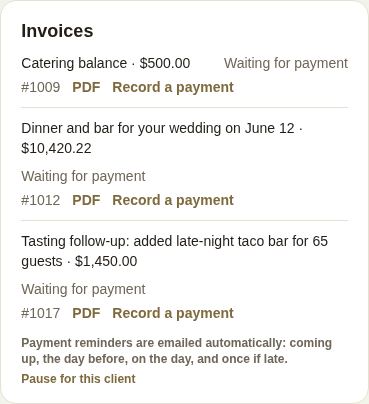
For a client without an account, the same list is under On their page.
In the phone app
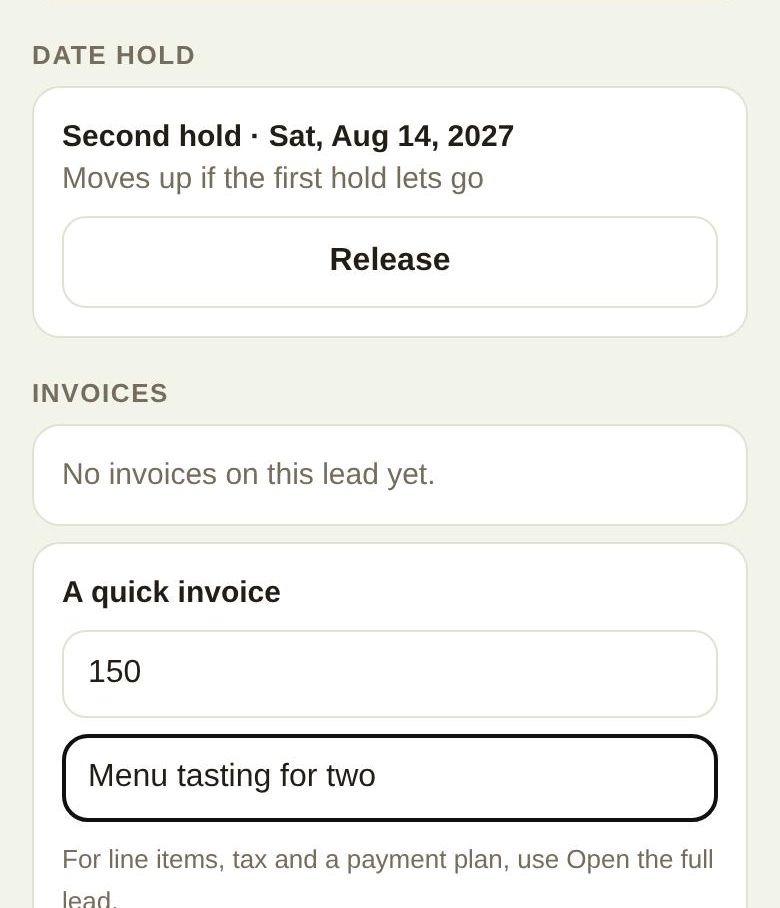
On the lead, Invoices lists each one with Paid, Scheduled or Unpaid. Send a quick invoice sends a single amount with what it's for. For line items, tax and a payment plan, use Open the full lead. A couple on The Veil gets it in the app; anyone else gets an email with a link to pay.
What the client sees
A couple on The Veil sees the invoice in their conversation and their budget, with a way to pay. A client without an account sees it on their page under To pay, with Pay and Download invoice. Paying through The Veil marks it paid, and if the lead isn't booked yet, it moves to Booked. A tasting or consult fee marked Counts toward the deposit, and a late fee, are paid without booking the lead.
Troubleshooting
- "Every line needs a description" or "Check the quantities and prices": fill in the item name and a price on every line.
- "A line's discount is bigger than the line" or "The discount is bigger than the subtotal": lower the discount.
- "Service charge can be up to 50% and tax up to 30%."
- "The total has to be more than $0."
Did this answer it?
Updated September 30, 2026