Help · For wedding businesses · Quotes, contracts and getting paid
Menus and per-guest pricing
Keep your menu in the portal, add items to invoices in one tap, and bill lines that follow the couple's guest count, tables or wedding party up to the final count.
Caterers and bakers get a Menu tab in the portal. Any business can price an invoice line per guest (or per table, invitation or member of the wedding party) so the amount follows the couple's plan instead of a number typed months ago.
Your menu
The Menu tab appears when your categories include catering or cake. It holds your courses and the options in each.
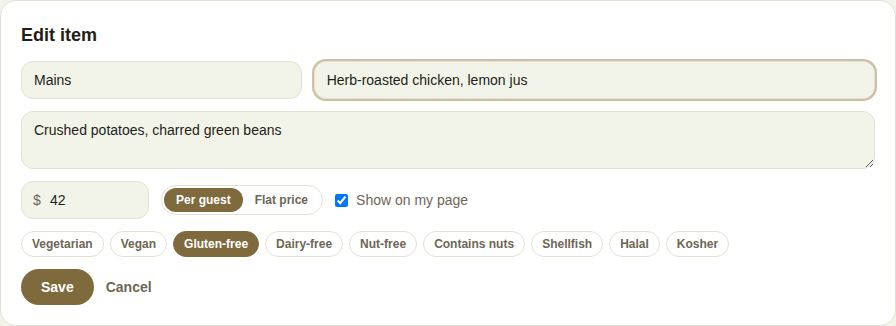
- Click Add an item (or + Add to a course).
- Pick or type the Course: Hors d'oeuvres, Starters, Mains, Sides, Desserts, Late night, Bar, Kids, or your own.
- Name it, for example "Herb-roasted chicken, lemon jus", and describe what's in it if you like.
- Enter the price and choose Per guest or Flat price (a cake or a late-night station is usually flat).
- Tick the dietary marks that apply: Vegetarian, Vegan, Gluten-free, Dairy-free, Nut-free, Contains nuts, Shellfish, Halal, Kosher.
- Leave Show on my page ticked to show it to couples on your public page.
- Click Save.
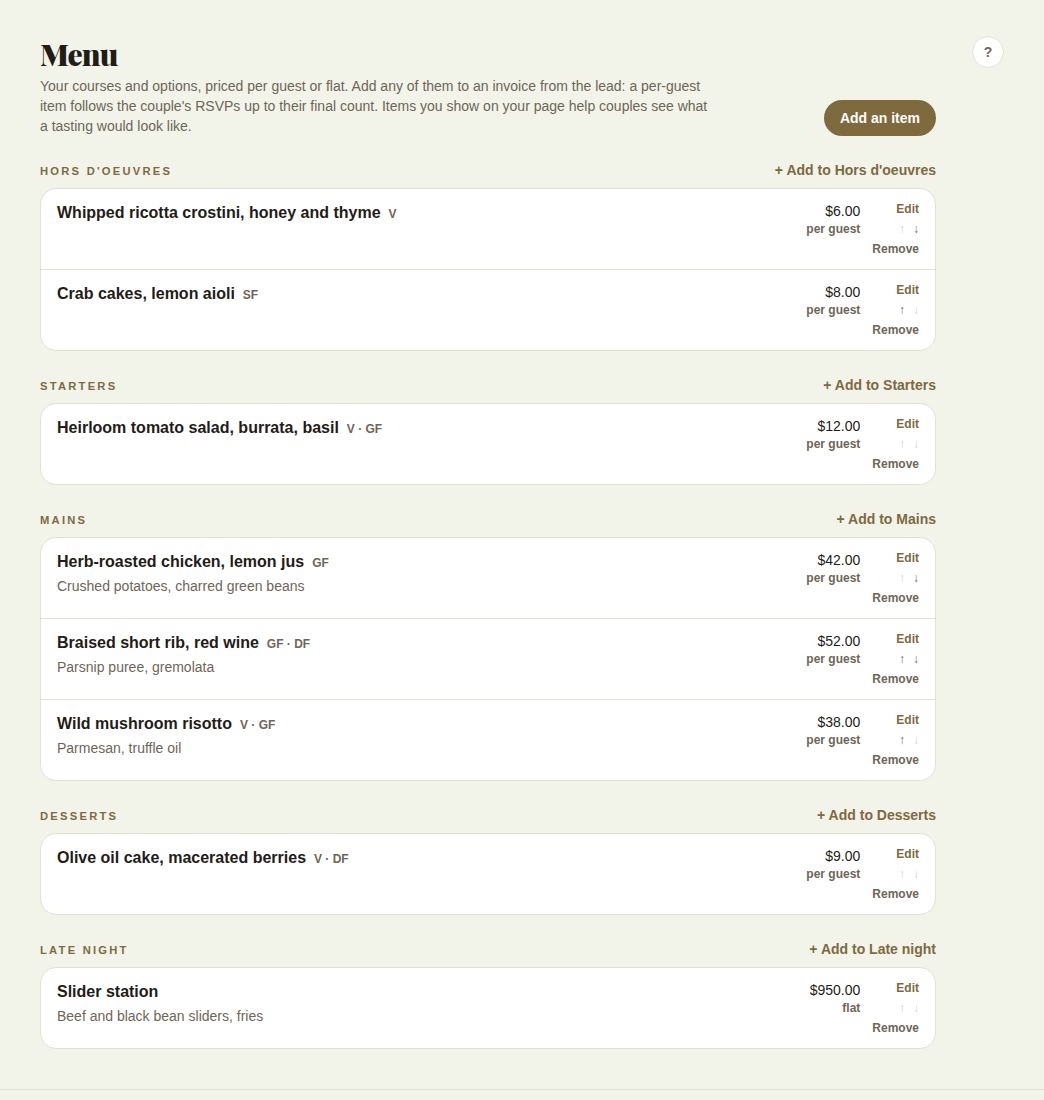
Edit changes an item, the arrows reorder it within its course, and Remove takes it off your menu (invoices already sent keep it). Items hidden from your page show Not on your page. Owners and managers edit the menu.
Add menu items to an invoice
In the invoice builder, + From your menu lists every priced item. A per-guest item arrives as a line that follows the couple's guest count; a flat item arrives as one. Menu lines also count toward a venue's food and beverage minimum. See Invoices.
Lines that follow a count
On any invoice line, Quantity follows can be:
- guests: the couple's attending guests
- tables on their floor plan
- invitations (households)
- the wedding party, or just the bridesmaids or groomsmen
- guests at the hotel, for a room block
- nothing (fixed): an ordinary line
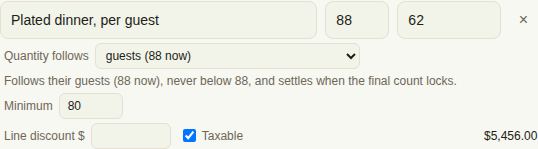
The drop-down shows today's number beside each, such as "guests (88 now)". The quantity you type is the estimate: the line follows their plan but never drops below it. Add a Minimum if your contract has one.
How it moves
- While an invoice is unpaid, its counted lines follow the couple's plan by themselves, up and down, never below your estimate or minimum.
- When the couple's final count locks, the numbers settle.
- A paid invoice never changes. If the final count goes above what was paid, the difference is offered to you as a top-up.
- If the couple doesn't plan on The Veil, the line stays at the number you typed.
Priced per guest, on the lead
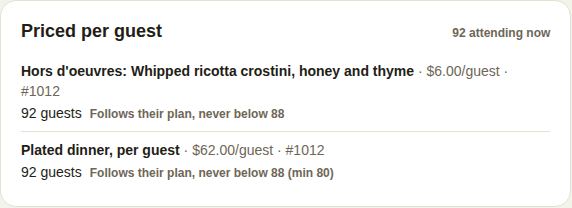
Any lead with counted lines shows Priced per guest (or Priced by count): each line, its price per guest, the count it's on now, and whether it's "Follows their plan, never below 88", Set or Paid. The corner shows "92 attending now", or the final count once it locks.
When the final count outgrows a paid invoice, a box says how many more guests than you were paid for and what that comes to, before service and tax, at the same rates as the original invoice. Send the top-up sends it as a new invoice (owners and managers). If the final count comes in below what was paid, the lead says so; whether anything is refunded is up to your contract.
Good to know
- The final count date is set on the lead under Final count, and goes into the couple's checklist. See What the couple shares with you.
- A per-guest package on a quote uses today's count once; invoice it per guest to keep it following.
Did this answer it?
Updated September 30, 2026