Help · For wedding businesses · Quotes, contracts and getting paid
Clients who aren't on The Veil
Quote, invoice, contract and email clients with no account from their lead. They pay and sign on their own private page, and replies come back to you.
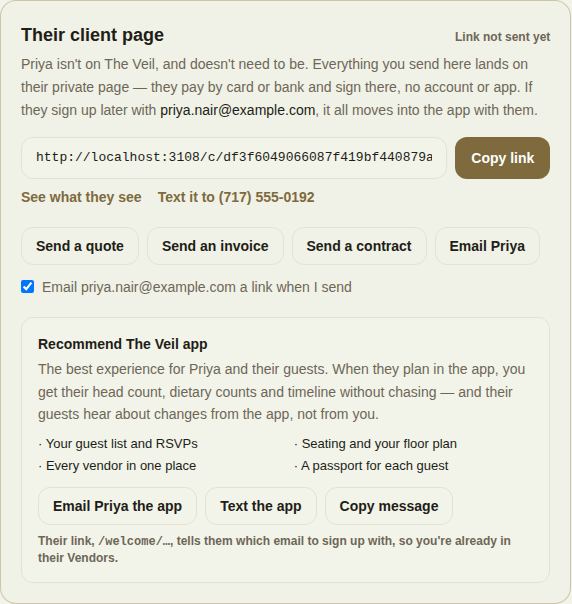
Plenty of clients will never install an app, and they don't need to. When a lead isn't on The Veil, it shows Not on The Veil yet, and in place of a chat you get Their client page: a private link where they see your quote, pay by card or bank and sign, with no account.
The panel on the lead
At the top, the status of their link: Link not sent yet, Link sent 2h ago — not opened yet, or Opened their page 1h ago.
- Copy link: copy their private link to send yourself. After you add a lead by hand, it's already selected.
- See what they see: open their page as they'll see it.
- Text it to their phone number: opens a text message with the link ready.
Send them something
Four buttons:
- Send a quote: the same quote as in the app, with the deposit and an optional contract. See Send a quote.
- Send an invoice: the full invoice builder. See Invoices.
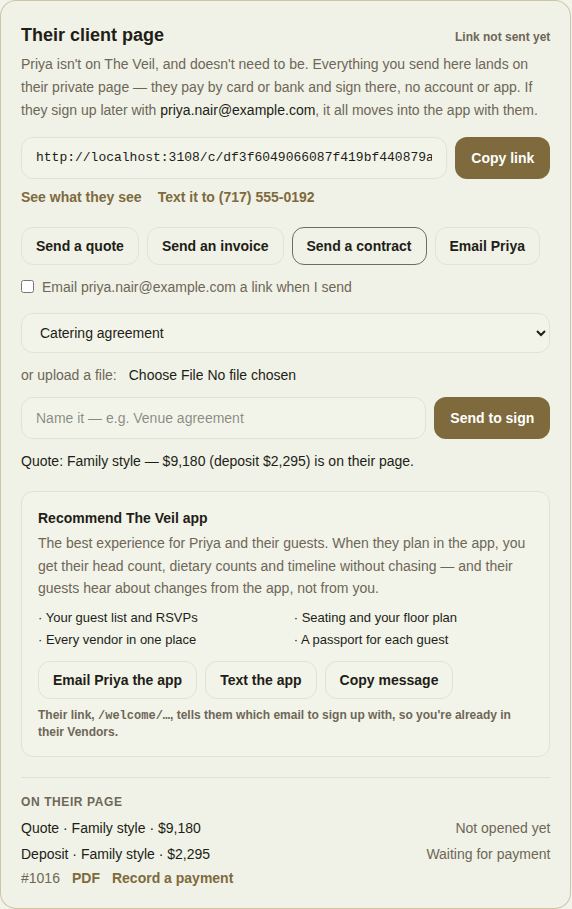
- Send a contract: choose one of your contracts or upload a PDF or Word file, name it, and click Send to sign.
- Email {their name}: write a note. It goes by email with a link to their page, now or Later.
Tick Email {their email} a link when I send and each thing you send is followed by an email with a button to their page. Untick it if you'd rather send the link yourself. With no email on the lead, you'll need to send the link yourself.
Their replies
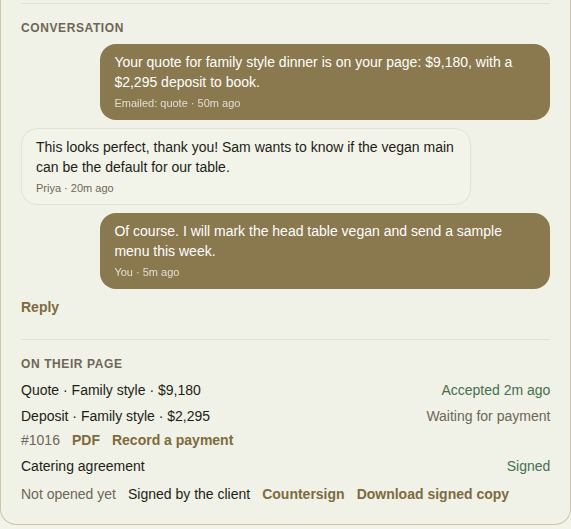
When they answer an email, the reply lands on the lead under Conversation and in your own inbox. The conversation shows what was emailed (quotes, invoices, notes and automatic reminders) and what they wrote back. Reply writes to them again.
What's on their page
On their page lists everything they have: the quote (Not opened yet, Opened, or Accepted and when), each invoice with PDF, Record a payment and Refund, and each contract with its signing status, Countersign and Download signed copy. If payment reminders apply, the reminder line is here too. See Payment reminders.
Recommend the app
For weddings, Recommend The Veil app explains what the couple gains by planning in the app, and offers Email {their name} the app, Text the app and Copy message. Their link tells them which email to sign up with. When they join with the same email, everything on their page moves into the app with them, and the lead becomes a normal conversation.
Good to know
- Their page only shows what you sent them. It isn't indexed by search engines.
- They can pay by card or bank transfer. Bank transfers take a few days to clear.
- A client who has had several emails in the last hour won't get another straight away; try again later or copy the link.
- See exactly what they see in Your client's page.
Did this answer it?
Updated September 30, 2026