Help · For wedding businesses · The wedding day
Crew and call times
Name who's working each wedding, when they're called, and what they're doing.
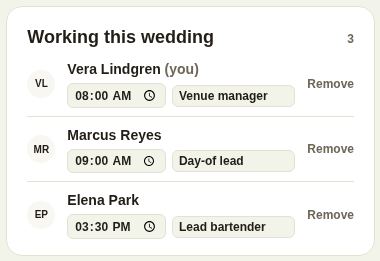
If you have a team on The Veil, each booked lead has a Working this wedding box: the people on the day, their call times and positions.
Add your crew
- On the booked lead, find Working this wedding.
- Choose someone from Add someone…. The list shows your team with their titles.
- Set their call time, and a position for this wedding, for example "Lead bartender". Each saves when you click away.
- Remove takes someone off this wedding.
If nobody's named yet, the box says so.
What they get
- Crew see the wedding's run sheet and the details your trade gets from the couple, even if their role is day-of staff.
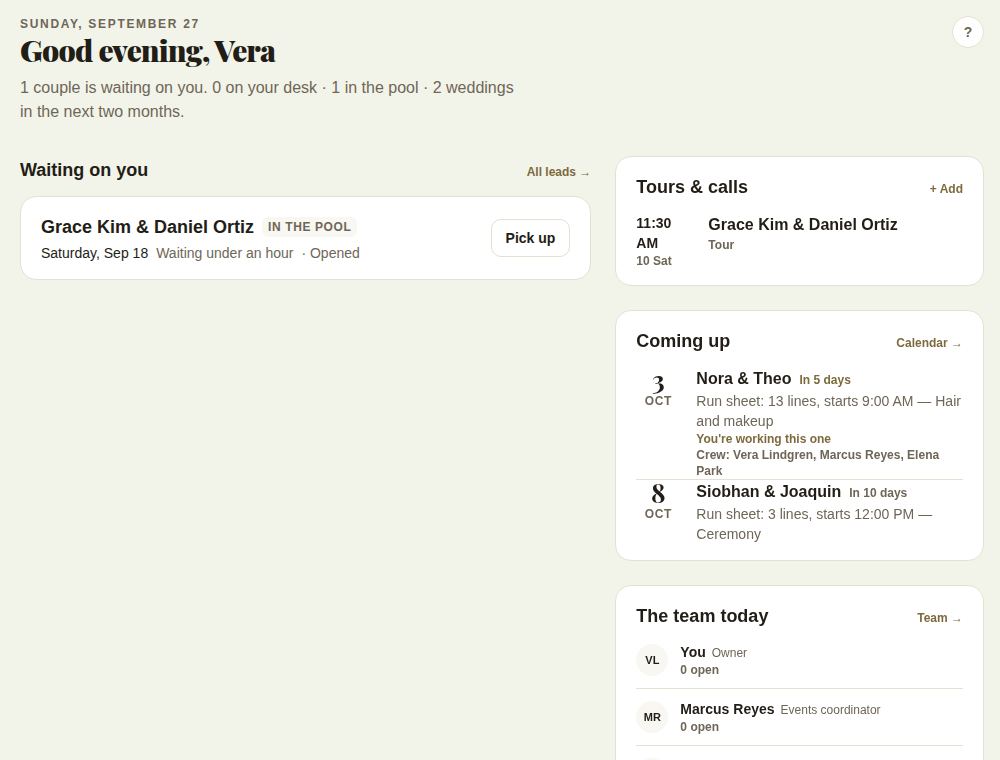
- Day-of staff see their weddings on their Today page. See Your Today page.
- Everyone's call time prints under Working this wedding on the day sheet, and on the phone's day sheet under Your team.
Who can change it
Owners and managers, and the coordinator a lead is assigned to. Everyone else sees the list with each person's call time and position, for example "Call 3:30 PM · Lead bartender".
A good call sheet
- Set call times from the run sheet: the bar team before cocktail hour, the setup crew before load-in.
- Use the position for what they're doing at this wedding, not their job title. Titles from your team list show when there's no position.
- Print the day sheet the day before, so everyone has the same times. If a call time changes later, print again.
Good to know
- The box appears once you have more than one person on your team. See Invite your team and Team, roles and routing.
- Everyone on the crew has to be on your team.
- Team seats depend on your plan. See Plans and prices.
Did this answer it?
Updated September 30, 2026