Help · For wedding businesses · The wedding day
For the day: your BEO
The bar, setup, load-in, arrivals, power, rentals, curfew and parking: what your team needs that the client never types.
For the day is your half of the banquet event order: the sections your own team reads on the day and the client never fills in. It's on every booked lead and prints on the day sheet.
The sections
Which ones you see follows your trade. Other notes for the day is for everyone.
- Menu and service style: plated, buffet or stations; courses and timing; kids' and vendor meals. Venues, caterers and planners.
- Bar: the package, open and close times, last call, signature drinks, who serves. Venues, caterers and planners.
- Setup and teardown: when the room opens for setup, when it has to be clear, who does what. Venues, caterers, decor, florists, rentals and planners.
- Load-in: which door, what time, the dock or lift, where to unload. Also DJs and bands and photo booths.
- Vendor arrival times: who arrives when. Venues and planners.
- Power and AV: outlets and circuits, mics, projector, where the band plugs in. Also DJs and bands, officiants and photo booths.
- Rentals on site: tables, chairs, linens, tent, and from whom. Venues, rentals, decor and planners.
- Curfew and noise: music off, last guests out, sparkler or fire rules. Venues, DJs and bands, and planners.
- Parking and shuttles: where guests park, the shuttle bay, vendor parking. Venues, transport and planners.
Fill it in
- On the booked lead, find For the day.
- The first time, tap Fill in the day to open every section.
- Type into a section. It saves when you click away, and says Saved with when.
- Show only filled sections tidies it up afterwards; Add another section opens the rest again.
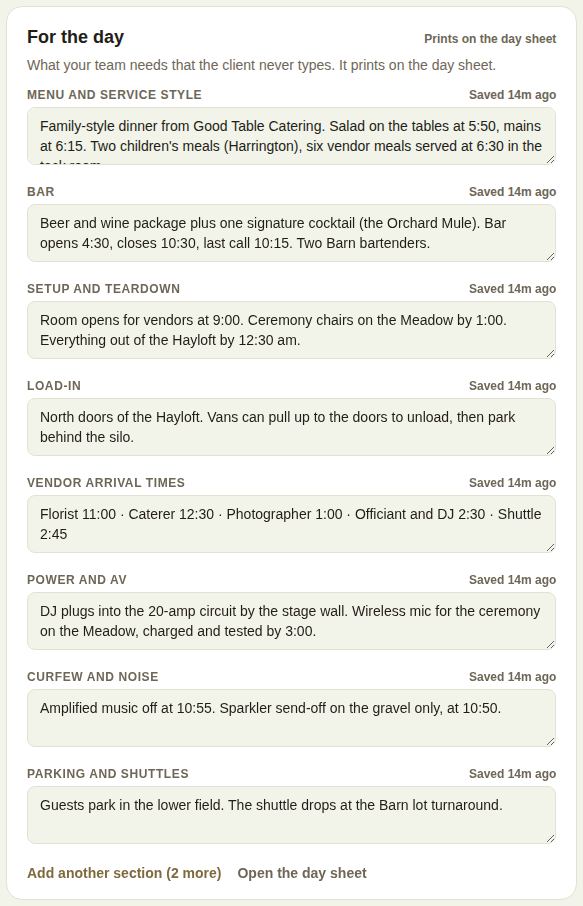
Each section holds up to 4,000 characters. Clear a section's text to remove it.
Printed, then changed
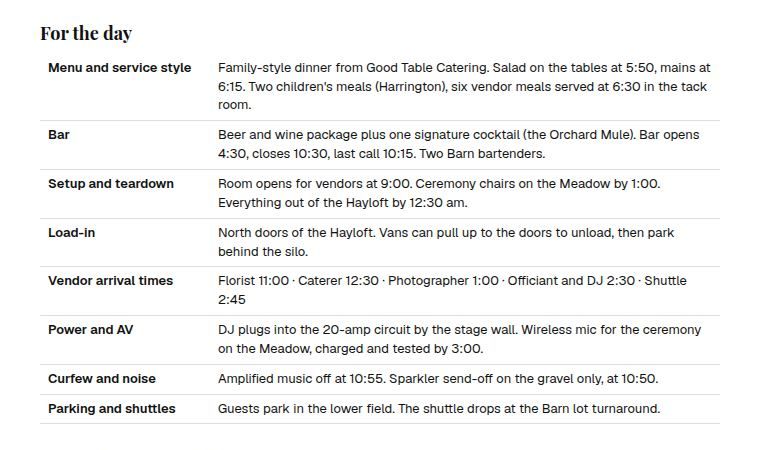
Once you've printed the day sheet, the box says when. If you change a section afterwards, it's marked Changed since printed, the header counts how many changed, and the next day sheet marks each one Changed since last print, so nobody works from an old copy.
Who sees it
- Your team, on the lead and the day sheet. Day-of staff read it, but can't edit.
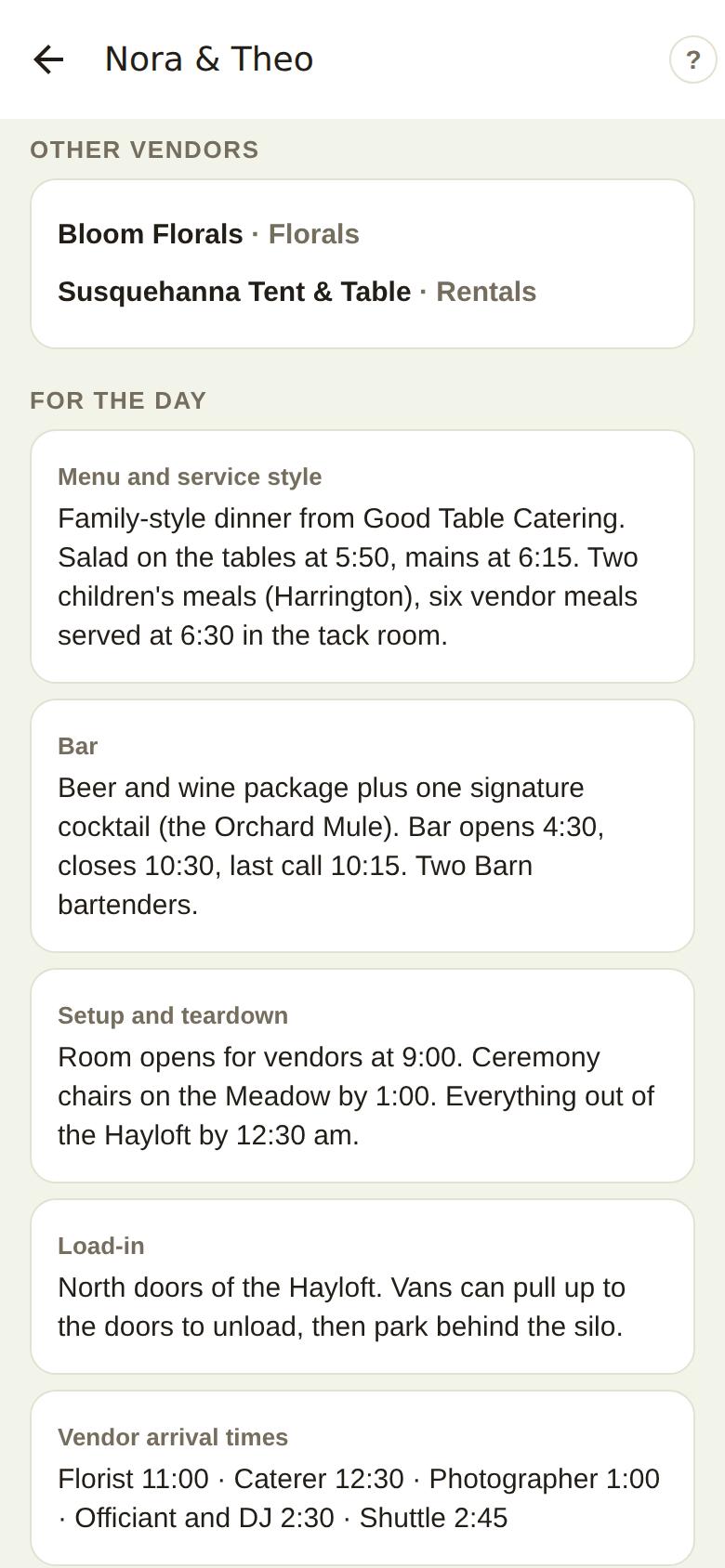
- Vendors you add to the event under Other vendors on this event see your load-in and arrival notes and the rest of these sections on their event page. They never see the client's details or the money. See Other vendors and insurance certificates.
- On the phone, For the day is on the day sheet, one card per section.
- The couple doesn't see it.
Good to know
- Open the day sheet is at the bottom of the box.
- If the client isn't on The Veil, venues also fill in The numbers: guests, children, vendor meals, dietary counts and the tables. See Final count, dietary needs and the final guest list.
Did this answer it?
Updated September 30, 2026