Help · For wedding businesses · The wedding day
The run sheet and the day sheet
The couple's timeline on your lead, one you write yourself when they're not on The Veil, and one page to print for the day.
The run sheet is the day, minute by minute. The day sheet is everything your team needs, on one printed page.
Their run sheet
On a booked lead where the couple plans in the app, Their run sheet lists every moment they've shared with you, grouped by day, with the time, what happens and where. Lines tagged to your booking are marked Yours.
At the top, the latest changes: "Ceremony moved to 4:30 PM", "Toasts was added at 7:00 PM", with when. More changes shows the rest. You're also told when a line moves.
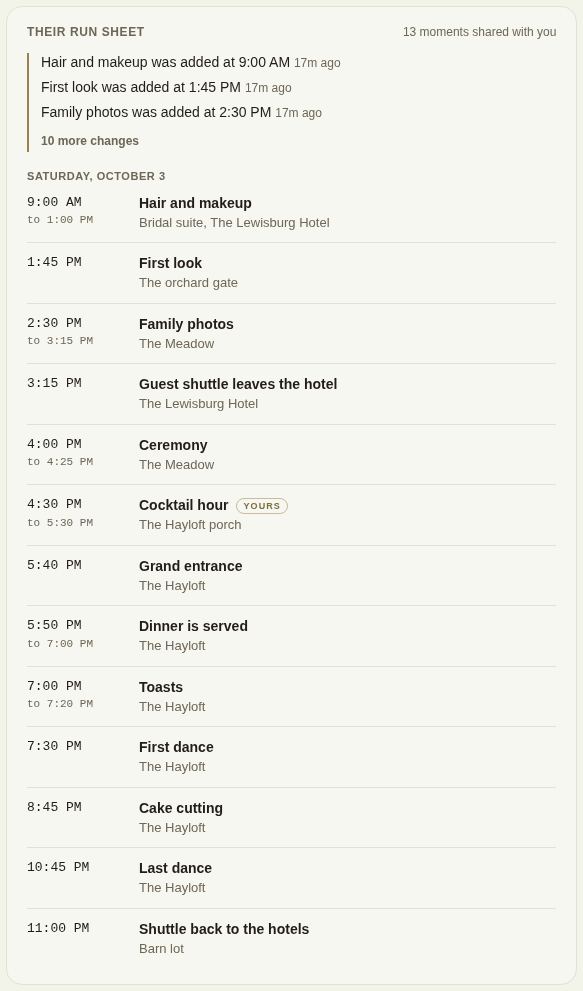
The couple chooses the moments one by one, so a run sheet fills in as the day gets planned. Until they share any, it says so.
Write the run sheet yourself
If the client isn't planning in the app, the lead has a Run sheet of your own instead.
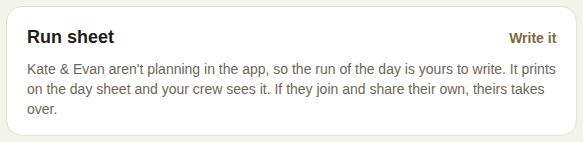
- Tap Write it (or Edit once there are lines).
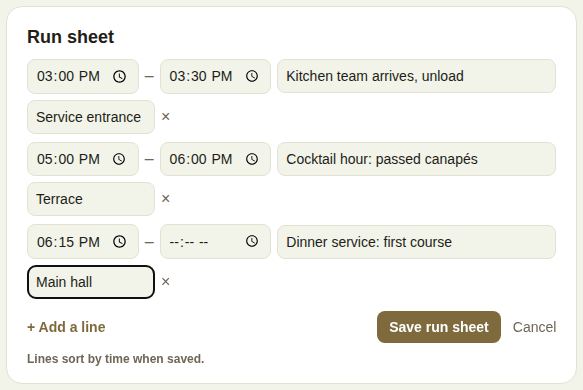
- For each line: the start time, an optional end time, What happens and Where.
- + Add a line for more; the × removes one.
- Tap Save run sheet. Lines sort by time when saved.
It prints on the day sheet, and your crew sees it. If the couple later joins and shares their own, theirs takes over.
Print the day sheet
On a booked lead, Print the day sheet is in The day box. It opens a clean black-on-white page. Tap Print; the page records when you printed it.
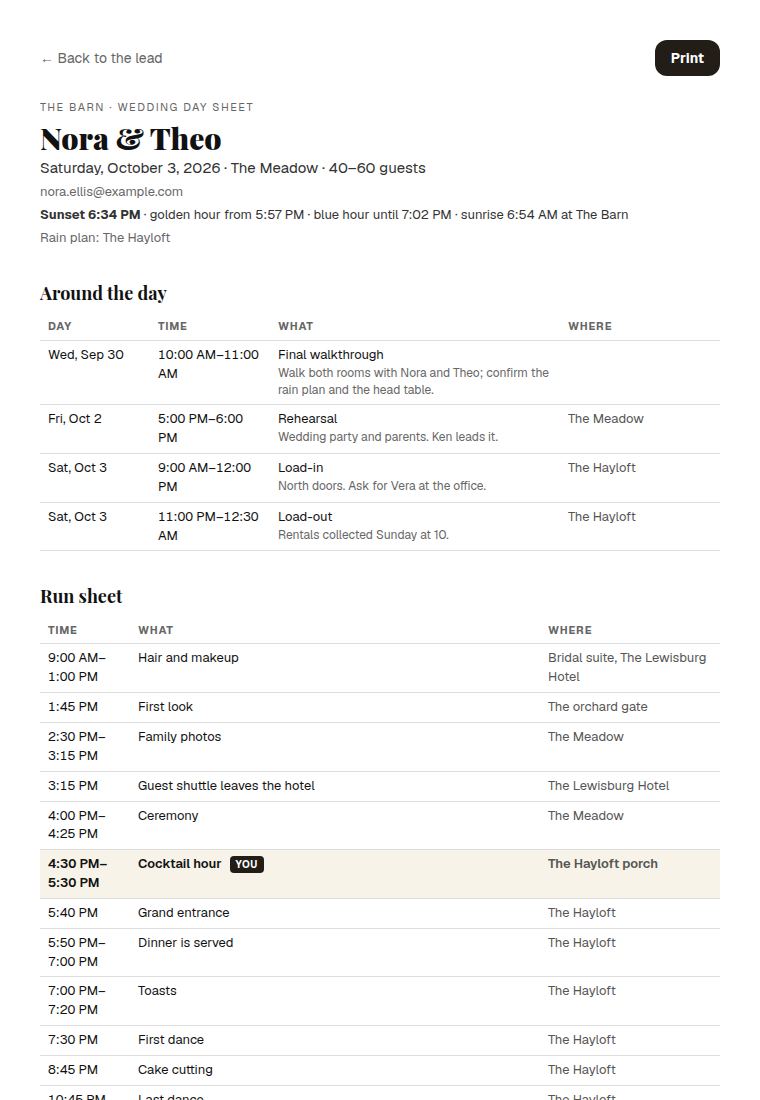
What it holds, when you have it:
- The day, the room (with the rain room if the rain plan is called), the guest count and RSVPs, a damage deposit if one is held, and the client's contact details.
- Sunset and golden hour, and the rain plan.
- Around the day: walkthrough, rehearsal, load-in and load-out, yours and the other vendors'.
- The hair and makeup morning, and the shuttle stops, for those trades.
- Run sheet, with your lines highlighted.
- The room's tables, The numbers, the final count, dietary counts, the final guest list, the music, introductions and family photos, for the trades that get them.
- For the day: your team's notes (bar, setup, load-in and the rest). A section changed since the last print is marked Changed since last print. See For the day: your BEO.
- The floor plan, for each space.
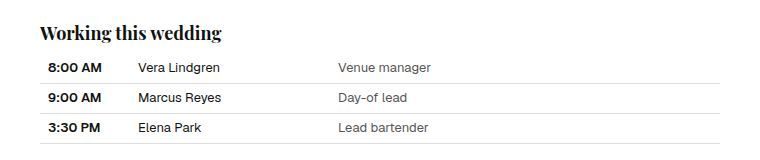
- Working this wedding: your crew and their call times.
- Other vendors, with their insurance status when you require it.
- Your team's notes on the lead, and what the client first asked for.
On your phone
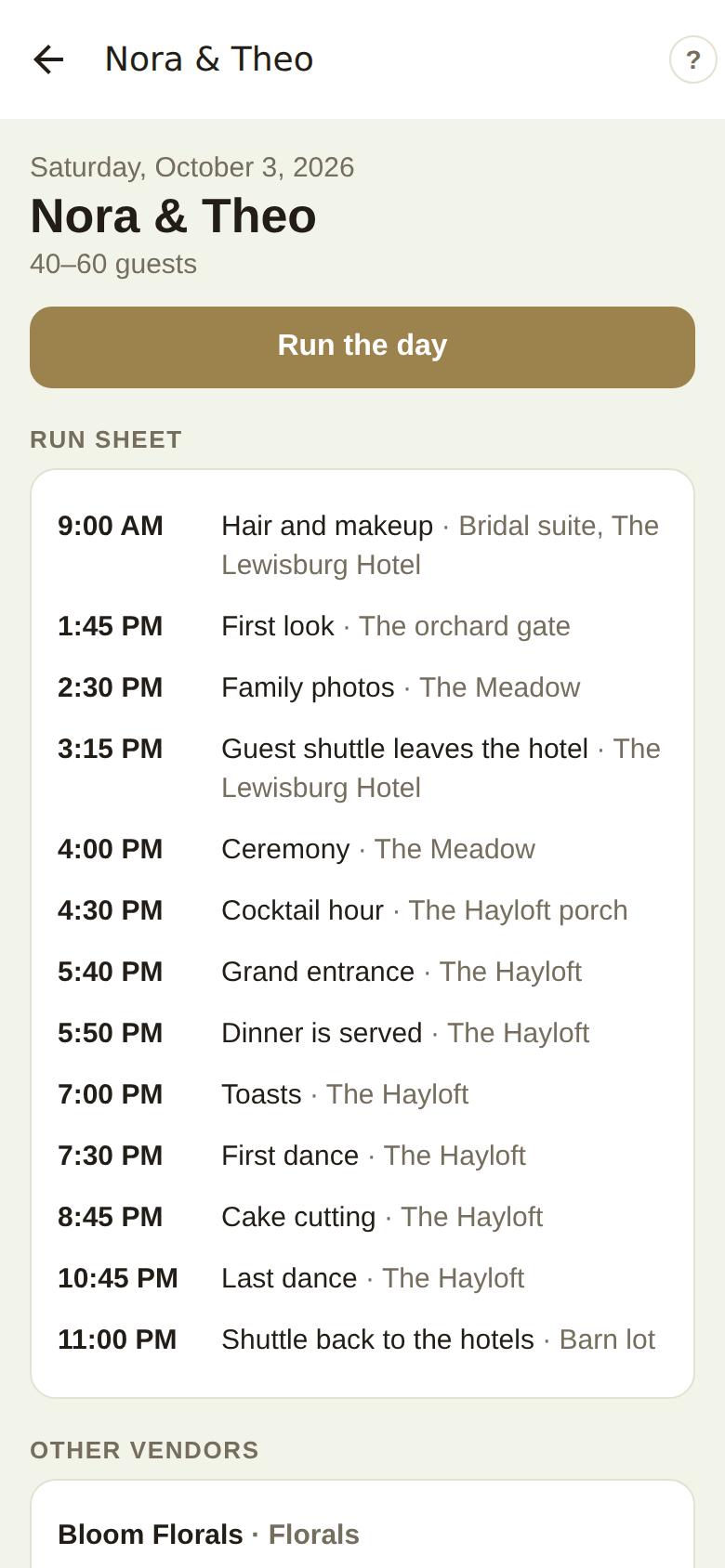
In The Veil Vendors, tap Day sheet on any booked lead, or tap the event on Calendar. It shows the date and guests, Run the day (for venues and planners), the Run sheet, Your team with call times, Other vendors and For the day. Print at the bottom opens the full sheet with the floor plan.
Good to know
- Run sheets appear once a lead is booked. The couple's appears once you're booked and paid.
- Print again after a change: the "changed" markers only compare against your last print.
- The day sheet shows the client's contact details and your team notes, so it's for your team. The vendors you bring see their own event page, without either.
Did this answer it?
Updated September 30, 2026