Help · For couples · Guests and RSVPs
Track RSVPs, replies and dietary needs
Read the roster at a glance: who has answered, how they answered, who is bringing whom, and who needs a special meal.
As guests reply, your Guest Roster fills in by itself. This article explains everything you see on it, so you can tell at a glance who is coming, who still hasn't answered and what the kitchen needs to know.
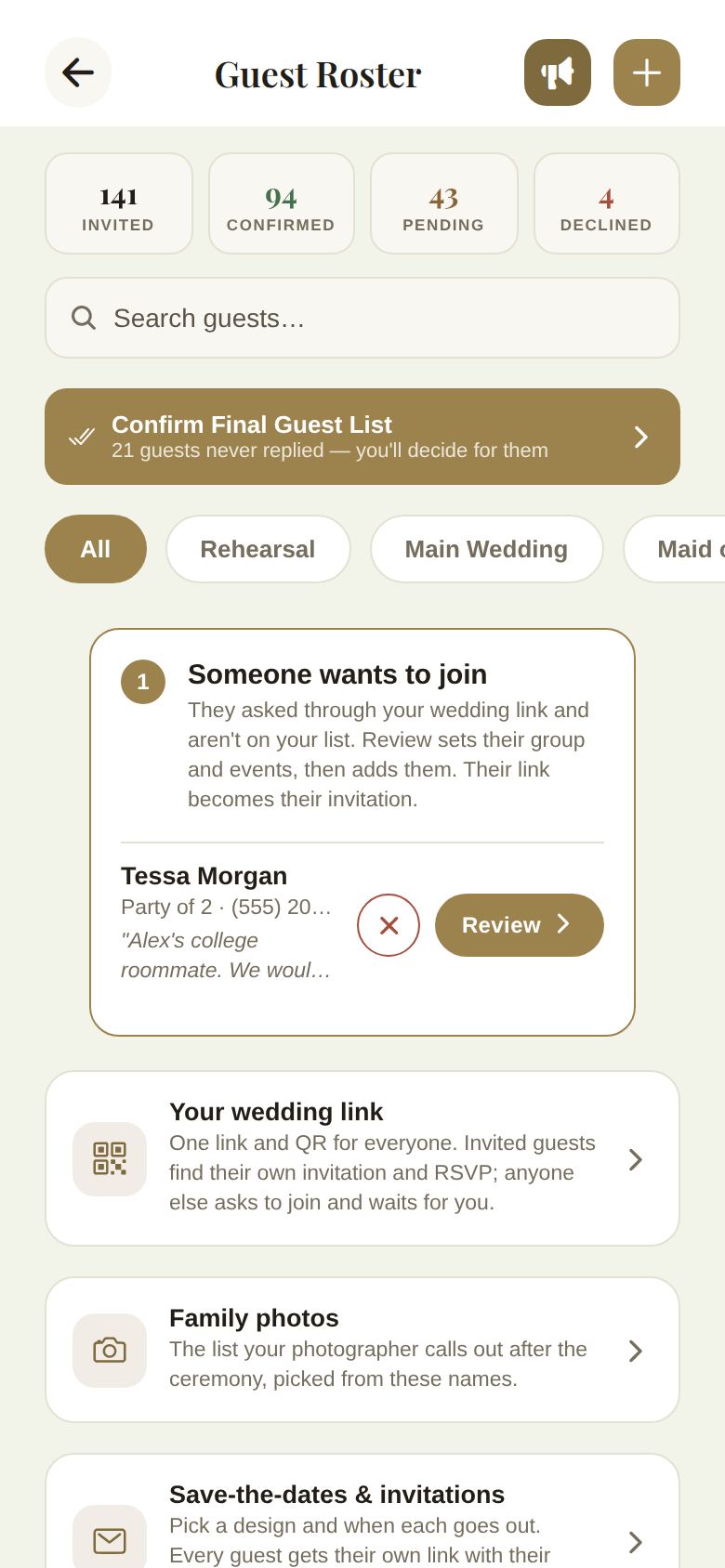
The four counts
The cards at the top of the roster count people, not invitations. A party of 2 counts as 2.
- Invited: every seat on your list, plus the two of you.
- Confirmed: people in parties that said yes, plus the two of you.
- Pending: people in parties that haven't answered yet.
- Declined: people in parties that said no.
People waiting in a join request are not counted anywhere until you add them. That keeps the number you give your caterer honest.
Reading a guest's row
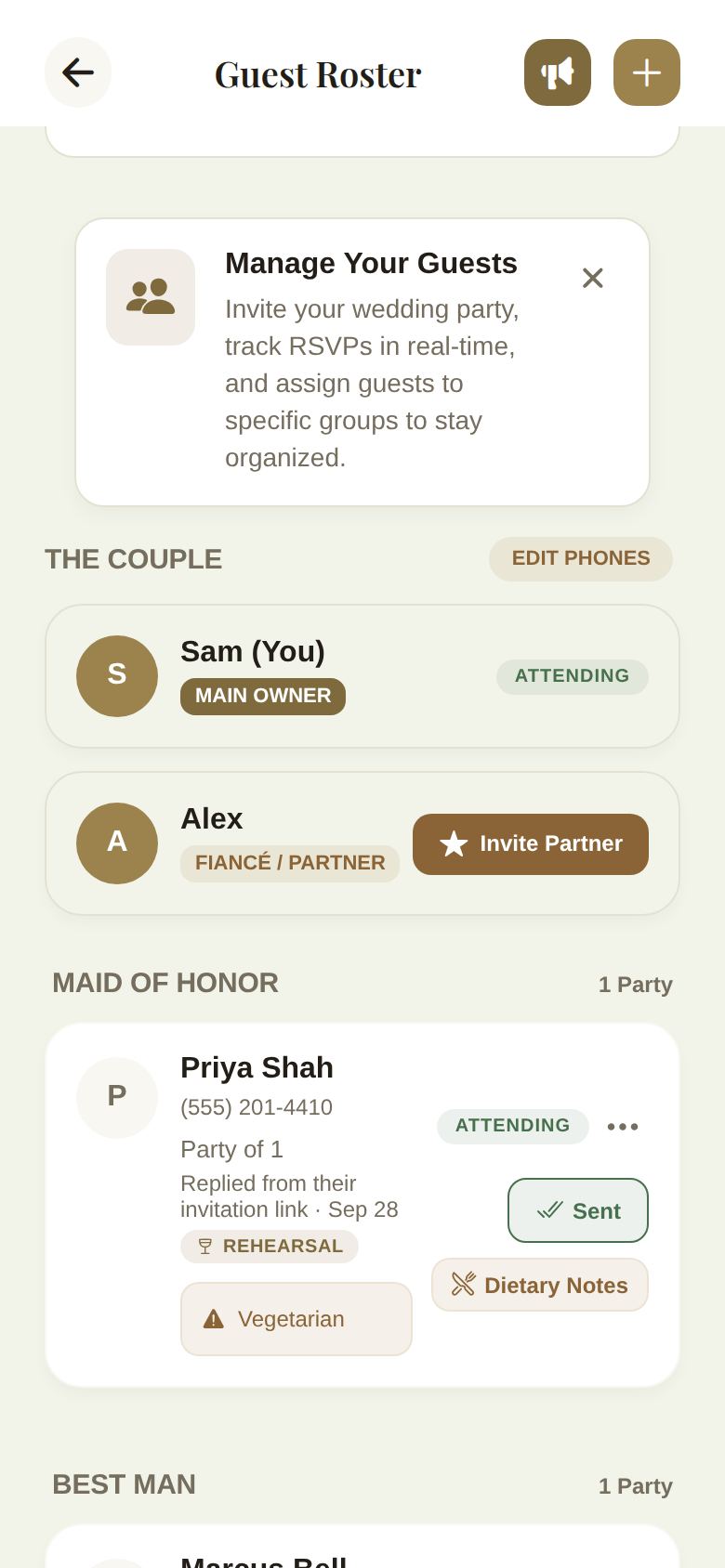
Each party has its own card. From top to bottom:
- The guest's name. If they joined The Veil app, it shows the name on their account.
- Named plus-ones, each on a line like +1: Dana Bell.
- Their phone number, if you added one.
- Party of 2, or 2 of 3 coming when they told you fewer people are coming than you invited.
- How their answer arrived, with the date. Replied from their invitation link means they answered on the web page we sent them. Replied in the app means they answered in The Veil app. Set by you means you or a co-planner changed it. Before they answer you might see Invitation sent · not replied yet or Has the app · not replied yet.
- Any note they left with their reply, in quotes.
- A REHEARSAL badge if they're invited to the rehearsal, or REHEARSAL ONLY if they're invited to the rehearsal and not the main wedding.
- Their dietary note, if they gave one.
- On the right: their status (ATTENDING, PENDING or DECLINED), the ... menu, and the invite button.
The invite button
The button under each status tells you where that invitation stands:
- Invite: you haven't sent this party their link yet. Tap it to send it. See Your wedding link, QR codes and personal links.
- Sent: you shared their link, or showed them their QR code.
- In app: the guest opened their invitation in The Veil app.
Dietary needs
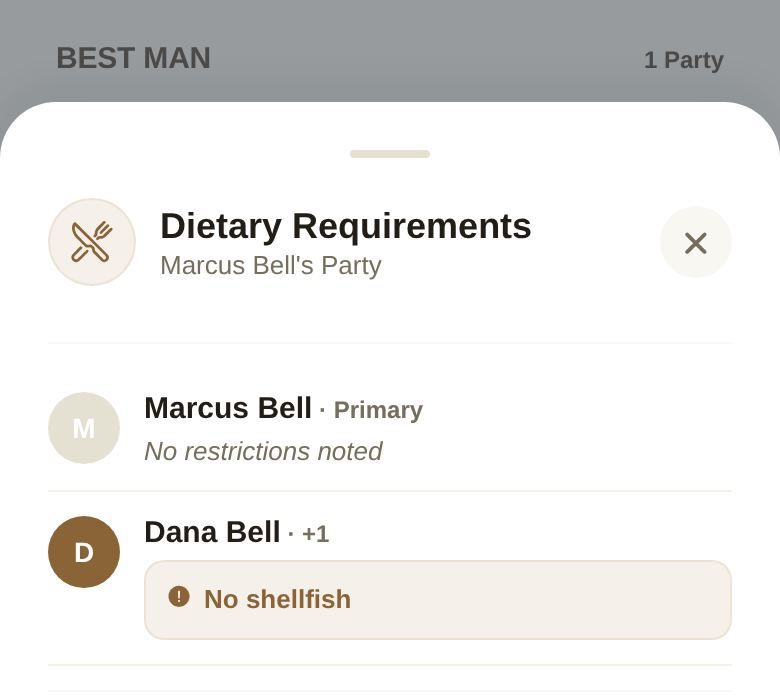
Guests add dietary needs themselves when they reply, for each person in their party. When anyone in a party has a note, a Dietary Notes button appears on the row. Tap it to see the whole party: each person, whether they're the primary guest or a plus-one, and their note, or No restrictions noted.
Your booked caterer sees dietary counts before the list is final, and each guest's name with their note once you lock it. The seating spreadsheet also carries every guest's dietary note to their seat. See Download seating for your caterer.
Who hasn't answered
The Confirm Final Guest List button tells you how many guests never replied. To nudge them:
- Turn on the reminder in Save-the-dates & invitations. We email everyone who hasn't answered once, a week before your reply-by date. See Send save-the-dates and invitations by email.
- Send one message to everyone with the megaphone. See Message all your guests.
- Text a party their own link again from their row.
Good to know
- Only parties show as cards. A plus-one never gets their own card; they appear under the person who invited them.
- A reply the guest changes later updates the row and the counts straight away.
- When the list is locked, nobody can change a reply or a dietary note until you reopen it. See Lock your final guest list.
Did this answer it?
Updated September 30, 2026