Help · For couples · Floor plan and seating
Download seating for your caterer
Get a spreadsheet of every table, seat, guest and dietary note, save a picture of your plan, or share it for Stories.
Your caterer plates each meal for a specific seat, and your stationer needs names for place cards. The floor plan can hand them what they need.
The seating spreadsheet (Plus)
The spreadsheet lists every seated guest with their Table, Seat, Guest name, Party size and Dietary notes. Anyone attending who isn't seated yet is listed at the end as (Not seated), so nothing is missed.
To download it:
- In Seating, tap Download for the caterer (spreadsheet).
- Or tap ... at the top of the plan and choose Download seating for the caterer.
On the free plan both buttons are marked (Plus) and open the upgrade screen. If nobody is seated yet, we ask you to seat a guest first.
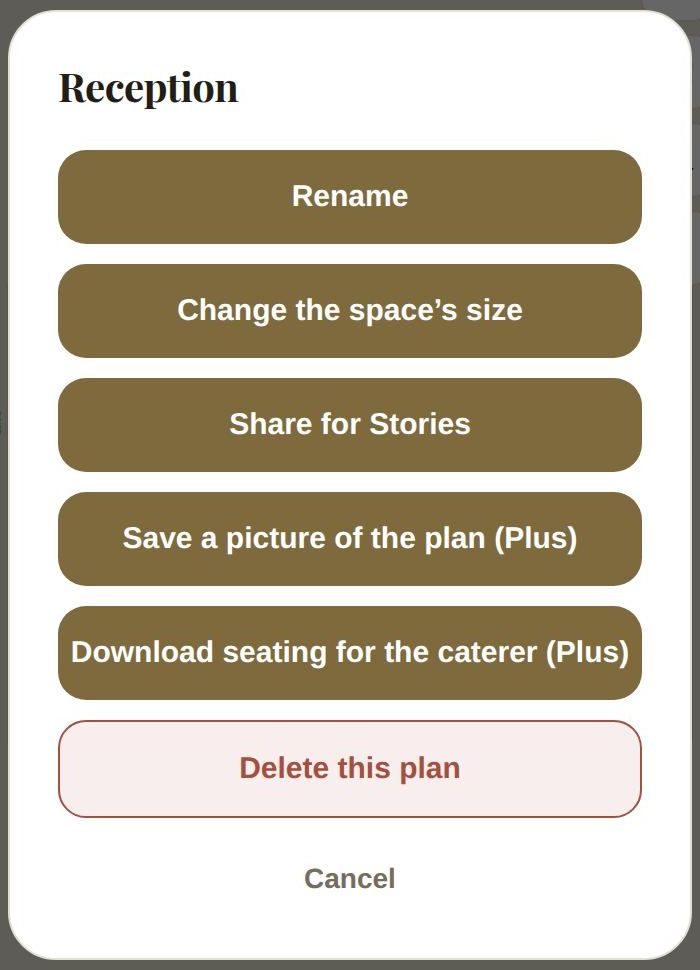
A picture of the plan (Plus)
Save a picture of the plan saves the whole plan, fitted to the frame, to your phone's photos. It's in the iOS and Android apps; the web has no photo library, so the option isn't shown there.
Share for Stories (free)
Share for Stories makes a picture of your plan with your names, the plan's name and a line like "12 tables, 96 seats", ready to post or send.
Other ways vendors get your seating
- Share the plan itself with your booked vendors. See Share your floor plan with your vendors.
- Share your seating with your stationer for place cards, with a switch in For your vendors. See Share guest details with your vendors.
- Lock your final list, and your caterer and venue see each guest's table with their dietary needs. See Lock your final guest list.
Good to know
- The spreadsheet is a CSV file, which opens in Excel, Numbers or Google Sheets.
- It's named after your plan, so a rain plan's seating downloads separately.
Did this answer it?
Updated September 30, 2026