Help · For couples · Guests and RSVPs
Add guests and their parties
Build your guest list one party at a time, with plus-ones, groups, events and contact details.
Your guest list lives on the Guest Roster. Open it from Home by tapping Guests. Everything else in this part of the app, from invitations to seating, reads from this one list, so it pays to set it up carefully.
The list is built from parties. A party is one invitation: the person it is addressed to, plus anyone coming with them (a partner, a plus-one, children). You add the party once and set how many seats it gets. The people in it can name who is coming when they reply.
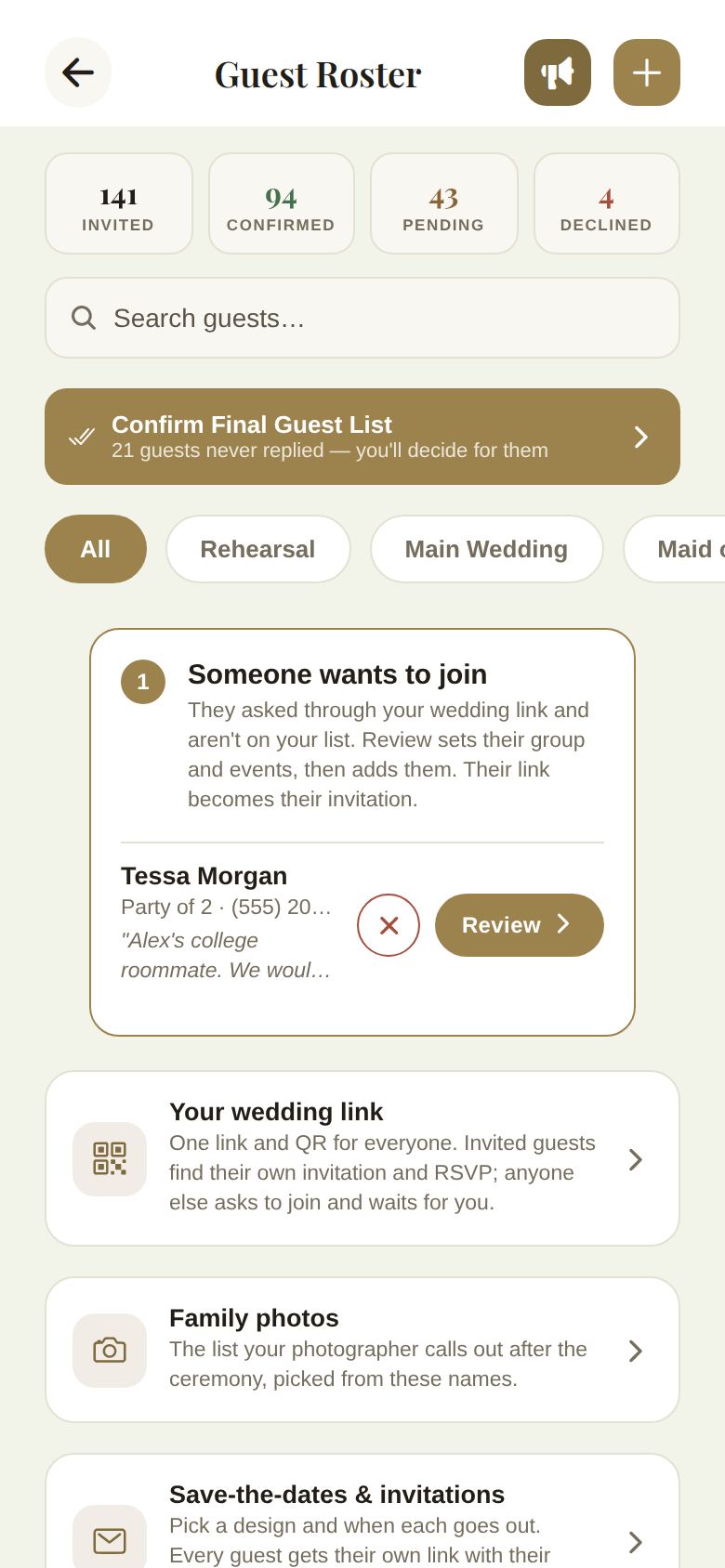
Add a party
- On the Guest Roster, tap + at the top right.
- The Add New Party form opens. Fill in the fields below.
- Tap Generate Invite Row. The party appears in its group on the roster, marked as pending.
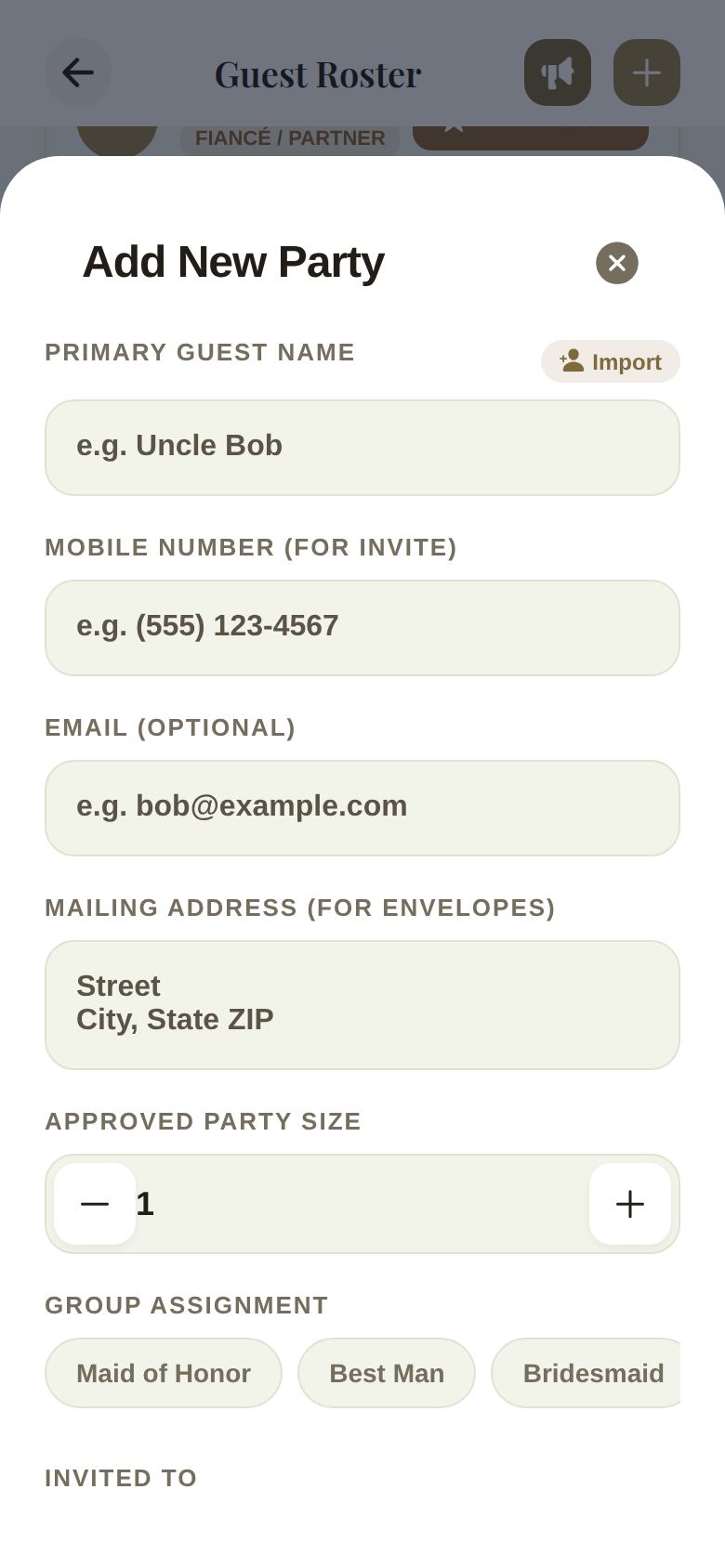
Every field, explained
- Primary Guest Name: the person the invitation is addressed to. On your phone, Import opens your contacts and fills in the name and first phone number for you.
- Mobile Number (For Invite): optional, but worth adding. When a party has a phone number, only someone who knows it can open that invitation from your shared wedding link. Your day-of coordinator can also call anyone you make a day-of contact.
- Email (optional): with an email, we send this party their save-the-date and invitation for you. Without one, you copy their link and text it yourself. See Send save-the-dates and invitations by email.
- Mailing Address (for envelopes): only needed for printed invitations. Guests can also add their own address from their invitation page.
- Approved Party Size: how many seats this invitation holds, including the primary guest. Use - and +. A party of 3 means the guest plus two more.
- Group Assignment: Maid of Honor, Best Man, Bridesmaid, Groomsman, Wedding Party, Family, VIP or Friends. New parties start in Friends. The group decides where the party sits on the roster and who shows up in the wedding party lists.
- Invited To: Main Wedding, Rehearsal, or both. New parties are invited to the main wedding only. If you turn both off, the form warns you that this guest isn't invited to either event yet. See Invite guests to the rehearsal dinner.
There is no box for dietary needs on this form. Guests tell you themselves when they reply, and their notes appear on the roster. See Track RSVPs, replies and dietary needs.
Plus-ones and the rest of the party
You don't type plus-ones in by name. Set the party size, and when the guest replies from their invitation they say who is coming and name each person. Named plus-ones then show under the primary guest on the roster, like +1: Dana Bell.
If a guest says fewer people are coming than you invited, the row shows it, for example 2 of 3 coming. When you lock your final list, you'll be asked to name any seat still without a name, or remove the seats nobody will fill. See Lock your final guest list.
Edit or remove a party
Tap ... on a party's row to open its menu.
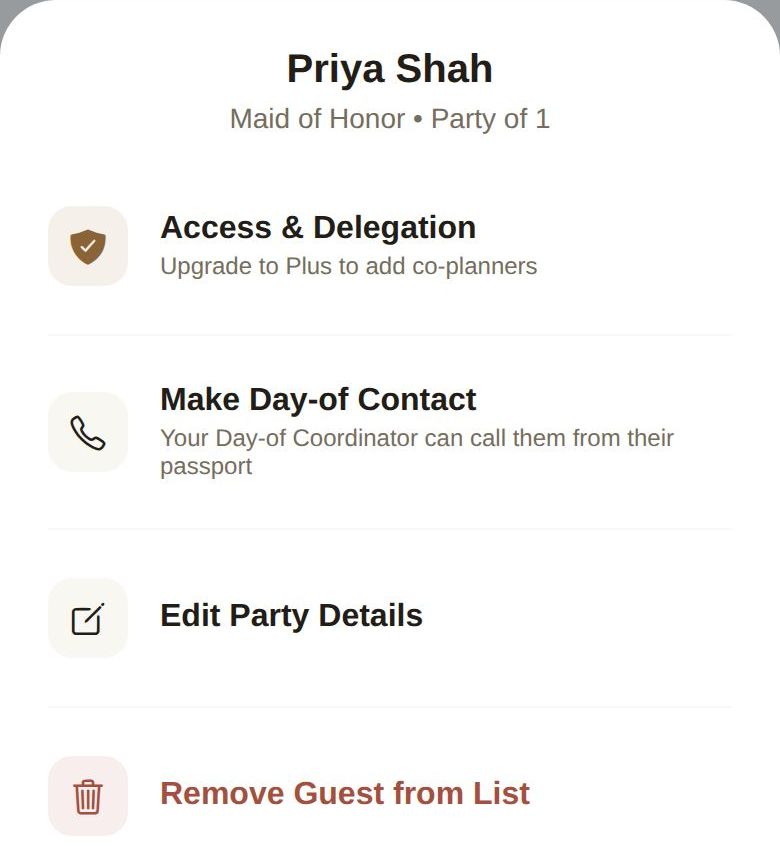
- Edit Party Details opens the same form with everything filled in. Change what you need and tap Save Changes.
- Remove Guest from List asks you to confirm, then removes the party.
- Message Guest appears once the guest has joined The Veil app, and opens a direct message with them.
- Make Day-of Contact is covered in Day-of contacts and your phone numbers.
- Access & Delegation turns a guest into a co-planner or your day-of coordinator. Adding co-planners beyond your partner needs Plus. See Co-planners and your day-of coordinator.
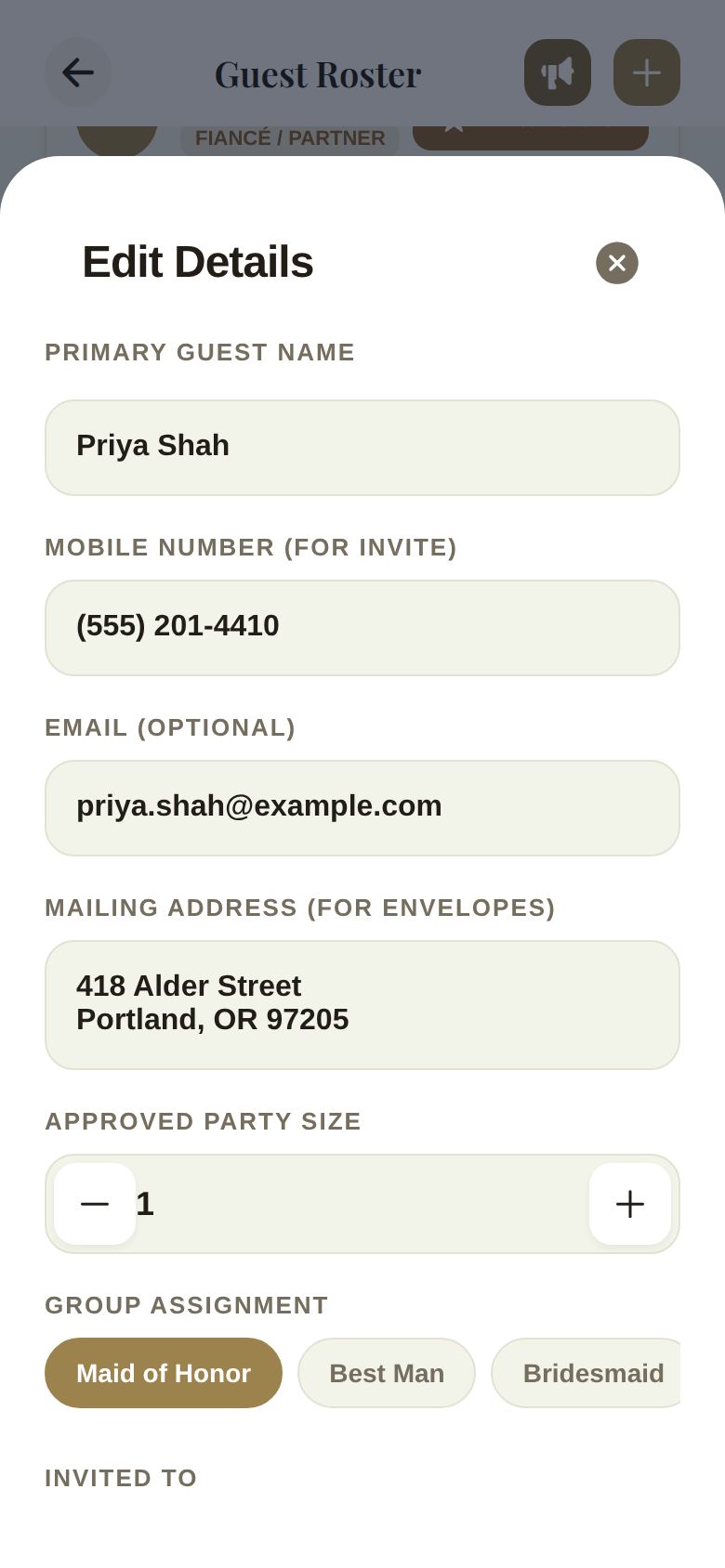
Find anyone fast
- Search guests... matches names and phone numbers.
- The filter chips narrow the list: All, Rehearsal, Main Wedding, then each group. Search works inside the chip you picked, so Rehearsal plus a name finds that person among rehearsal guests.
- The two of you are always shown at the top under The Couple when All is selected.
When a co-planner adds guests
If a co-planner with access to your guest list adds or edits a party, the button reads Submit Request instead. Their change waits for you to approve it, and the row shows PENDING until you do. Your day-of coordinator is the exception: their changes save straight away. See Co-planners and your day-of coordinator.
Good to know
- The head counts at the top count people, not parties, and include the two of you. See Track RSVPs, replies and dietary needs.
- Once your list is locked, + turns into a lock and nobody can add or change a party until you reopen it.
- People who ask to join through your wedding link aren't on the roster until you review them. See Review join requests.
- Adding a party doesn't send anything. Invitations go out when you schedule them, or when you send a party their link yourself.
Did this answer it?
Updated September 30, 2026