Help · For couples · Guests and RSVPs
Message all your guests
Send one announcement to everyone: it posts to your Wedding Chat, goes out by push, and can open a text from your own phone.
When something changes, like a shuttle time, a venue detail or an RSVP nudge, you can tell every guest at once with Mass Message.
Send a message
- On the Guest Roster, tap the megaphone at the top right.
- Mass Message opens.
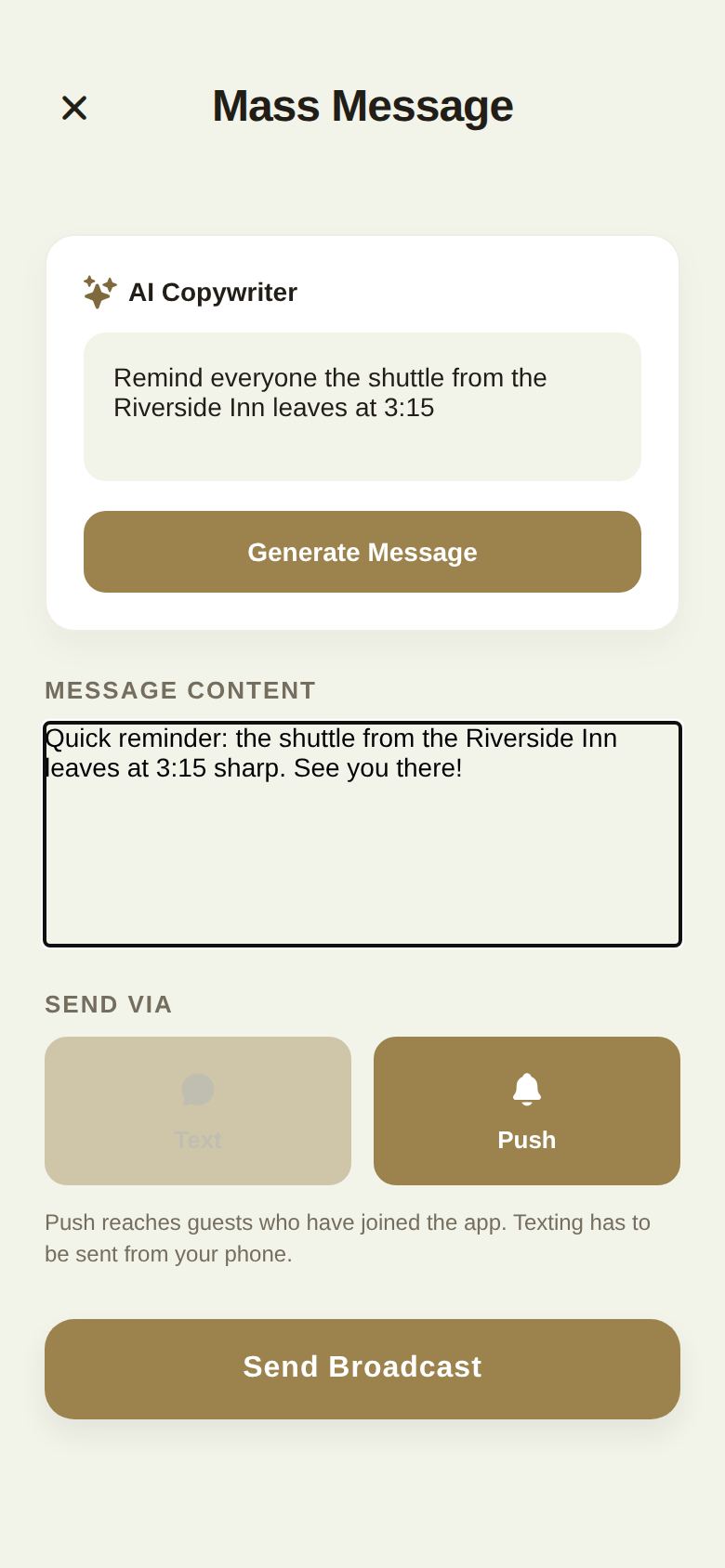
- Write your message in Message Content. Or, to have one drafted, describe what you want in the AI Copywriter box and tap Generate Message. You can edit the draft before sending.
- Under Send Via, choose Push, Text, or both.
- Tap Send Broadcast.
Where your message goes
- Your Wedding Chat, every time. The message is posted to your wedding's group chat, so guests who miss the notification can read it later.
- Push: a notification to every guest who has joined The Veil app. It arrives as "Update from" followed by your names.
- Text: opens your phone's messages app with every guest's number filled in, so the text comes from your own number. You tap send there. Texting only works from the phone app, not on the web.
When it's done, we tell you exactly what happened: that it posted to your Wedding Chat, how many guests got a push, how many haven't joined the app and couldn't, and how many numbers were put into your text.
Tips
- Keep it short. The AI Copywriter aims for under 160 characters, the length of one text.
- Don't paste an invitation link into a mass message. Each party has their own link, so one message can't carry the right link for everyone. Use the Invite button on each row instead.
- Guests with neither the app nor a phone number on file won't be reached by push or text. They can still read the Wedding Chat once they join.
On the wedding day
Your day-of coordinator or venue can also send updates on the day, and guests without the app get those by email. See The wedding day.
Good to know
- There's no email channel in Mass Message. Use scheduled invitations and reminders for email.
- Every broadcast that reaches someone by push is recorded in your activity log.
Did this answer it?
Updated September 30, 2026