Help · For couples · Guests and RSVPs
Lock your final guest list
Decide for anyone who never replied, name every seat and lock the list, so your caterer and venue have the final names.
A week or so before the wedding, your caterer and venue need a final list: who is coming, with each guest's name and meal needs. Confirm Final Guest List gets you there in one pass, and locks the list so it stays final.
We suggest locking it the week before the wedding. Only the two of you can lock or reopen it.
Before you start
The button sits near the top of the Guest Roster. It tells you how many guests never replied, for example 21 guests never replied, you'll decide for them, or Everyone has replied, lock it in.
Lock the list
- On the Guest Roster, tap Confirm Final Guest List.
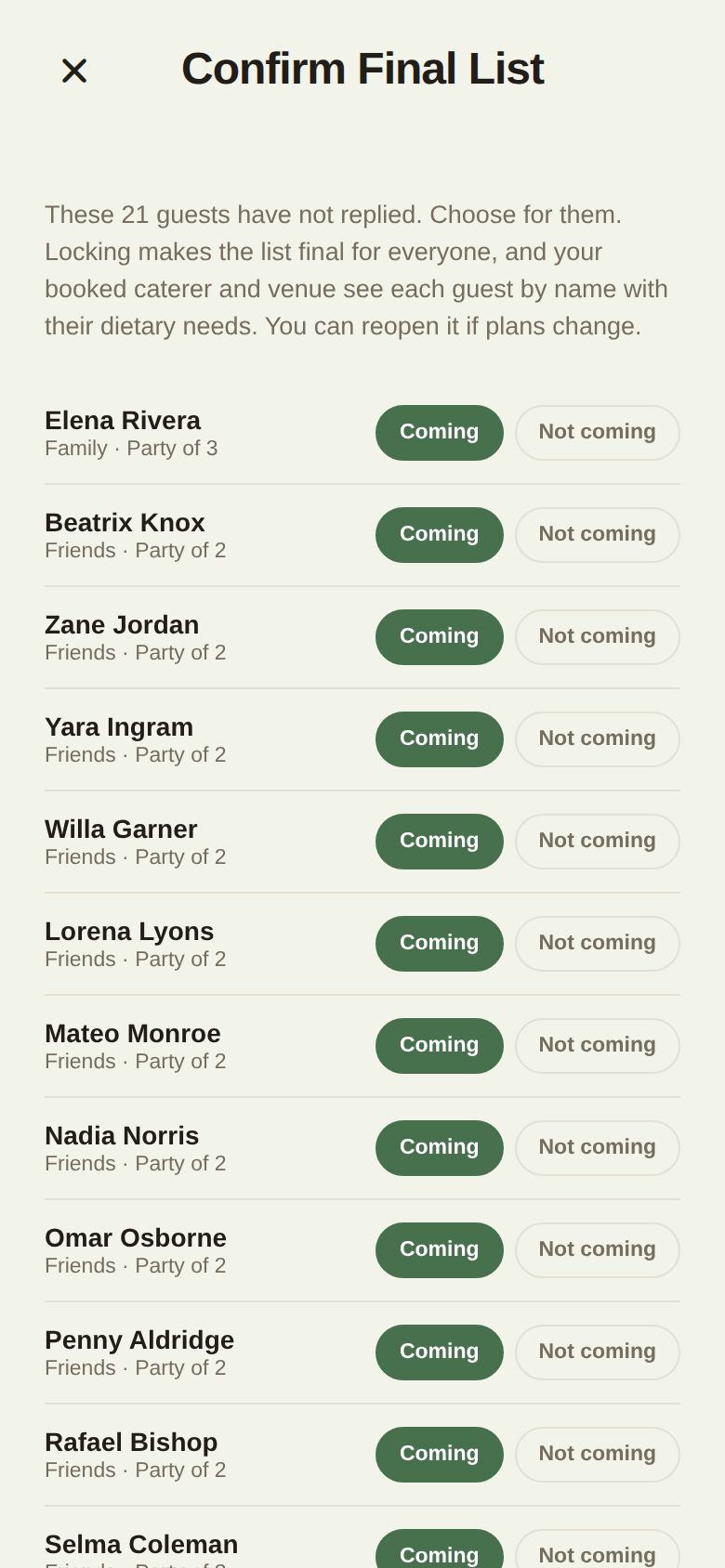
- The Confirm Final List screen lists everyone who never replied. Each one is set to Coming to start with. Tap Not coming for anyone you know won't be there.
- Scroll to Name every guest. Caterers and venues print a card for every seat, so every seat needs a name. For each party with an unnamed seat, type each person's name, or tick Remove unused party members to shrink the party to the people who are named.
- Tap Lock In Final List.
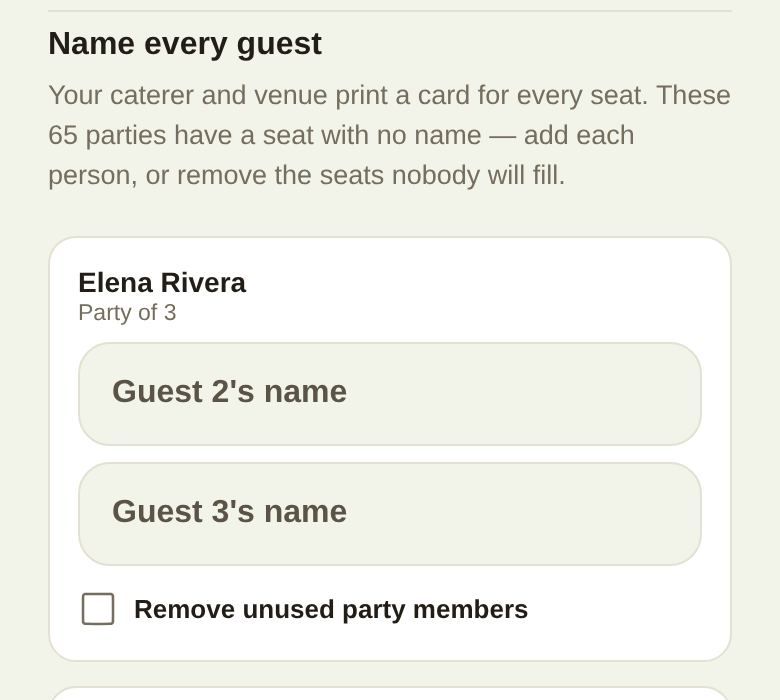
If a seat still has no name when you tap Lock In Final List, we tell you which party needs attention. A name like "Party of Elena" doesn't count; type the person's real name.
What locking does
- The roster shows Final list confirmed with how many are attending and the total heads.
- Nobody (you, your co-planners or your guests) can add people, remove them, or change replies, party sizes, events, phone numbers or dietary notes until you reopen it. This is enforced for everyone, not just hidden in the app.
- The + button turns into a lock, and Your wedding link is hidden.
- Your booked caterer and venue see each attending guest by name, with their party, their table (if you've shared your floor plan) and their dietary needs. Before the lock they only see counts.
- Every vendor you've booked is told that your final list is in.
Reopen the list
If plans change, tap Reopen on the Final list confirmed banner and confirm. Guests and replies become editable again. Seating and headcounts you've already shared may no longer match, so tell your caterer and venue when you've re-locked.
The final count your venue sets
Separately, your venue or caterer can set a date on your booking when your final count is due. You get a dated task on your checklist, and on that date the count they plan to is fixed on their side. Locking your list is still how you give them the names.
Good to know
- Things that aren't guest information still work while locked: guests can open their passport, and you can still seat people on your floor plan.
- A co-planner or your day-of coordinator can't lock or reopen the list, even with guest-list access.
- Locking resolves every pending reply at once. The activity log records how many you decided.
Did this answer it?
Updated September 30, 2026