Help · For couples · Guests and RSVPs
Review join requests
Someone asked to join through your wedding link. Add them with the right group and events, or turn them away.
Your wedding link can be opened by anyone. When someone who isn't on your list opens it, they can ask to join. They don't get a seat, a count or an invitation until you decide.
Where requests appear
Requests sit at the top of the Guest Roster, above everything else, under Someone wants to join (or People want to join when there are several). The number in the badge is how many are waiting.
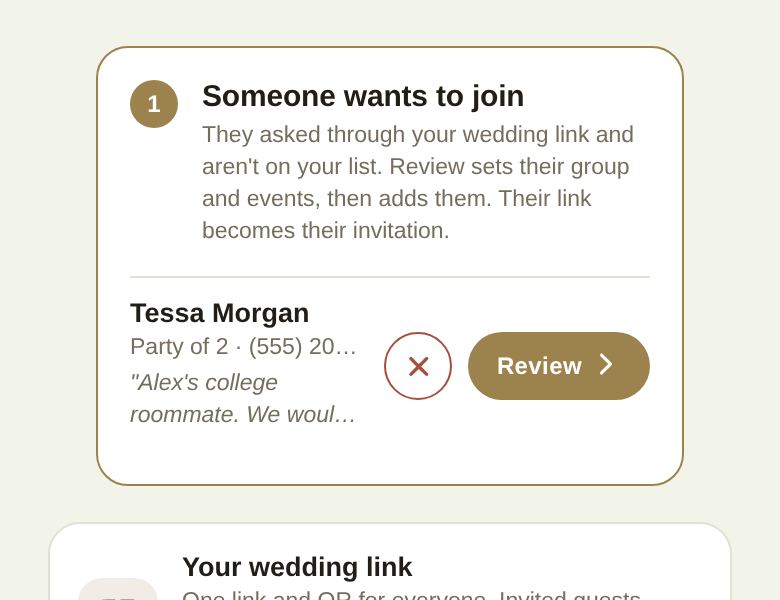
Each request shows:
- Their name.
- Their party size, if more than one, and phone number, if they gave one.
- Where they asked from: From your wedding link (the web) or From the app.
- A note, if they left one.
Add someone
- Tap Review on their request.
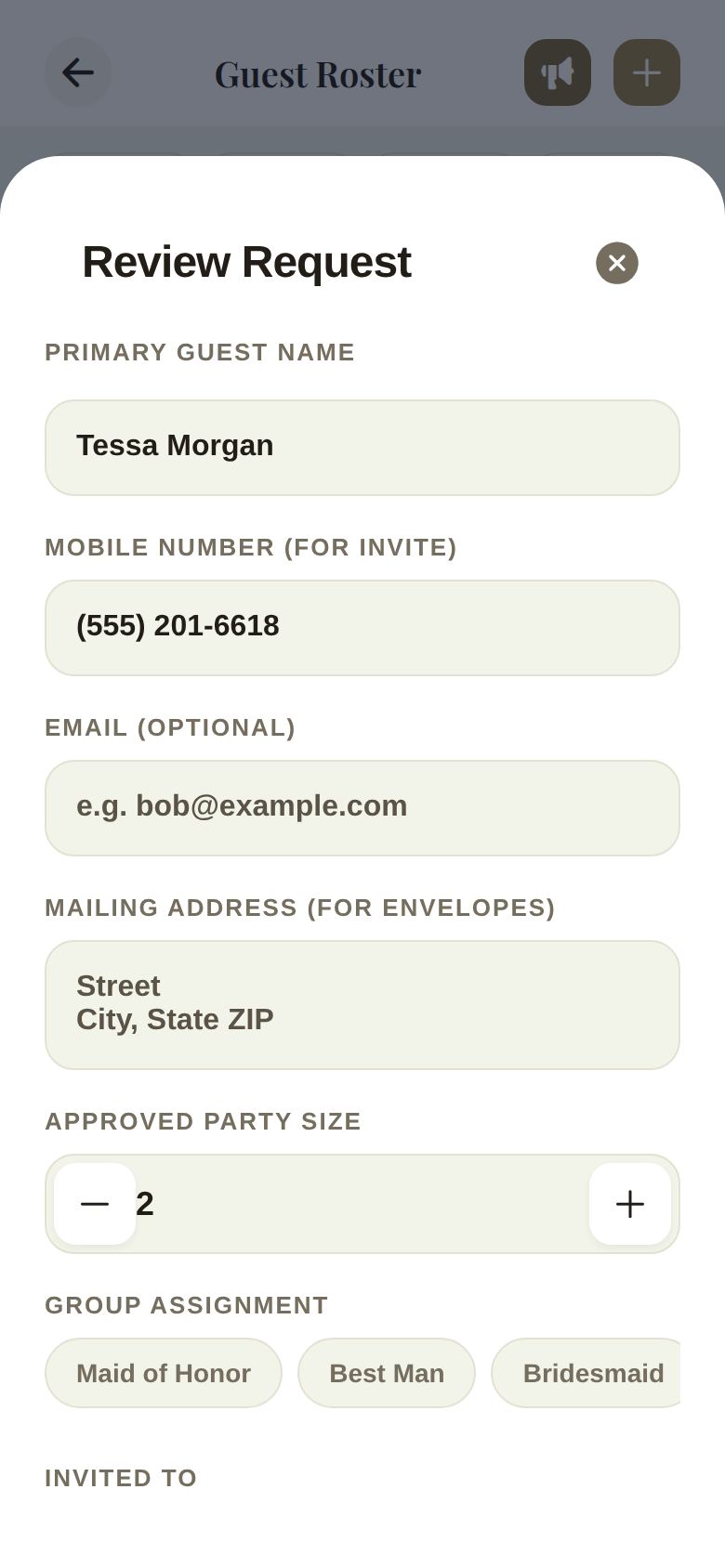
- The Review Request form opens with their details filled in. It's the same form you use to add a party, because you make the same decisions: their group, their party size and their events.
- Check the name and phone number, set Approved Party Size, choose a Group Assignment, and pick Main Wedding and Rehearsal under Invited To.
- Tap Add to Roster.
Right after, we offer to send them their invitation, with a note that they're on your list. The link they asked from becomes their invitation, so they can reply straight away.
Turn someone away
Tap the X next to their request. It's removed from your roster. If you change your mind later, they can ask again from your wedding link.
Who can review
The two of you always can. A co-planner can review requests only if you've given them access to the guest list.
Good to know
- Requests are held out of every count on the roster until you add them.
- Save-the-date and invitation emails skip anyone still waiting.
- While your final list is locked, your wedding link is hidden, so no new requests arrive.
Did this answer it?
Updated September 30, 2026