Help · For couples · Guests and RSVPs
Build your family photo list
The list your photographer calls out after the ceremony, built from your guest list and shared on a switch.
Right after the ceremony, your photographer calls out groups for the family photos. Family photos builds that list from your guest list, in the order the photos will be taken, so every name is spelled right and nobody is forgotten.
Open Guests, then tap Family photos.
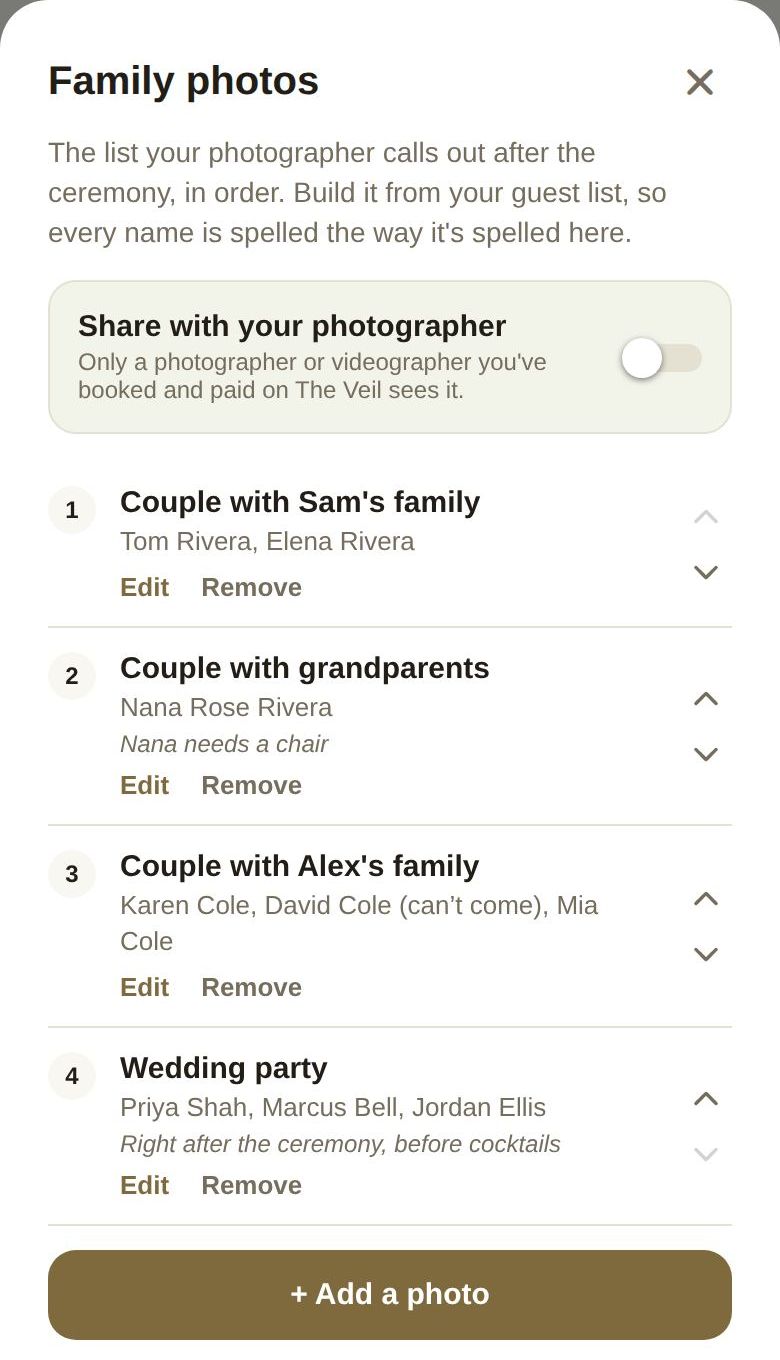
Add a photo
- Tap + Add a photo.
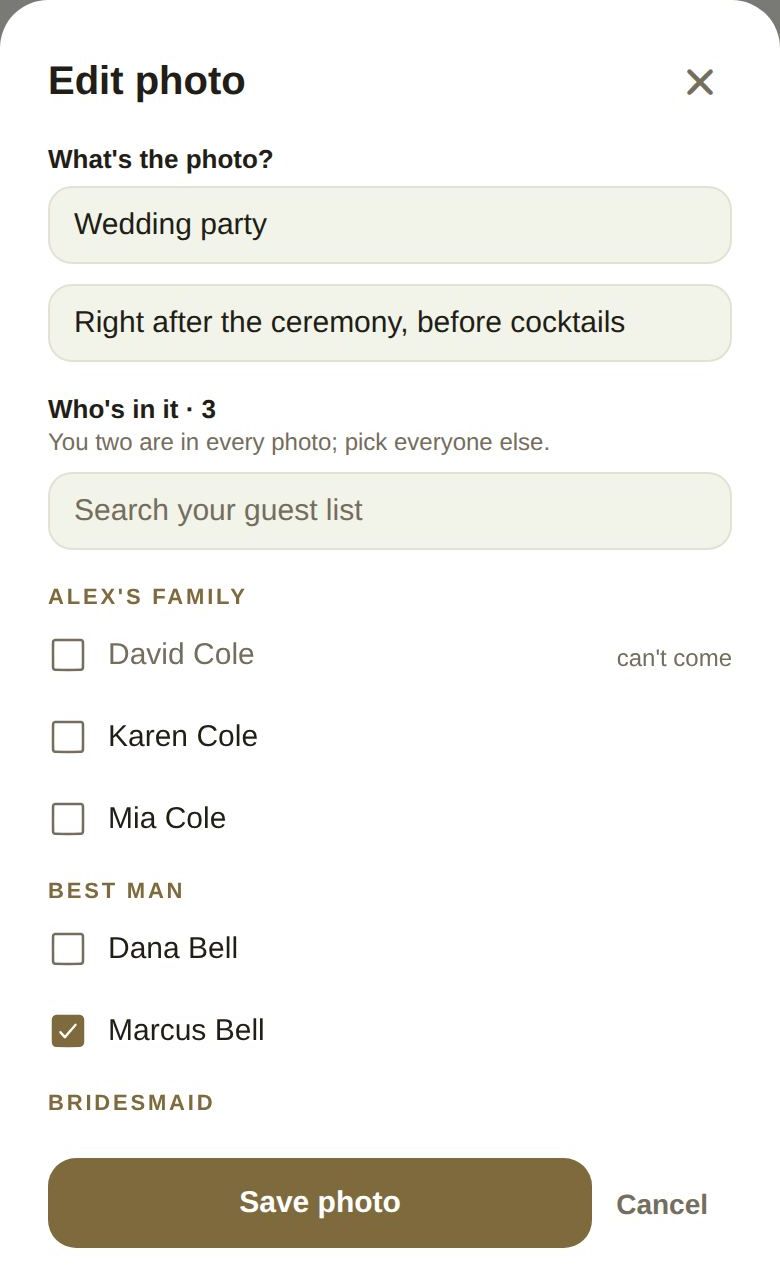
- Under What's the photo?, name it, or tap one of the suggestions, like "Couple with both families" or "Wedding party".
- Add an optional note for the photographer, such as "Nana needs a chair".
- Under Who's in it, tick everyone in the photo. You two are in every photo, so pick everyone else. Use Search your guest list to find people quickly.
- Tap Add photo.
Change the list
- Edit reopens a photo; tap Save photo when you're done.
- Remove takes it off the list your photographer sees.
- The up and down arrows move a photo earlier or later. The list is shot in this order.
Guests who declined are marked can't come, so you can take them out of a photo or plan around them.
Share it with your photographer
Turn on Share with your photographer. Only a photographer or videographer you've booked and paid on The Veil sees it. It stays off until you turn it on.
Names are never copied. Your photographer reads them from your guest list, so fixing a spelling on the roster fixes it here too.
Tips
- Most couples have eight to twelve photos.
- Put the photos with older relatives or children first, so they can relax sooner.
- The list stays open even after your guest list is locked. Who stands in which photo is usually decided last.
Did this answer it?
Updated September 30, 2026