Help · For wedding businesses · Leads and replies
Add a lead by hand
Put a couple who called, toured or messaged you somewhere else into your pipeline, so you can quote, invoice and send contracts straight away.
Most of your pipeline starts outside The Veil: a Saturday tour, a phone call, an Instagram message. Add a lead puts those clients into the same list as everyone else, with the same quotes, invoices, contracts and payment plans.
Add one
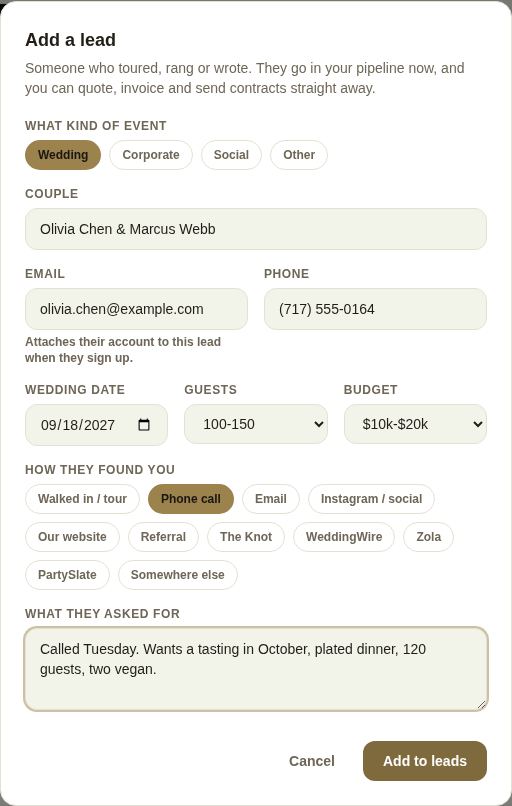
- On Leads, tap + Add a lead.
- Choose What kind of event: Wedding, Corporate, Social or Other. For anything but a wedding you also get Event (for example "Acme holiday party") and Company or Organisation.
- Type the Couple (or Contact name). This is the only field you must fill in.
- Add their Email and Phone. The email is worth getting on the spot: if they later sign up to The Veil with it, their account attaches to this lead by itself.
- Add the Wedding date (or Event date), Guests and Budget if you know them. Not sure yet and Not discussed are fine.
- Under How they found you, pick one: Walked in / tour, Phone call, Email, Instagram / social, Our website, Referral, The Knot, WeddingWire, Zola, PartySlate or Somewhere else.
- Write What they asked for in a line or two.
- Tap Add to leads.
If they are already in your leads
As you type, the form checks your pipeline. The same email, or the same names on the same date, is treated as the same couple, and you see "This looks like Laura & Pete, already in your leads" with Open that instead. One couple with two leads splits their conversation and their payments, so open the existing one.

What happens next
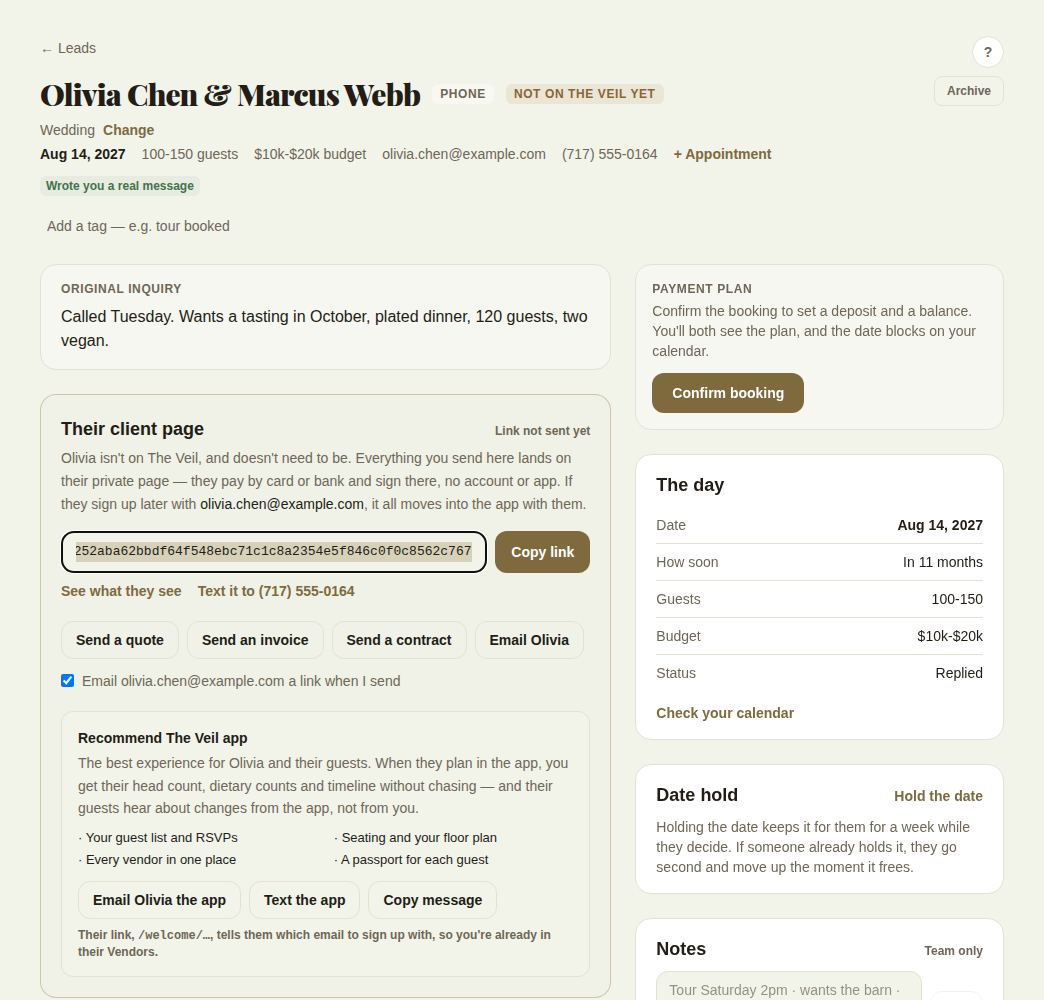
- You land on the new lead. It goes straight to Waiting on them, because you have already spoken to them, and it is assigned to you.
- If the email matches an account on The Veil, the lead is attached to that couple and works like any other app lead.
- If not, the lead shows Not on The Veil yet, and in place of a chat you get Their client page: a private link where they see your quote, pay and sign with no account. See Clients who aren't on The Veil.
- The source you picked shows on the card and feeds Where bookings come from in Reports.
Good to know
- Leads you add by hand stay with whoever added them; they don't go through your team's routing.
- You can change the event type later with Change under the name on the lead.
- For many clients at once, use Import or export instead. See Switch from HoneyBook.
Did this answer it?
Updated September 30, 2026