Help · For wedding businesses · Your business
Reports: where bookings come from, and why leads are lost
Your leads, bookings and typical first reply for any period, by source and by event type, with the reasons leads were lost and a spreadsheet of each (Pro and Studio).
Reports answers the questions you'd otherwise work out in a spreadsheet: which sources actually book, how fast you answer, what kinds of events pay, and why you lose the ones you lose. It's in the side rail for owners and managers, and it's part of Pro and Studio.
Pick a period
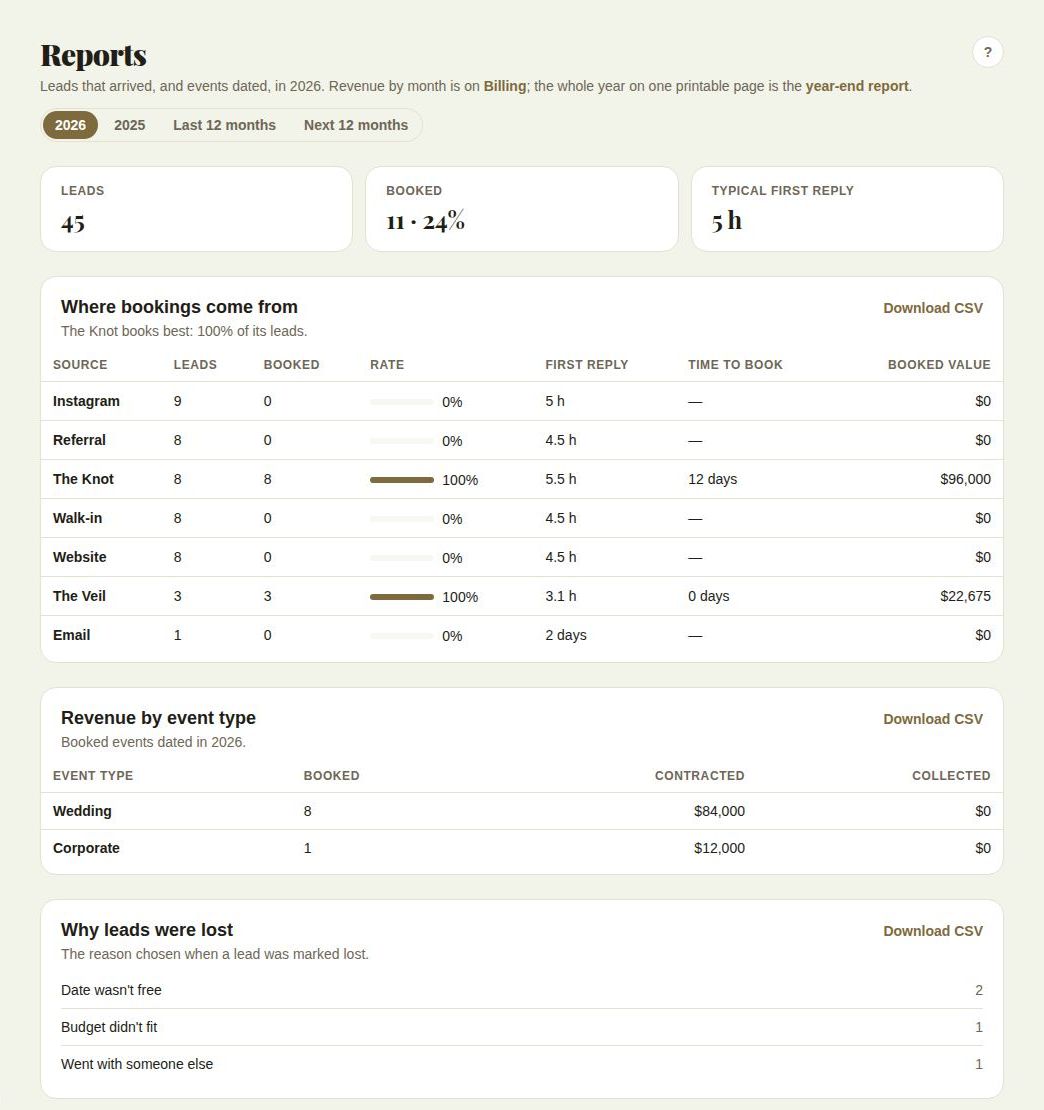
At the top, choose this year, last year, Last 12 months or Next 12 months. Lead figures count leads that arrived in the period; money figures count booked events dated in it.
The three numbers
- Leads: how many arrived.
- Booked: how many of them booked, and the share.
- Typical first reply: your median time to a first real reply. A median, not an average, so one lead answered three weeks late doesn't hide a good month.
Where bookings come from
One row per source (The Veil, your website, Instagram, The Knot, walk-ins, referrals and the rest): Leads, Booked, Rate, First reply, Time to book and Booked value. The line under the heading names the source that books best (among sources with at least three leads).
The source is whatever the lead came in with, or what you chose in How they found you when you added it by hand. See Add a lead by hand.
Revenue by event type
For booked events dated in the period: Booked, Contracted and Collected, split into weddings, corporate, social and other events.
Why leads were lost
The reason chosen when each lead was archived, with a count: Budget didn't fit, Date wasn't free, Went with someone else, Stopped replying, Something else or "No reason given". See Archive a lead.
Download the numbers
Each card has Download CSV, named after your business, the report and the period, ready for a spreadsheet or your accountant.
Other money reports
- Revenue by month is on Billing. See Money coming in and revenue by month.
- The whole year on one printable page is the year-end report. See Your year-end report.
- To keep your books in QuickBooks, see QuickBooks Online.
On the free plan
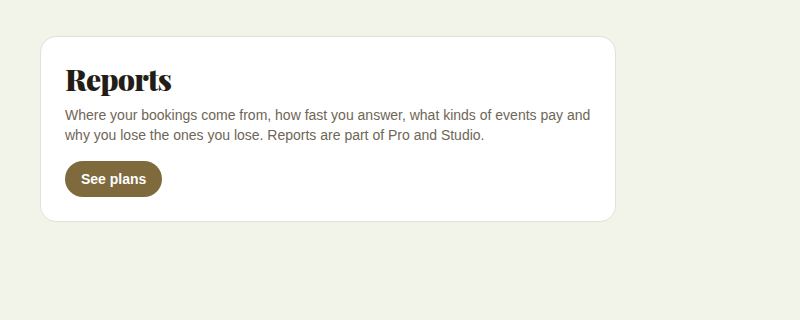
Reports explains what it shows and offers See plans. The lead tiles on Leads also show dashes instead of numbers.
Good to know
- "Reports are for owners and managers." Coordinators and day-of staff don't have Reports or Billing in their menu.
Did this answer it?
Updated September 30, 2026