Help · For wedding businesses · Leads and replies
Messages: every conversation in one place
The inbox for every conversation with couples, split into lead threads and other messages, in the portal and the phone app.
Messages collects every conversation you have on The Veil. It is the quickest way to see who wrote last, without opening each lead.
The two folders
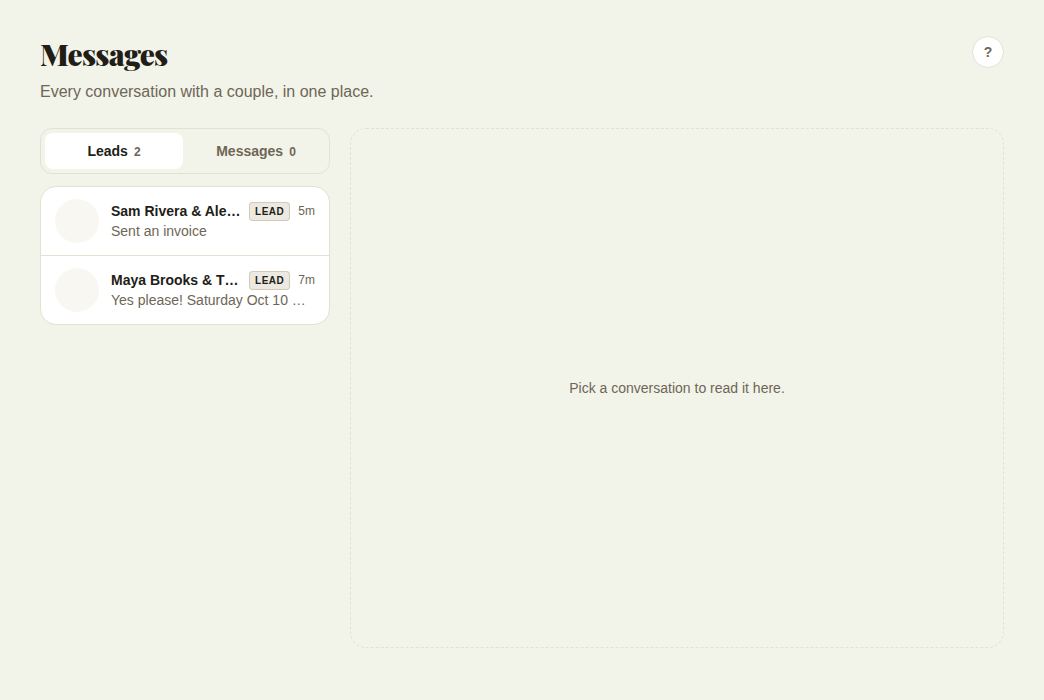
- Leads: conversations that belong to a lead. Each shows a LEAD label, the latest message and how long ago it came in.
- Messages: other direct messages, for example from the Community feed.
Pick a conversation to open it.
In a conversation
- Write at the bottom and press Send, or attach a file.
- Open lead card jumps to the full lead, where you can quote, invoice and send contracts.
- Save as lead (on a direct message that isn't a lead yet) turns it into a lead in your pipeline. "Saved to Leads" confirms it.
- Delete chat removes it from your inbox only. The other person keeps their copy.
In the phone app
The Messages tab lists your conversations. Tap one to read and reply. From a conversation you can open the lead, and Report or block handles anyone who shouldn't be writing to you.
When to use Messages or the lead
Messages is for reading and answering quickly. The lead is for everything else: quotes, invoices, contracts, the payment plan and the facts of the day. From any lead conversation, Open lead card gets you there.
Good to know
- Clients who aren't on The Veil don't appear here, because there is no app conversation with them. Their emails are on their lead under Conversation. See Clients who aren't on The Veil.
- Unread replies on your leads raise the badge on Leads in the side rail, and you can get notifications for them. See The phone app.
Did this answer it?
Updated September 30, 2026