Help · For wedding businesses · Leads and replies
Automations and your away reply
Say "got it" when nobody has answered, nudge a couple who went quiet, ask for the review, send payment reminders, and reply while you're away.
In Settings, Automations has four switches. They cover the things a person can't do at 2am, and nothing more. Owners and managers change them; everyone else sees how they're set. In the portal, Automations, Out of office and How clients pay are part of Pro and Studio.
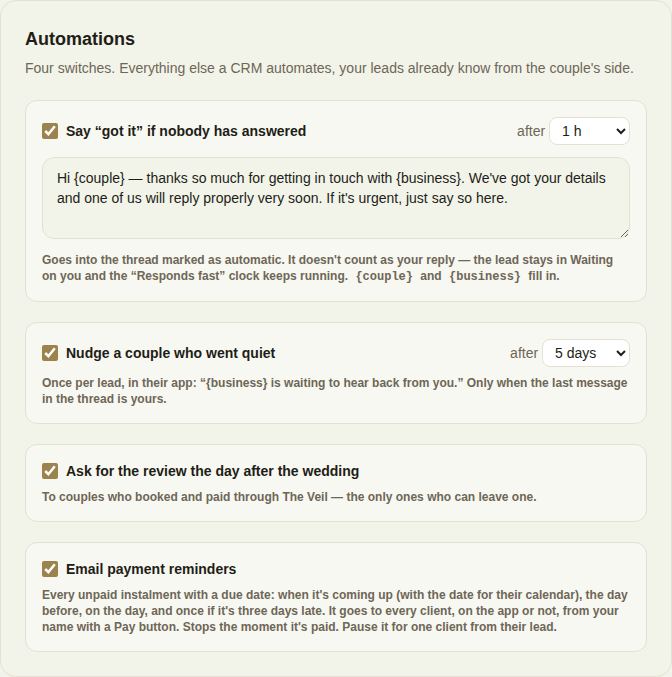
Say "got it" if nobody has answered
If nobody on your team has replied after the time you choose (15 min, 30 min, 1 h, 2 h, 4 h or 8 h), a friendly holding reply goes into the conversation, marked as automatic. Edit the text in the box; {couple} and {business} fill themselves in. You must write the reply before you can switch it on.
It doesn't count as your reply: the lead stays in Needs reply and your reply-time clock keeps running.
Nudge a couple who went quiet
After 2, 3, 5, 7, 10 or 14 days, a couple on The Veil gets one notification in their app: "{business} is waiting to hear back from you." It only goes when the last message in the conversation is yours, and only once per lead.
Ask for the review the day after the wedding
The day after the wedding, couples who booked and paid you through The Veil are asked for a review. They are the only ones who can leave one.
Email payment reminders
Every unpaid payment with a due date gets an email when it's coming up (with the date for their calendar), the day before, on the day, and once if it's three days late. It goes to every client, on the app or not, from your name, with a Pay button, and stops the moment it's paid. Reminders are on for every business unless you switch them off here. See Payment reminders.
Out of office
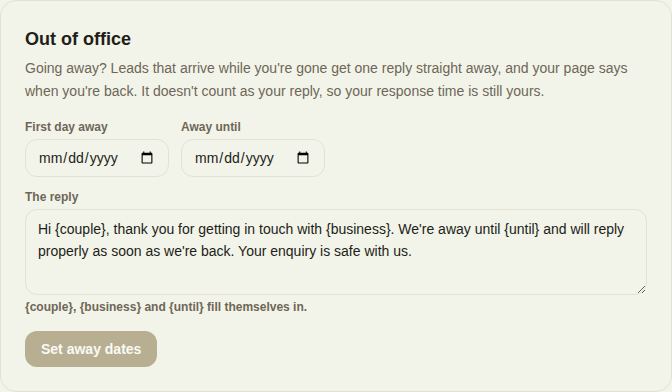
Going away? Set the First day away and Away until, and write The reply leads get. {couple}, {business} and {until} fill themselves in. Click Set away dates.
- A lead that arrives while you're away gets that reply straight away, in the app or by email. It stands in for the "got it" reply, so they get one note, not two.
- Your page shows "Away until" and the date to couples while you're away.
- I'm back ends it early. After you save, Update changes the dates.
- You can be away for up to 120 days at a time.
The away reply doesn't count as your reply, so your reply time still reflects when you personally answer.
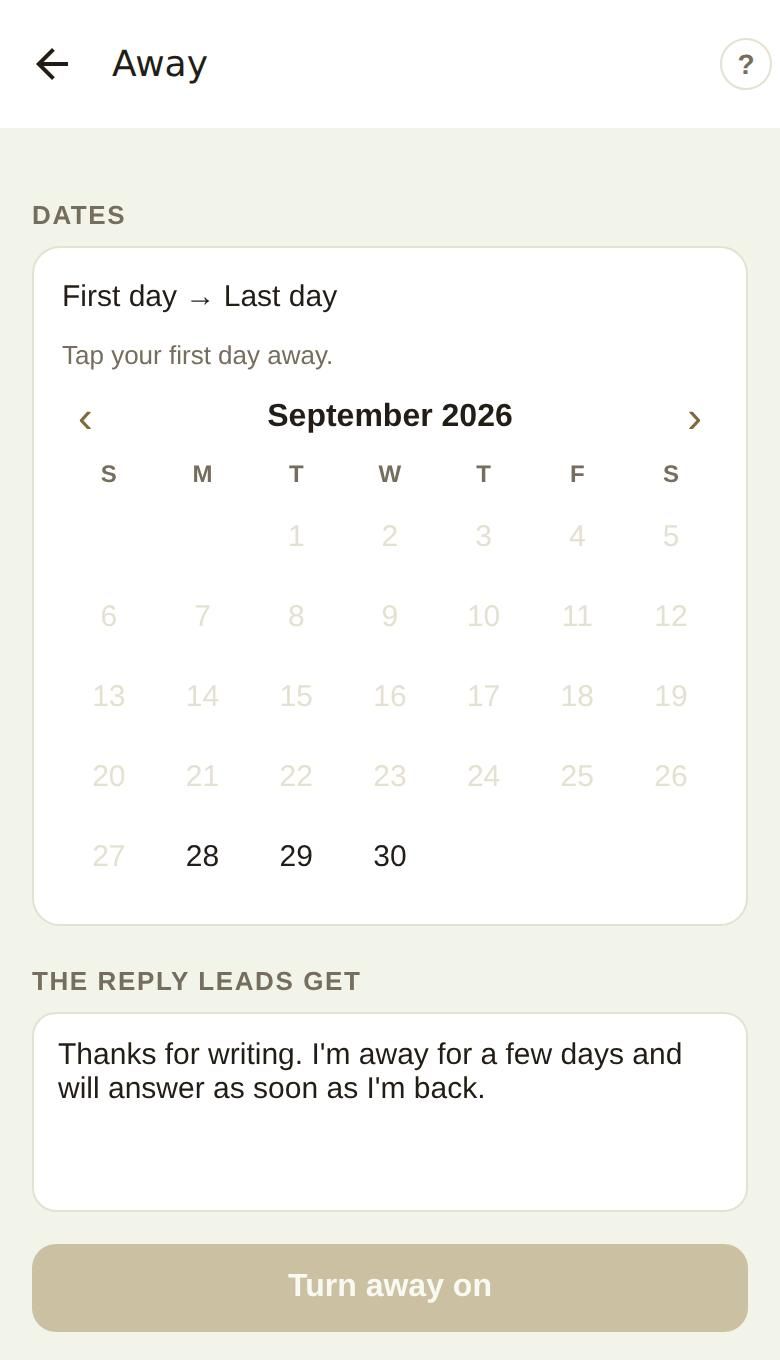
In the phone app
More, then Away. Tap your first day and your last day on the calendar, edit The reply leads get, and tap Turn away on. While you're away the screen says so, with I'm back, turn it off.
Good to know
- The "got it" reply is marked as automatic in the couple's conversation, so nobody mistakes it for your answer.
- If the reply-time badge matters to you, answer properly as soon as you're back: the clock doesn't pause while you're away.
Did this answer it?
Updated September 30, 2026