Help · For wedding businesses · Getting started
Start with a kit for your trade
A first draft of packages, a payment plan, invoice presets, quick replies and a contract, written for your kind of business.
A new business opens five empty editors: packages, a usual payment plan, invoice presets, quick replies and a contract. The starter kit fills them with a first draft for your trade, so you edit rather than write from nothing.
Where you see it
- Right after you go live, as Start with a kit for your trade.
- In Settings, as Starter kit, for as long as any of the five is still empty.
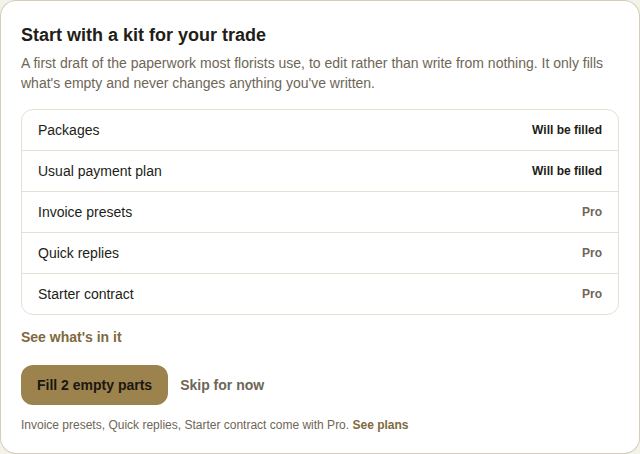
If you picked more than one category, choose which kit to use at the top. There is a kit for each of the eighteen categories.
What each part does
Each line says what will happen to it:
- Will be filled: it's empty, and the kit will write a first draft.
- Yours, kept: you already wrote your own, and the kit won't touch it.
- Pro: this part is on Pro and Studio. On Free you get packages and the payment plan.
Choose See what's in it to read the whole kit before you use it.
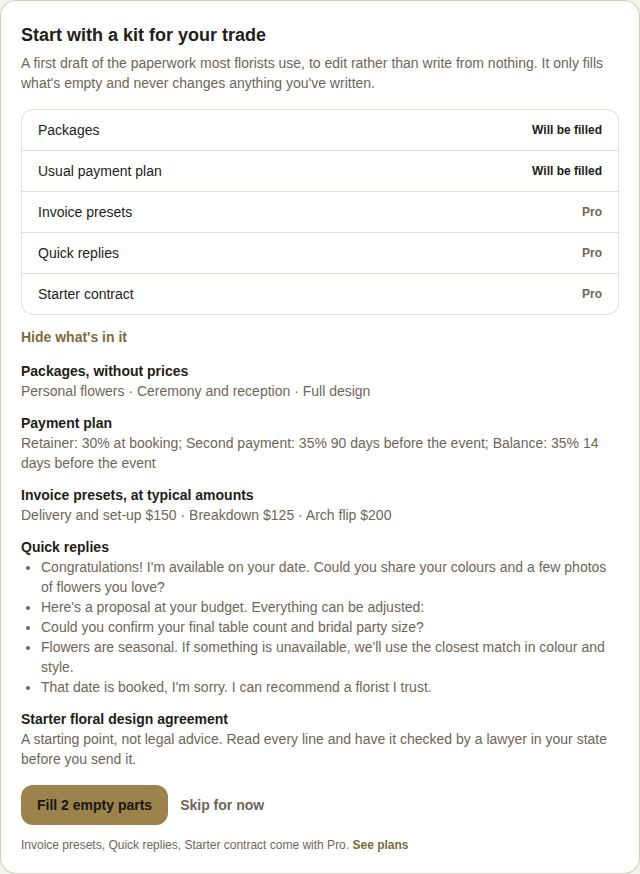
- Packages come without prices on purpose. They show on your public page, and a price we guessed would be one a couple holds you to.
- Usual payment plan is the deposit-and-balance schedule a booking starts from.
- Invoice presets are private lines for your own invoices, at typical amounts. Check every one.
- Quick replies are the answers you give most often, one tap away on a lead.
- Starter contract is a starting point, not legal advice. Read every line and have it checked by a lawyer in your state before you send it.
Use it
Choose Fill 2 empty parts (the number depends on what's empty and your plan). The card then says what it filled and reminds you to check every amount and line before a client sees it. If packages were filled, Add your prices to the packages takes you to your Page.
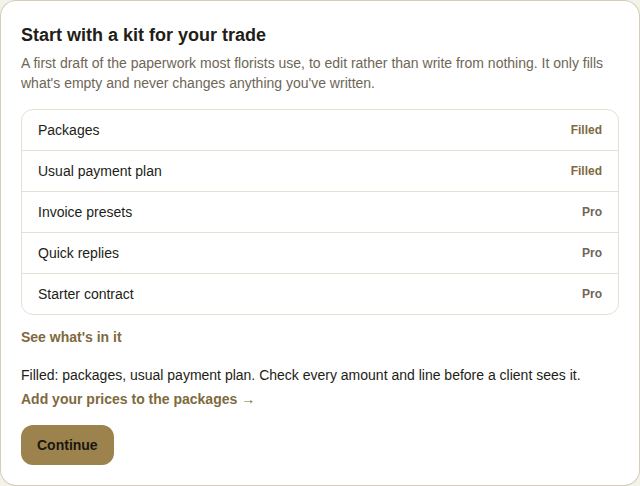
Skip for now leaves everything empty. The kit stays in Settings until you use it or fill the editors yourself.
Good to know
- The kit only fills what's empty and never changes anything you've written, so it's safe to press any time.
- Only an owner or manager can fill the kit. Others see Ask an owner or manager to fill these.
- Upgrading later? Come back to Settings, Starter kit to fill the Pro parts.
- Related: Packages and FAQ, Quick replies, Contracts.
Did this answer it?
Updated September 30, 2026