Help · For wedding businesses · Getting started
Your inquiry form, on your website and in your inbox
Ask your own questions, make the form look like yours, put it on your website, and turn forwarded emails into leads.
Every inquiry, from the app, your website or your inbox, lands in the same Leads list, with the same welcome link for the couple. Nothing is retyped.
Your inquiry form
Under Page, Your inquiry form, owners and managers shape what couples are asked. The form always asks for their names, email, phone (optional), wedding date, guest count and a message. You add the rest.
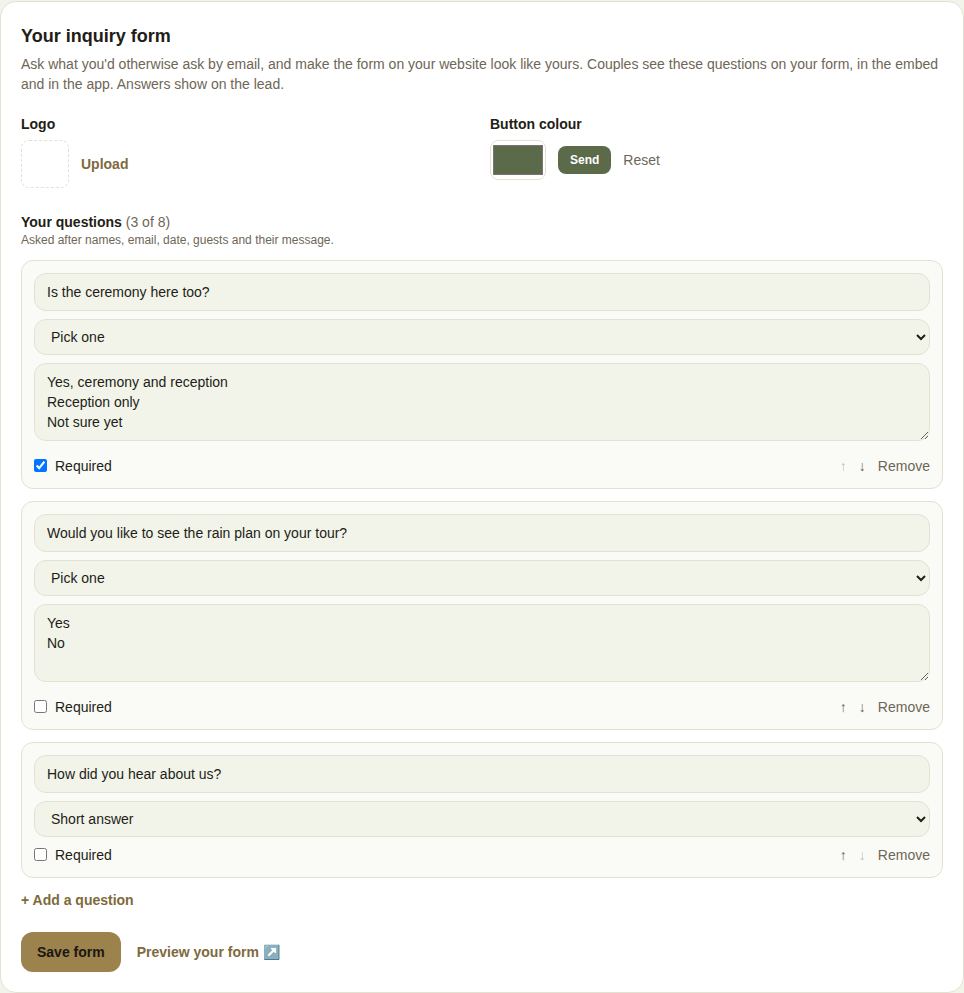
- Logo: Upload a PNG, JPG or WebP under 1 MB. It shows at the top of the form on your site.
- Button color: pick your brand color. The Send preview shows how it looks; text on the button turns dark or light to stay readable. Reset goes back to The Veil's colors.
- Your questions: up to 8, asked after the standard ones. For each, type the question and choose its type:
- Short answer for text.
- Pick one for choices: type 2 to 12 choices, one per line.
- Date or Number.
Tick Required if a couple must answer it; otherwise the form marks it (optional). Use the arrows to reorder and Remove to delete.
Choose Save form. Preview your form opens it in a new tab.
What couples see
The same questions appear on your website form, in the embed, and in the app when a couple inquires. Answers show on the lead under what they sent. If you reword or delete a question later, old leads keep the question as it was asked.
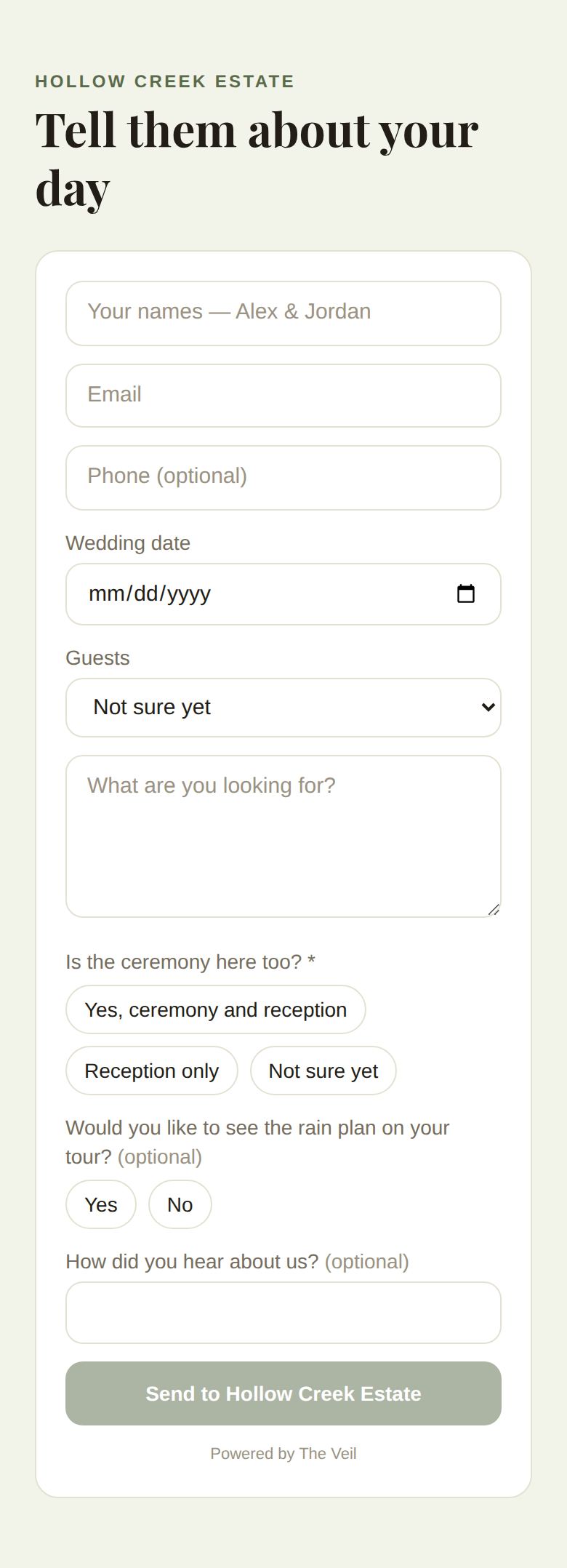
After sending, the couple sees that you have it and that you'll reply on The Veil, with Get set up on The Veil to see the conversation.
A form on your own website
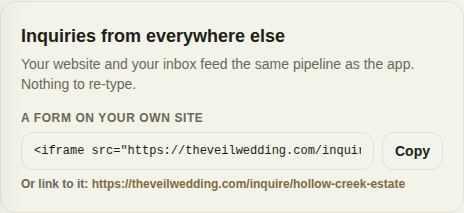
Under Inquiries from everywhere else on your Page:
- A form on your own site: choose Copy and paste the snippet into your website where you want the form. It's a standard iframe, so it works on any website builder that lets you paste embed code.
- Or link to it: the plain link to the form, for a button, a Linktree or an Instagram bio.
Leads from your website are labelled Website in Leads.
Inquiries by email
If your portal shows Forward inquiries by email, copy the address there and set a rule in Gmail or Outlook to forward inquiries to it. Each email becomes a lead, with the sender's name and message.
Emails forwarded from The Knot, WeddingWire, Zola and PartySlate are recognised: the couple's name, date and guest count are read out of the email, and the lead is labelled with where it came from, so Reports show which listing pays for itself.
Good to know
- A required question left blank, or a choice that isn't on your list, stops the form sending until it's fixed.
- New leads follow your routing rule if you have a team. See Your team, roles and who gets new leads.
Did this answer it?
Updated September 30, 2026