Help · For couples · Your vendors
Messages: your chats, vendors and the wedding group chat
Where vendor conversations, quotes and contracts live, how to send files, and how to start a group chat.
Tap Messages in the bar at the bottom of the app. There are two tabs, and both are always there:
- Chats: people you message directly, and your wedding group chat.
- Vendors: every conversation with a vendor, with their quotes, contracts, invoices and files.
A number in a red circle means unread messages, even on the tab you're not looking at. Use Search vendors... or Search conversations... to find a thread.
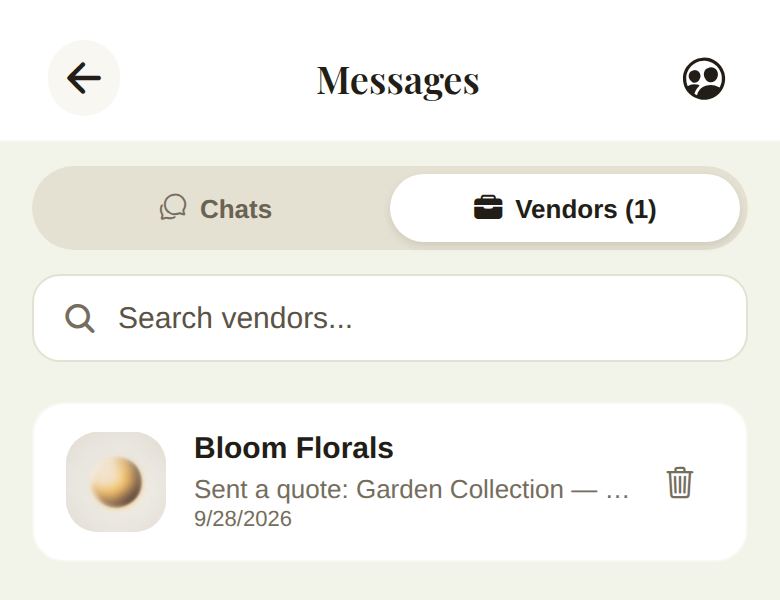
A vendor conversation
Open a thread to see everything the vendor has sent, in order. Under their name, the header tells you what's waiting:
- Awaiting your signature: a contract needs you. This comes first, because it's waiting on you.
- Awaiting vendor reply: you've written and they haven't answered.
- Quote sent or Invoice sent: there's something to accept or pay.
- Vendor sent a file, Document signed, Vendor replied.
Quotes, contracts and invoices appear as cards you act on right in the thread. See Quotes, contracts and paying your vendors.
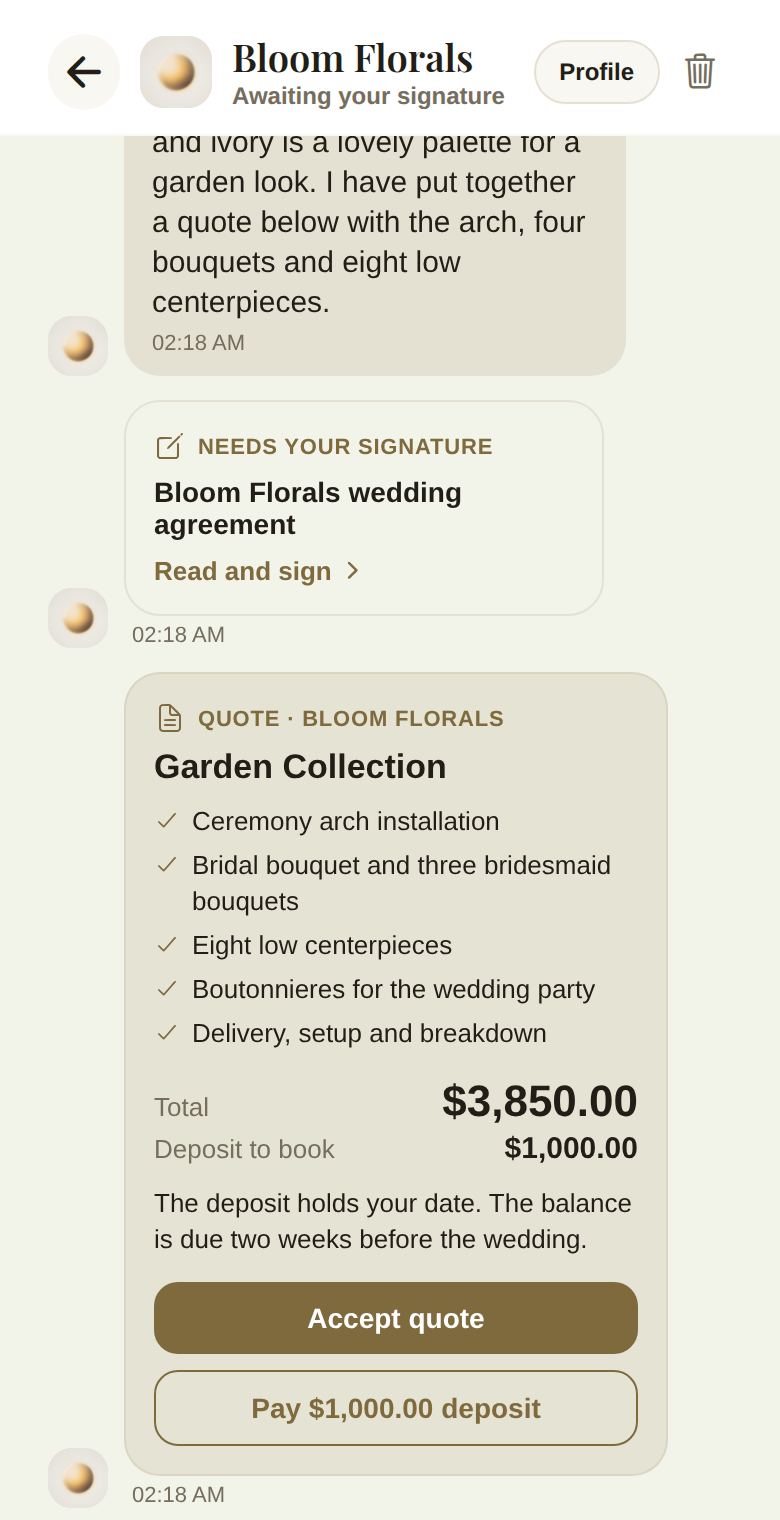
Profile at the top opens the vendor's page.
Send a message or a file
Type in Type a message... and tap send. To attach something, tap the paperclip and choose Photo or Document. Files must be under 10 MB: a PDF, a Word document or an image.
Delete a chat
Tap the bin on a thread. Delete chat? removes it from your inbox only. The other person keeps their copy, and a new message brings the thread back.
Your wedding group chat
The people icon at the top right of Messages starts a group chat for your wedding. Start wedding group chat? adds everyone with a linked Veil account for this wedding: your partner and your co-planners. Tap Start Group, then say hello. The chat is named after your wedding.
Only the couple and co-planners can start it.
Good to know
- You're notified about new vendor messages unless you switch off Vendor inquiries in Notifications.
- Vendors see the conversation in their portal or The Veil Vendors app. They never see your other conversations.
- If a vendor you booked lets your vendors talk to each other, that group thread is on your vendor list, not here. See Plan with your planner, and let your vendors talk.
Did this answer it?
Updated September 30, 2026