Help · For couples · Your vendors
Find, save and compare vendors
Browse every category near you, spot vendors on The Veil, save favorites and compare them side by side.
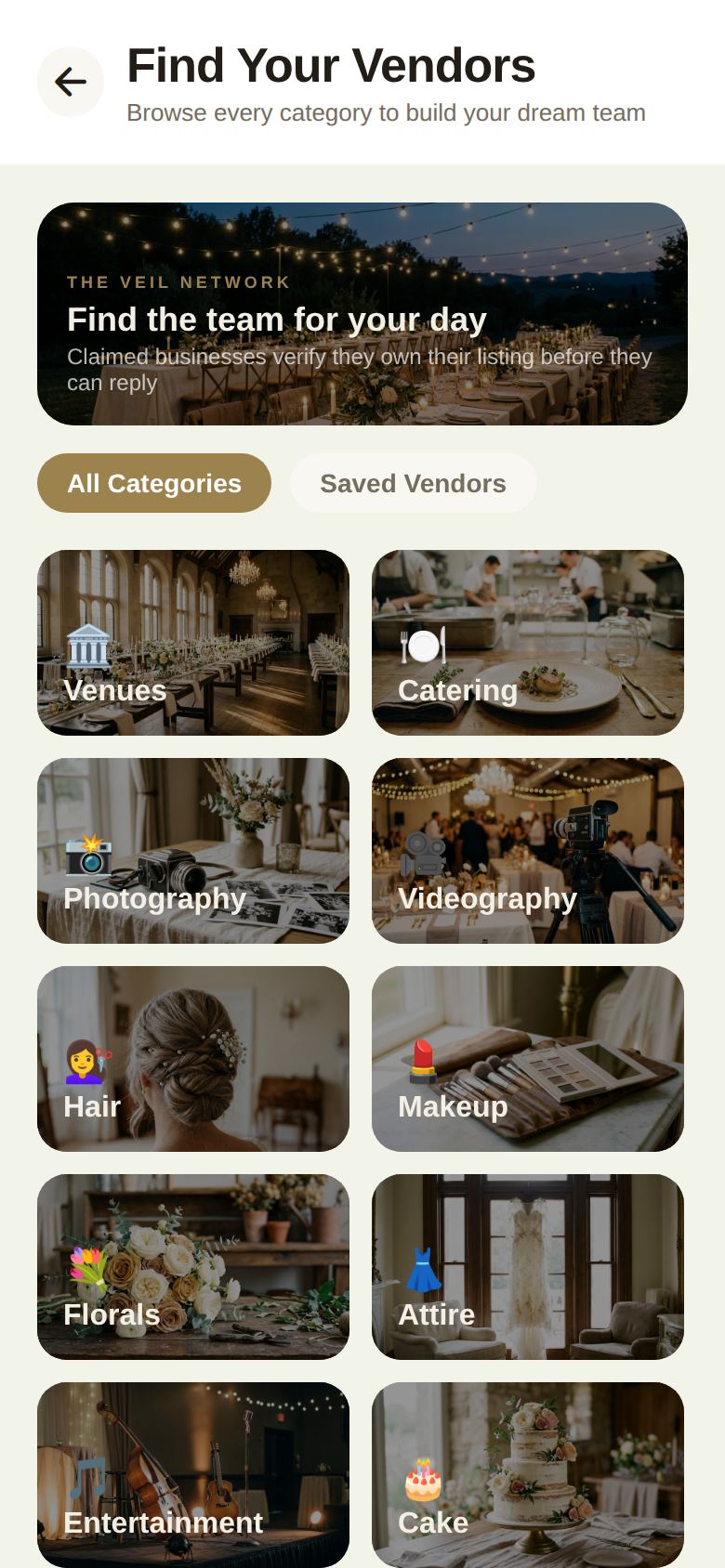
Vendors is where you find everyone you'll book: venue, caterer, photographer, florist and the rest. Open it from Home by tapping Vendors. The screen is called Find Your Vendors.
Browse a category
There are 18 categories: Venues, Catering, Photography, Videography, Hair, Makeup, Florals, Attire, Entertainment, Cake, Rings, Transport, Decor, Rentals, Stationery, Officiants, Photo Booth and Planners. Tap one to open it.
A category page has three parts:
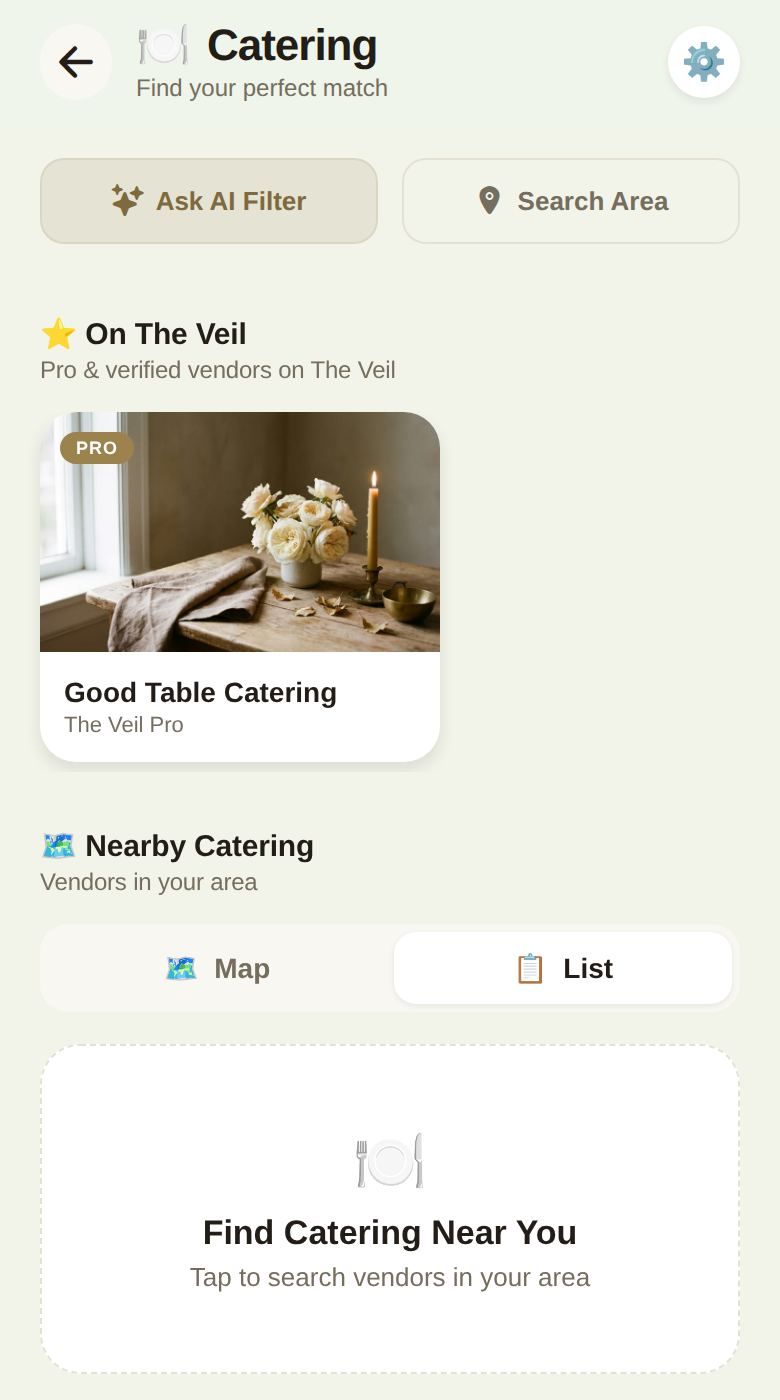
- On The Veil: up to four businesses that have claimed their listing on The Veil and are verified or on a paid plan. Their cards show ✓ VERIFIED or PRO. If a vendor has posted a date they still have open, the card says so, for example Nov 14 still open.
- Nearby: every business in that category around you, with Map and List views. Tap Find Venues Near You (or whichever category you're in) to search. Each result shows its address, its Google rating and number of reviews, and ✓ Verified or Pro if it's on The Veil.
- The search tools at the top: Ask AI Filter, Search Area and the settings button.
Narrow the search
- Search Area: type a city or ZIP code and pick the place. The search moves there.
- Ask AI Filter: describe what you want in your own words, such as "rustic barns" or "photographers under $3000". We turn it into a search for you.
- Search Filters (the gear button): switch on AI Style Match to show only venues that fit the style and setting in your Wedding Vibe, then tap Apply & Search. Style Match works in the Venues category, and needs your Wedding Vibe first.
On the web the map isn't available yet. Use List, and View on Google Maps on any vendor for directions.
Save a vendor
Open a vendor and tap the heart at the top right. Tap it again to remove them. Saved vendors live under the Saved Vendors tab on Find Your Vendors, grouped by category.
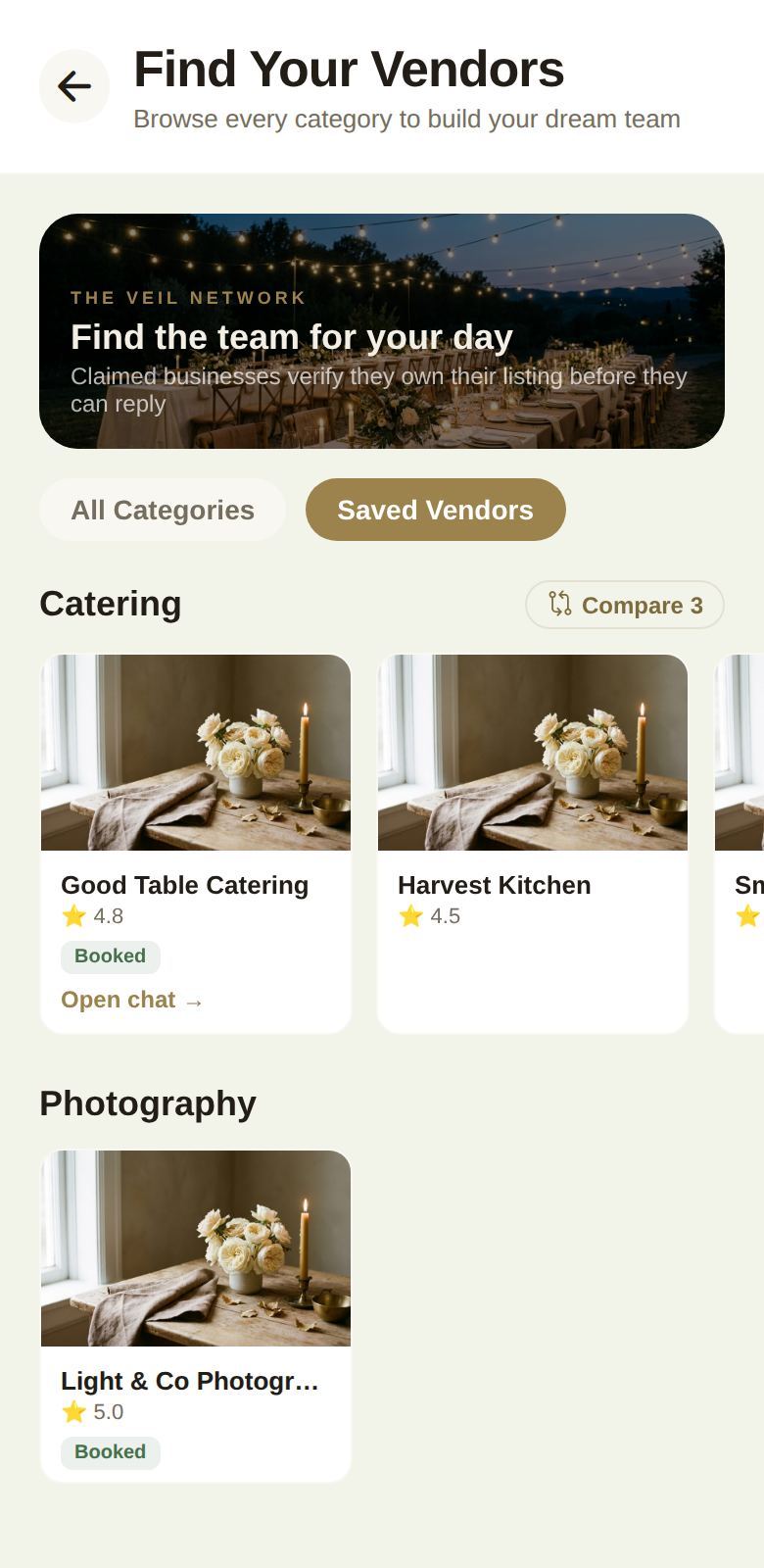
Once you've asked a vendor about your date, their saved card also shows where it stands: Inquiry sent, Vendor replied, Quote received, Booked or Closed. Cards have shortcuts too: Open chat → jumps to your conversation, and Mark as booked confirms the booking (see Send an inquiry).
Compare side by side
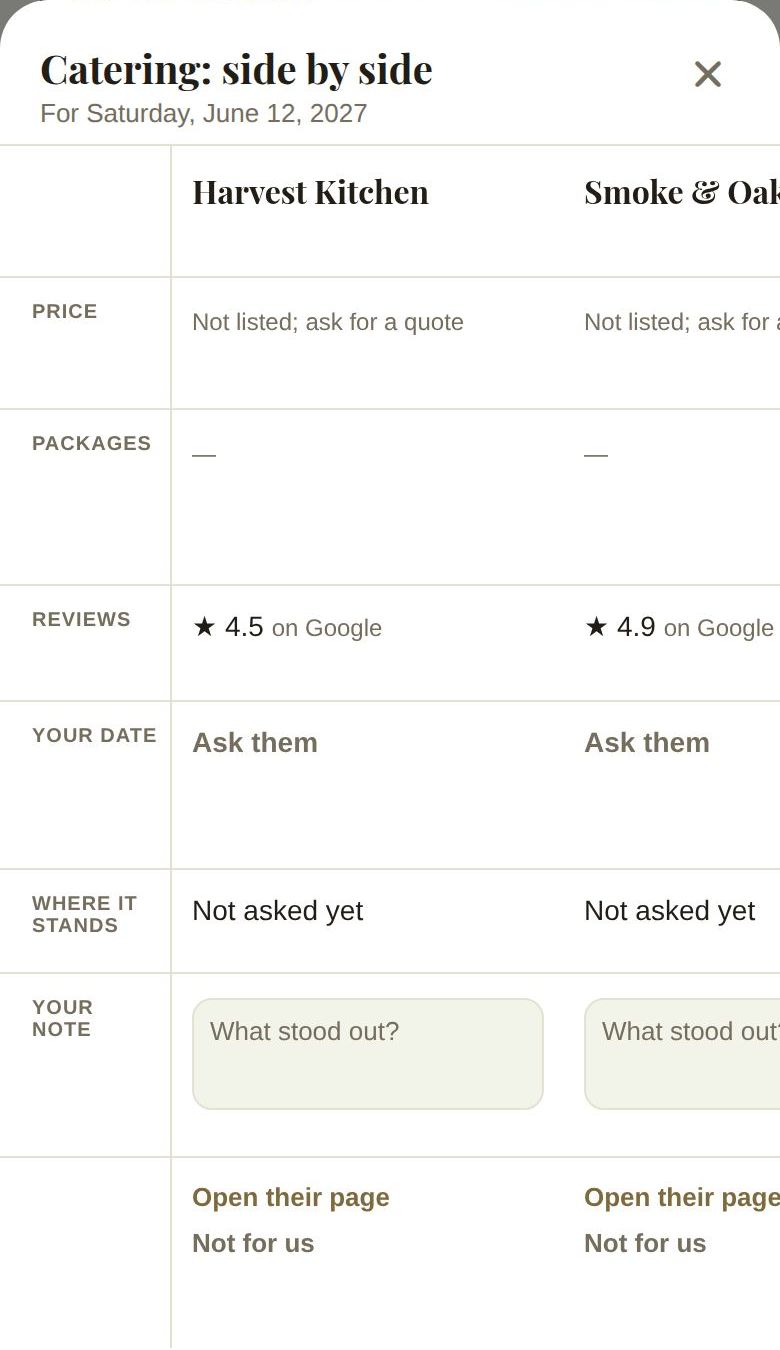
When you've saved two or more vendors in a category, a Compare button appears next to its name (for example Compare 3). It opens a board with each vendor in a column, lined up row by row:
- Price and Packages, from the vendor's own page
- Reviews
- Your date: whether the vendor's calendar shows your date free
- Where it stands: your conversation, from Not asked yet to Booked
- Your note: your own thoughts, saved as you type
- Open their page, Message them and Not for us, which sets a vendor aside without losing your note
There's more about the board in The shortlist board.
Good to know
- Vendors come from two places: businesses on The Veil, and every other local business from Google. You can ask either one about your date. See Send an inquiry.
- "Claimed" means the business proved it owns the listing before it can reply to you. It's not a review of their quality: read their reviews and meet them.
- Co-planners with access to Venue Finder can browse and save too, but their saves wait for your approval.
- Finding vendors is free. There's no fee for couples to inquire or book.
Did this answer it?
Updated September 30, 2026