Help · For couples · Your vendors
Send an inquiry and follow it through
Ask a vendor about your date, see where each conversation stands, and mark them booked.
An inquiry is how you ask a vendor, "Are you free, and what would it cost?" It starts a conversation with them in Messages, and they reply there with questions, a quote and a contract.
Ask a vendor on The Veil
- Open the vendor's page and tap Inquire on The Veil.
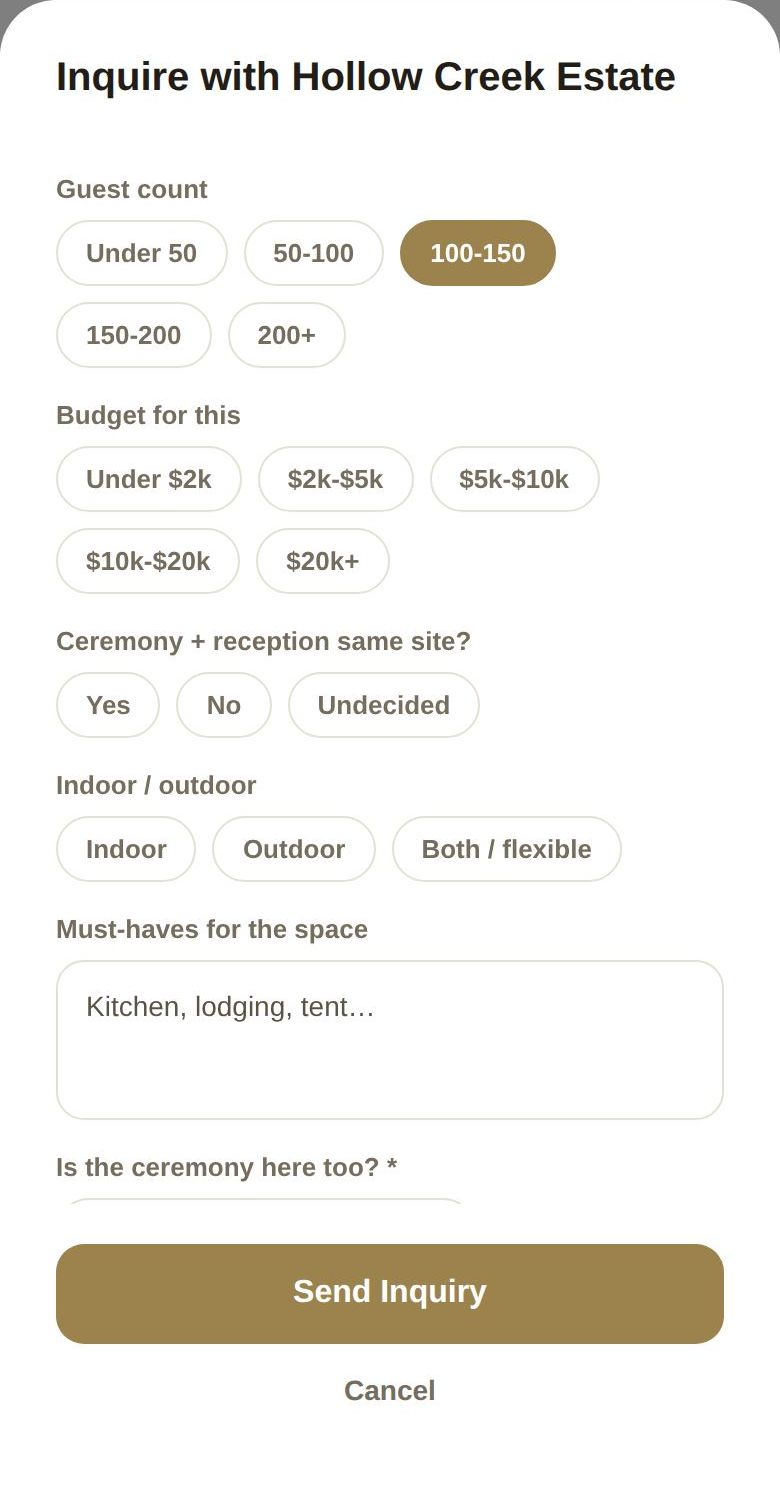
- The form Inquire with (vendor) opens. Fill it in:
- Guest count: pick a range, from Under 50 to 200+. If you've told us your guest count, the right range is already picked.
- Budget for this: pick a range, from Under $2k to $20k+. This is your budget for this vendor, not the whole wedding.
- Your aesthetic (shared): if you've set your Wedding Vibe, its style and setting are shown here. It's read-only, so you can see exactly what goes to the vendor.
- Answer the questions for that category. A venue asks things like Ceremony + reception same site? and Indoor / outdoor; a florist gets your color palette filled in from your Wedding Vibe, which you can edit.
- Answer the vendor's own questions, if they've added any. Questions marked * are required; the others say (optional).
- Add a Message (optional), then tap Send Inquiry.
You'll see Inquiry Sent. The vendor is notified straight away by notification and email, with your date, your names and your answers. Their reply lands in Messages, under Vendors. See Messages.
Why ranges
You share a guest-count range and a budget range, never your exact numbers. Vendors don't see your total budget, your full guest list or anyone's contact details. See What your vendors can see.
A business that isn't on The Veil
Businesses that haven't joined show Not on The Veil yet? Let them know. It opens the same form, titled Invite (business) to The Veil. When you send it, we reach out to the business with your inquiry and invite them to join. You'll see We'll Let Them Know, and we'll notify you if they join. Until then there's no conversation to reply in, so it's worth calling or emailing them too.
Where each inquiry stands
Once you've asked, the vendor's page and your saved card show the status instead of the inquire button:
- Inquiry sent: they have it. Waiting for reply until they answer.
- Vendor replied: there's a message for you.
- Quote received: they've sent a quote.
- Booked: you're booked.
- Closed: the inquiry was closed.
Open conversation (or Open chat → on a saved card) takes you to the thread.
Mark a vendor as booked
If you've agreed to book a vendor, you can confirm it yourself with Mark as booked, on their page or saved card. The app asks Mark as booked? and explains: This blocks your date on their calendar and moves their lead to Booked. Tap Mark as booked. The vendor is told you confirmed.
Paying a deposit through The Veil marks the booking for you, so you only need this when you've agreed some other way.
Good to know
- Co-planners can send inquiries too, but theirs wait for your approval (Submitted for Review) before they reach the vendor. Co-planners can't use Let them know.
- Asking is free, and you're not committed to anything until you accept a quote and pay a deposit.
- One inquiry per vendor is enough. Keep talking in the same conversation.
Did this answer it?
Updated September 30, 2026