Help · For couples · Your vendors
Your vendor list: payments, contracts and day-of details
Everyone you've booked in one place, with what you've paid, what you owe, your contracts and when they arrive.
Your vendor list lives in Budget, on the Vendors tab. It shows everyone you've booked, whether you booked them through The Veil or somewhere else, so you can see at a glance whether you're on top of each one.
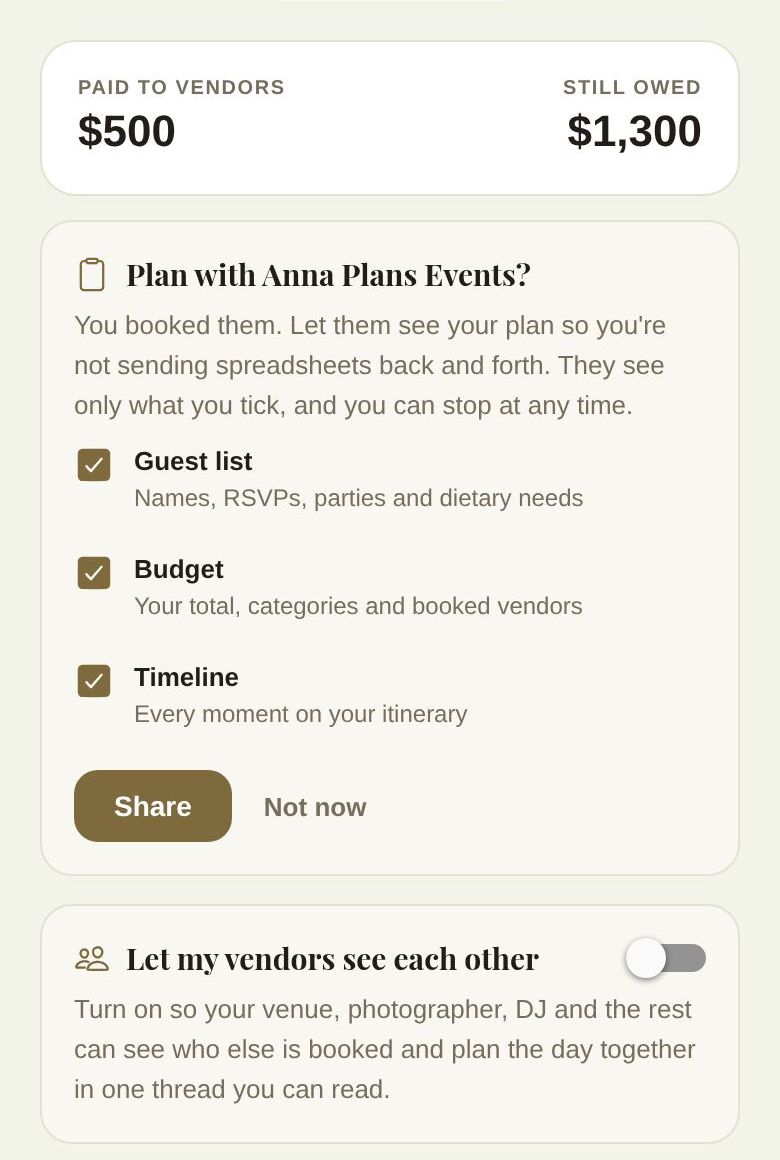
At the top: PAID TO VENDORS and STILL OWED across all of them. Below that, any cards that need a decision from you, then one card per vendor.
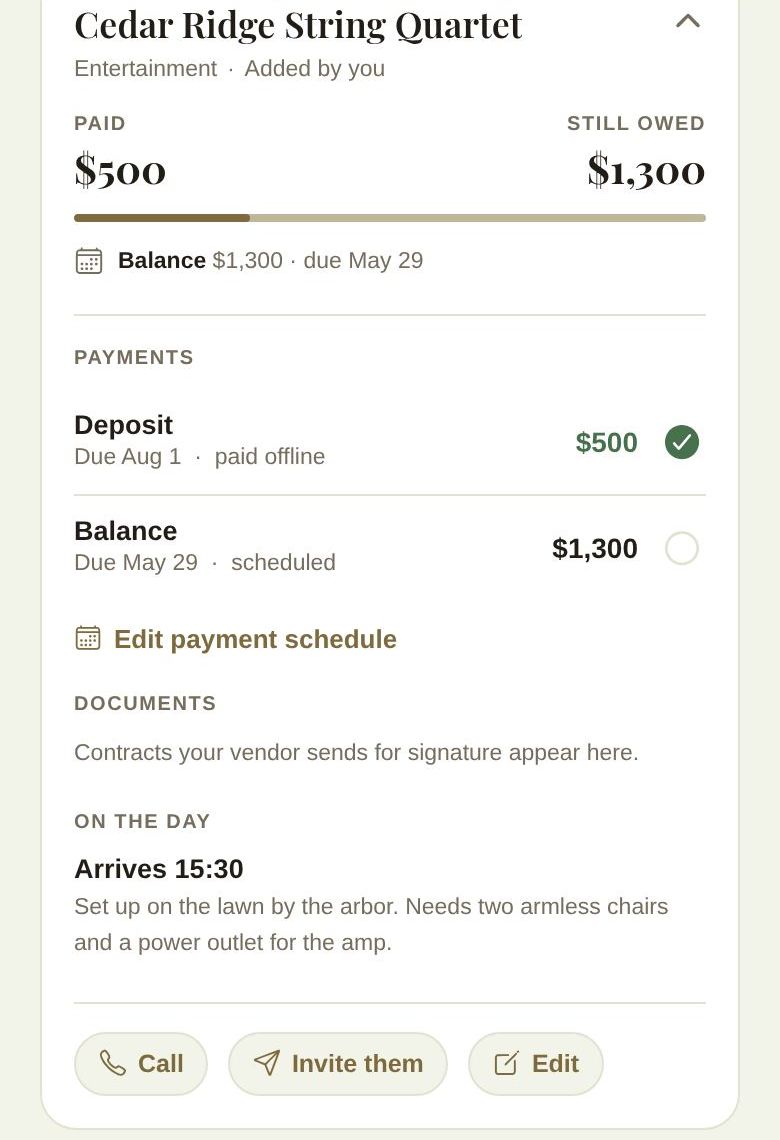
A vendor's card
Closed, a card shows the vendor's name, category, Booked in The Veil or Added by you, what you've Paid, what's Still owed (or Settled), a progress bar, and the one thing that needs attention next, like Balance $1,300 · due May 29, Paid in full or No payment schedule yet.
Tap the card to open it:
- Payments: each payment with its due date and whether it's scheduled, ready to pay, paid by card or paid offline.
- Edit payment schedule (or Add a payment schedule).
- How you pay: payment plans, autopay and late fees, when the vendor has set them. See Quotes, contracts and paying your vendors.
- Documents: contracts, with how many are signed. Tap one to open it.
- After the wedding: things the vendor delivers later, like your gallery, with expected by dates and an Open link once delivered.
- On the day: when they arrive and your setup notes.
- Buttons: Vendor page, Their posts, Call, Invite them (for vendors you added yourself) and Edit.
Mark a payment paid
Paid a vendor in cash, by check or by bank transfer? Tap the circle next to that payment. Mark as paid? records it as paid offline and adds it to your spent total. Tap a green tick to undo it with Mark as unpaid?. Card payments through The Veil record themselves.
Edit a vendor
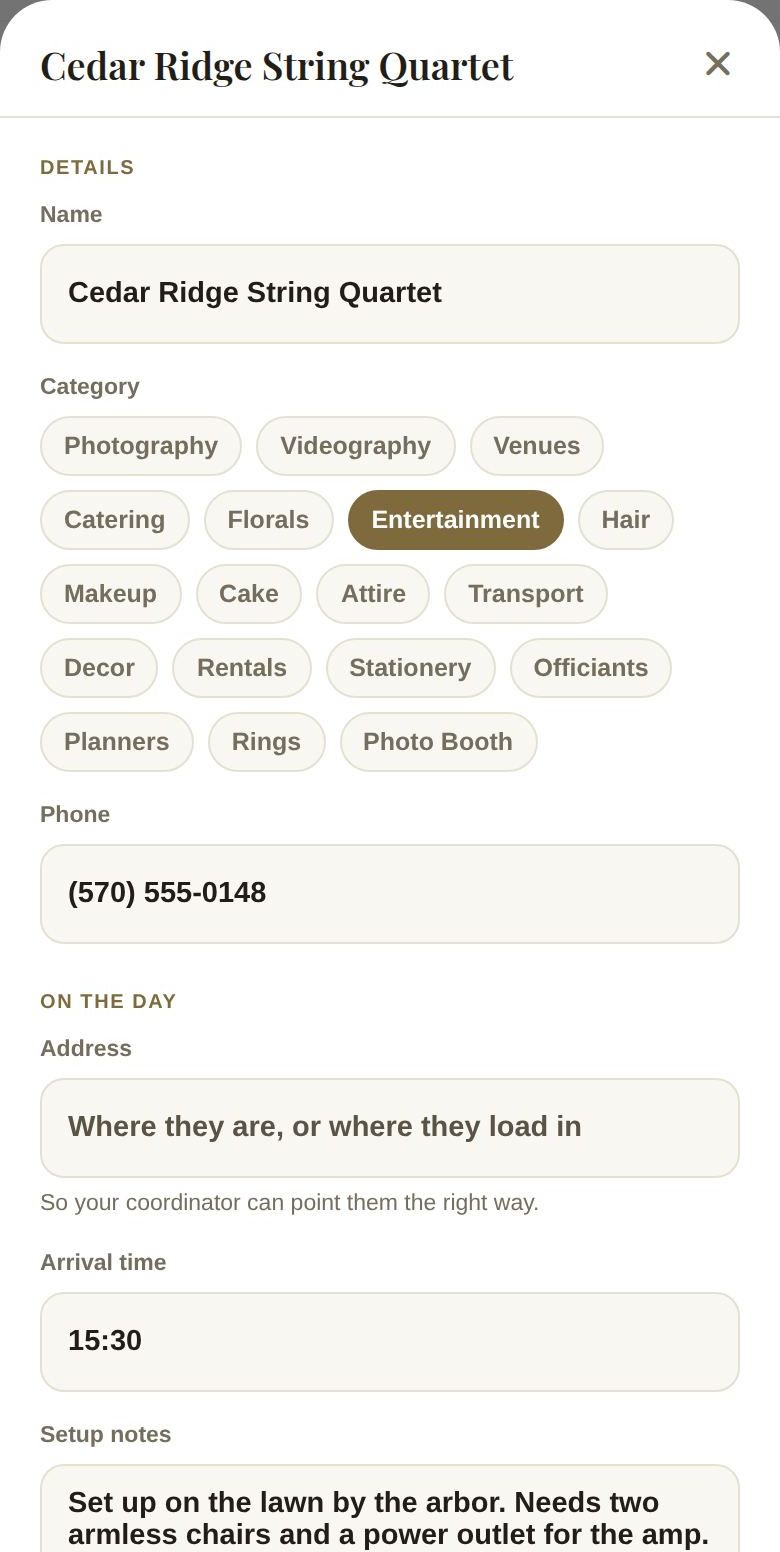
Edit opens the vendor's details:
- Name, Category and Phone ("so your coordinator can reach them").
- On the day: Address (venues get pinned on the map your coordinator sees), Arrival time (like 14:30) and Setup notes (where they load in, who lets them in, what they need).
- Payments: add or change payments with a label, amount and due date. Payments already paid or sent stay as they are.
- Save, or Remove this vendor for vendors you added yourself. Removing them takes them and their scheduled payments off your list; it doesn't cancel anything you agreed with them.
Cards above your vendors
- Plan with (your planner)? and Let my vendors see each other: see Plan with your planner, and let your vendors talk.
- How was (vendor)?: after your wedding, a prompt to review vendors you booked and paid. See Review your vendors.
- Recommended by your vendors: vendors your booked vendors suggest. These are people you haven't booked, shown apart from your list. You can hide any of them.
- Your venue's preferred vendors, and which of your vendors are Preferred or an Outside vendor, when your venue keeps a preferred list.
Good to know
- Vendors you book through The Veil appear here automatically, with their contract and every payment.
- Co-planners with Budget & Vendors access can see this list but can't change it.
- Add everyone, even vendors paid in cash, so your budget and your coordinator's day-of list are complete. See Vendors you booked elsewhere.
Did this answer it?
Updated September 30, 2026