Help · For couples · Your vendors
A vendor's page, section by section
Photos, prices, packages, reviews, availability, offers and paperwork: what each part of a vendor's page tells you.
Tap any vendor to open their page. What you see depends on whether the business is on The Veil. A business that has claimed its listing fills its page in itself; any other business shows what Google knows about it.
At the top
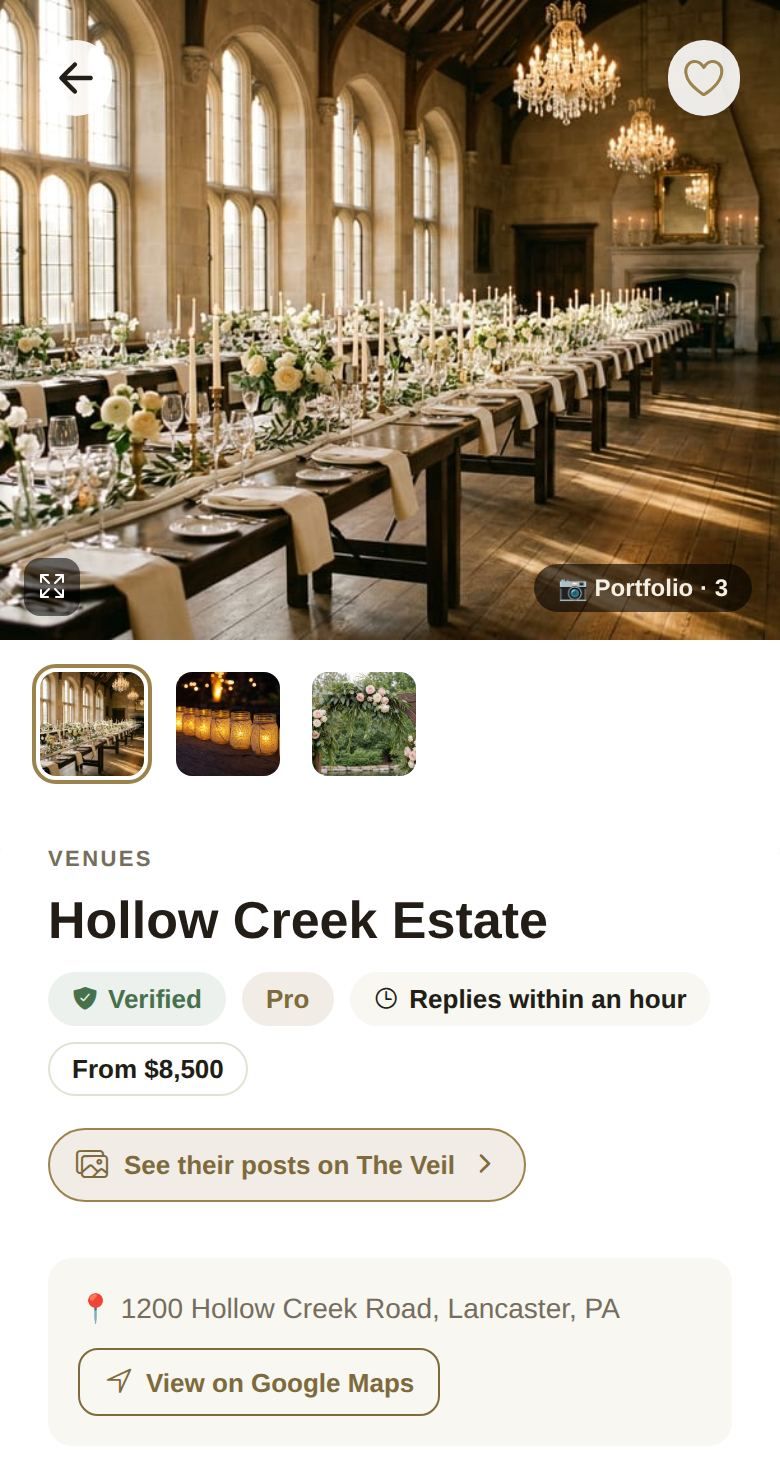
- Photos: swipe through them, or tap the expand button to see each one full screen. Portfolio · 3 tells you how many there are.
- Badges: Verified means the business has proved who it is to us; Pro is a business on the Pro plan. Replies within an hour (or similar) shows how fast they usually answer.
- From $8,500 (or similar): the vendor's starting price, when they've set one.
- See their posts on The Veil: their photos and posts in Discover.
- The address, with View on Google Maps (or View in Maps on a phone).
- About: their own description.
Reviews
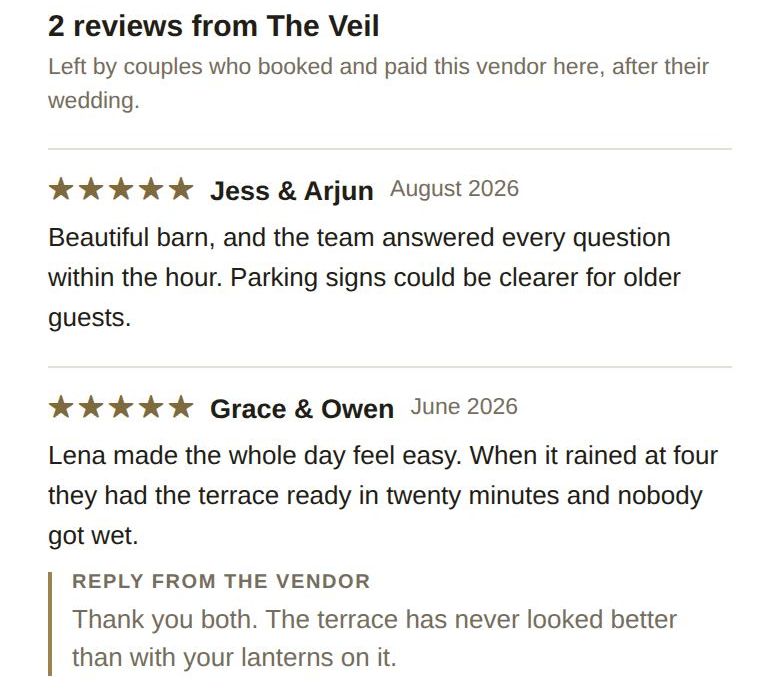
Vendors on The Veil show reviews from The Veil: written only by couples who booked and paid that vendor through The Veil, after their wedding. A vendor can reply, shown as Reply from the vendor. Businesses that aren't on The Veil show their Google reviews instead, with See all reviews on Google →.
Availability and open dates
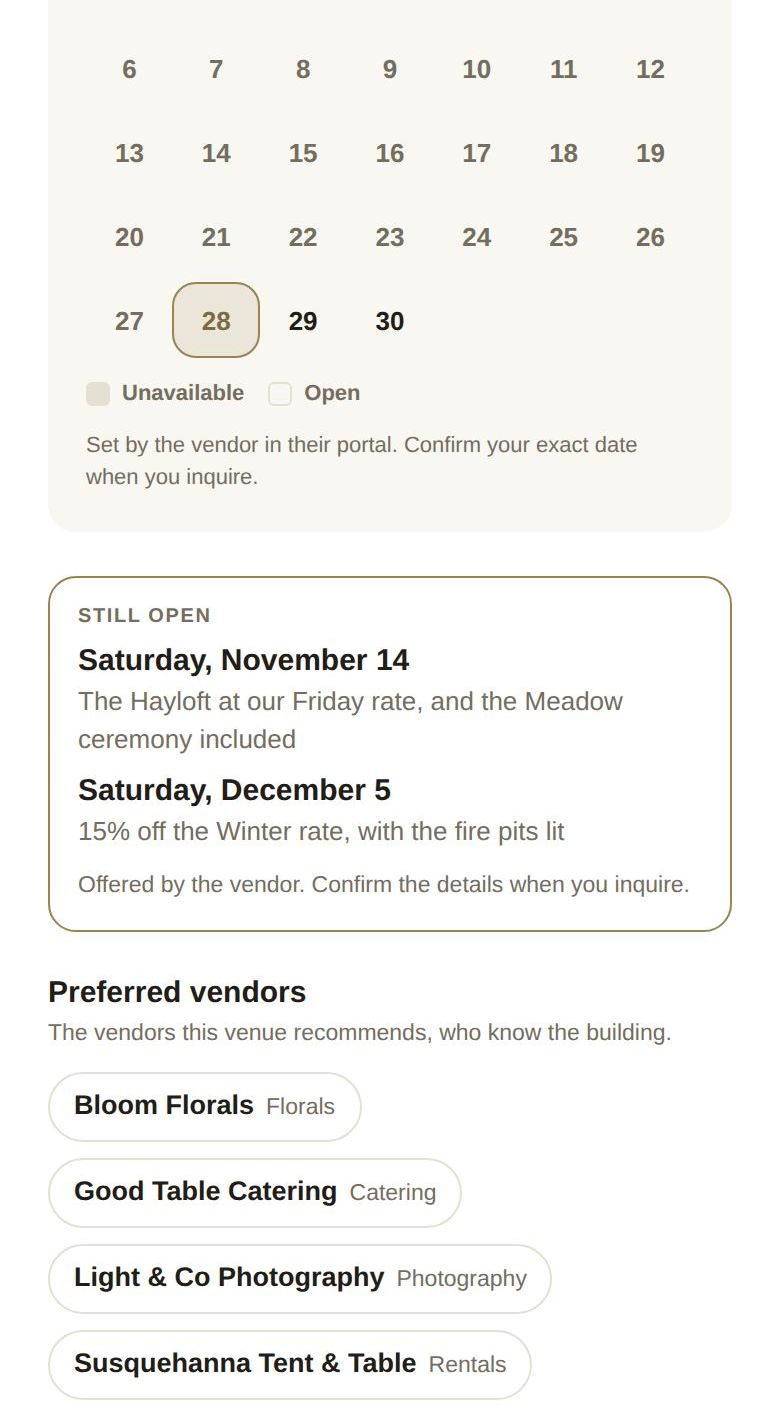
Vendors on a paid plan keep their calendar on The Veil, so their page has an Availability calendar. Use the arrows to move month to month. Struck-through days are Unavailable; the rest are Open. The vendor sets this, so confirm your exact date when you ask.
Some vendors post dates they still have open, often with an offer. These appear under STILL OPEN with the date and the offer.
Packages, menu and more
- Where they work: their service area.
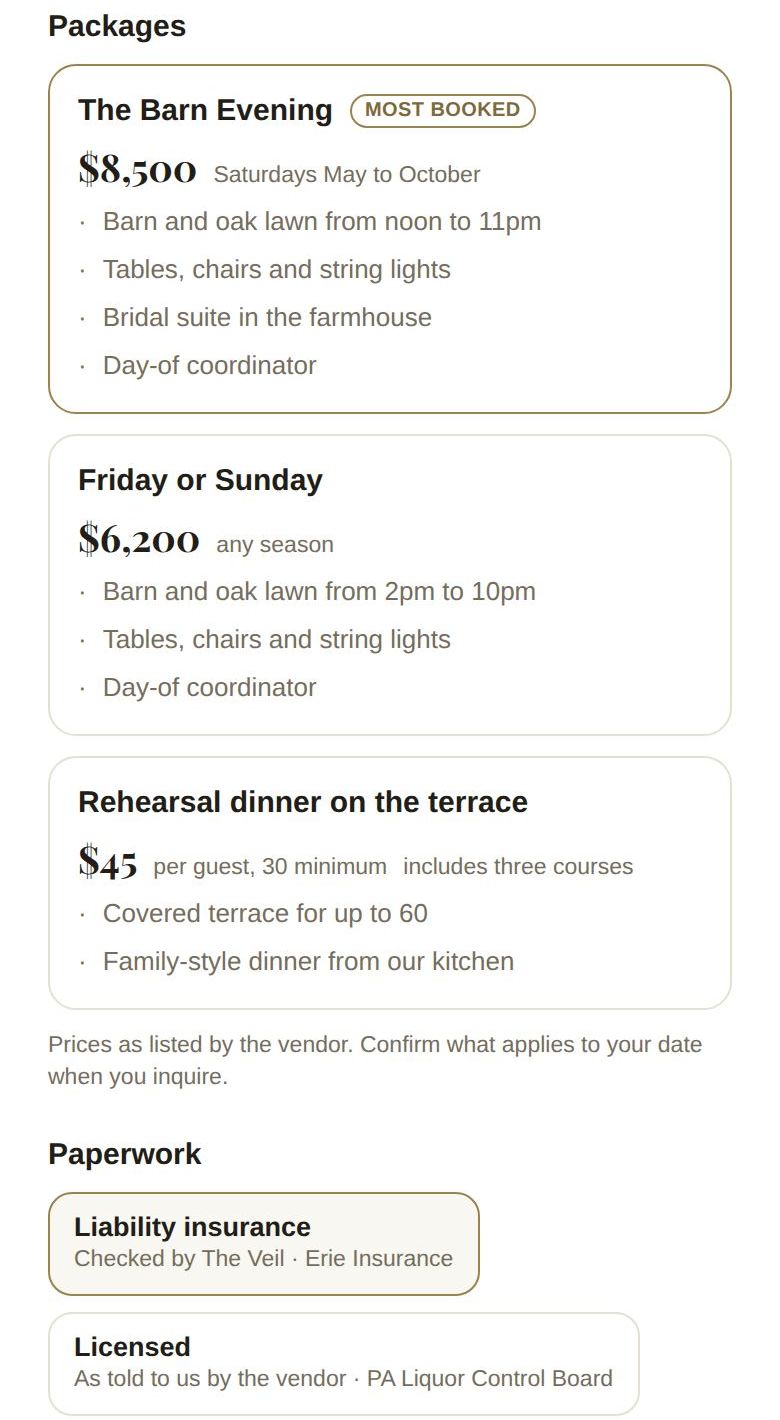
- Packages: each package with its price, what's included, and a MOST BOOKED tag on the popular one. Per-guest packages say per guest and any minimum.
- Menu (caterers): dishes by course, with dietary tags and per-guest prices.
- Paperwork: insurance, licenses and registration. Checked by The Veil means we've seen the document; As told to us by the vendor means the vendor entered it.
- Works often with: other vendors they partner with.
- Preferred vendors (venues): the vendors the venue recommends, who know the building.
- Questions: the vendor's FAQ. Tap a question to open the answer.
The buttons at the bottom
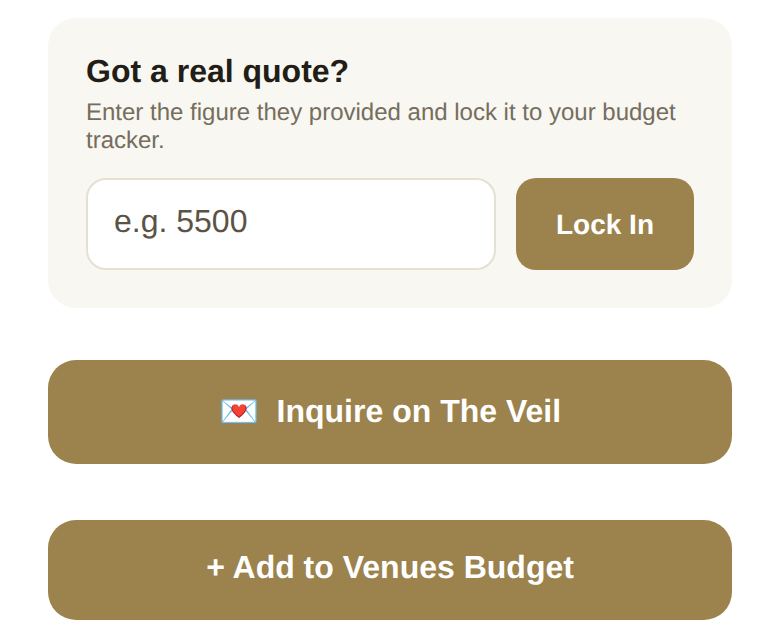
- Got a real quote?: type the figure a vendor quoted you and tap Lock In. We add them to your vendors under Budget, then Vendors, with that figure as an unpaid Quoted total, so your budget counts it. Locking a new figure for the same vendor updates it rather than adding them twice.
- Inquire on The Veil: ask about your date. See Send an inquiry.
- Not on The Veil yet? Let them know: for businesses that aren't on The Veil.
- + Add to Venues Budget (named for the category): adds a line for this vendor to that category of your budget.
- Visit Website, when they have one.
Good to know
- Prices and offers are set by the vendor. Always confirm what applies to your date.
- The page reads the vendor's live listing, so a vendor you saved months ago shows their newest photos and prices.
Did this answer it?
Updated September 30, 2026