Help · For couples · Your vendors
Vendors you booked elsewhere
Add vendors you booked by phone or email, track what you owe them, and invite them to join you on The Veil.
Not every vendor is booked through The Veil. Your cake baker might be a friend of the family; your band might have sent a paper contract. Add them anyway, so your budget, your payment dates and your coordinator's day-of list include everyone.
Add a vendor
- Open Budget, then the Vendors tab.
- At the bottom, type their name in Add a vendor you booked elsewhere and tap +.
- They appear on your list marked Added by you. Tap their card, then Edit, to add their category, phone, arrival time, setup notes and payments.
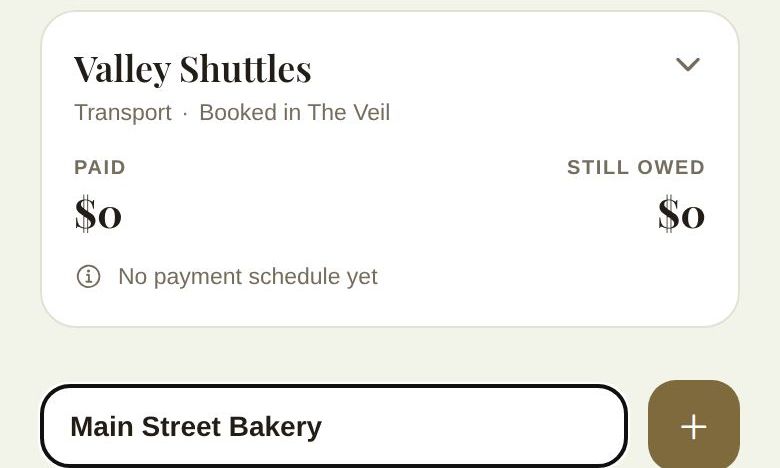
You can also start from a vendor's page in Vendors: type the figure they quoted into Got a real quote? and tap Lock In. That adds them to this list with the quote as an unpaid Quoted total.
Track what you owe
Tap Add a payment schedule on their card and add each payment: a label like Deposit or Balance, the amount and the due date. Your budget counts these whether or not they're paid yet, so you can see what's committed.
When you pay them, tap the circle next to the payment to Mark as paid. It's recorded as paid offline.
Invite them to The Veil
Tap Invite them on their card, enter their email (for example the address they send invoices from) and tap Send invite.
- If they're already on The Veil, your booking reaches them straight away, with your date, guest count and timeline.
- If they're not, they get one email from you, titled with your names and "added you to their wedding on The Veil". It says the booking is waiting for them, that they can send their invoice and contract through The Veil, and that it's free for their business. Replies to that email come to you.
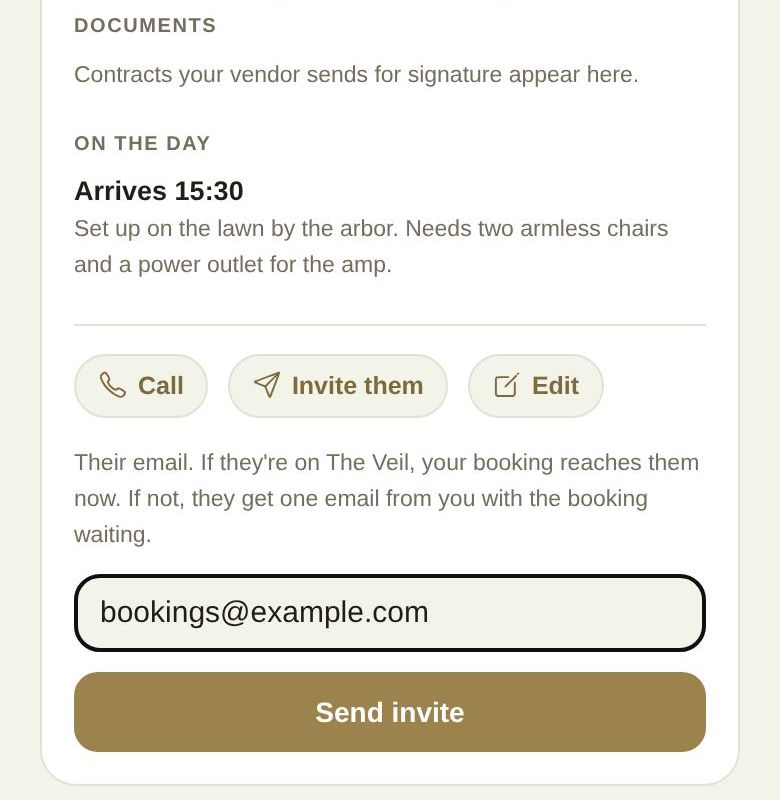
Afterwards the card says who you invited and when. You can send it again with Invite again, but not more than once a day to the same vendor.
Why invite them
Once they join, they see your date, guest count and timeline as they change, you can message in one place, they can send their contract and invoice for you to sign and pay here, and they appear on your day-of schedule with everyone else.
Good to know
- If they don't want to join, that's fine. They stay on your list and in your budget.
- Messages to Invite errors: Check the email address.; We emailed them in the last day. Give them a little time.; They are already on your wedding.
- Reviews on The Veil are only for vendors you booked and paid through The Veil.
Did this answer it?
Updated September 30, 2026