Help · For couples · Floor plan and seating
Seat your guests
Seat everyone in one tap with families kept together, then move people table by table.
Once your tables are on the plan, Seating puts your guests in their seats. Only guests who said yes are waiting for a seat, and the two of you are always on the list.
Open seating
Tap Seating in the toolbar. The sheet shows:
- How many guests are seated, how many are still to seat, and how many chairs are empty.
- A warning if you have more guests than chairs, with a suggestion to add a table or two.
- Seat everyone for me.
- Download for the caterer.
- Waiting for a seat, everyone not yet seated, with their group and party size.
- Tables, each with who is sitting there and how full it is, like 8/8.
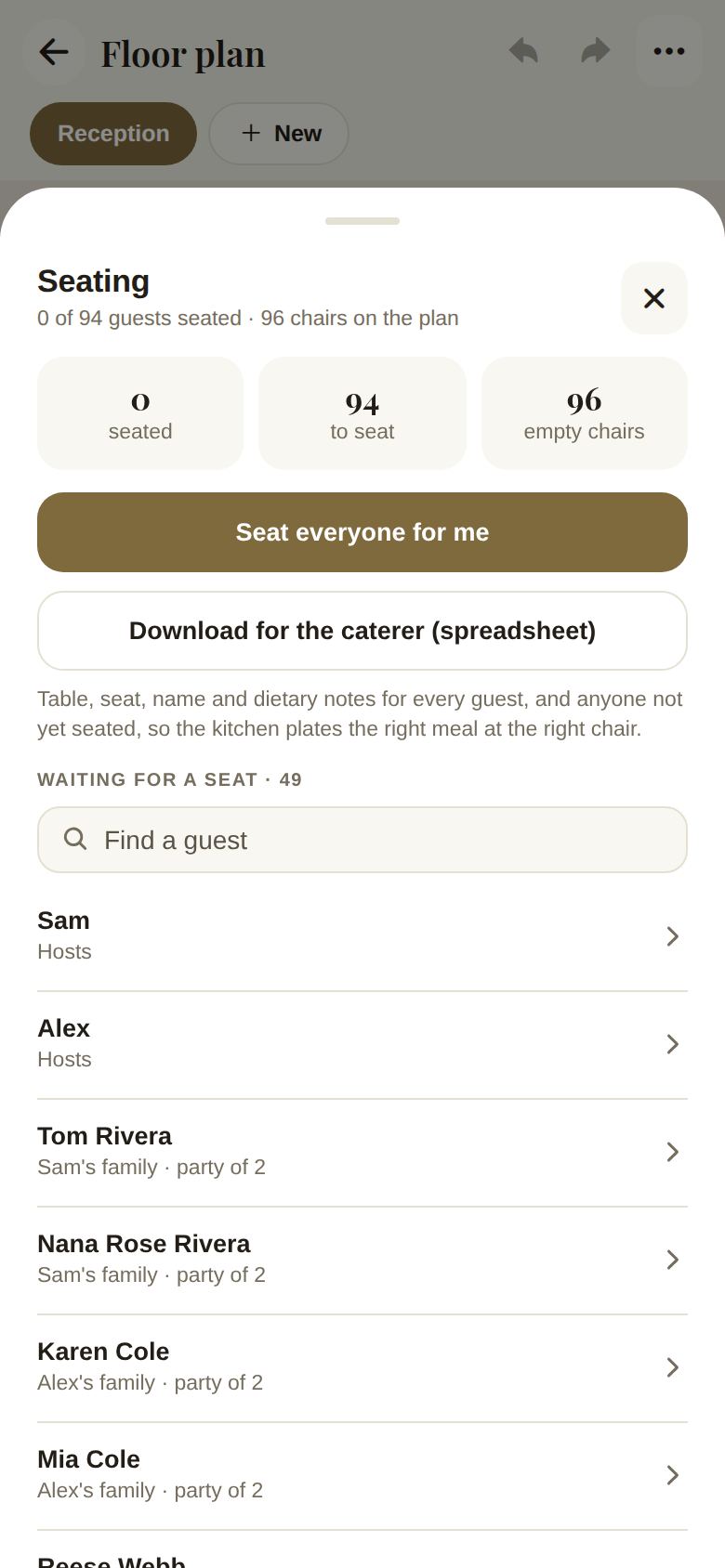
Seat everyone for me
Tap Seat everyone for me. We seat every waiting party, largest parties first, keeping each party together at one table. When it's done, you'll see how many parties were seated. If a party didn't fit at any table together, we tell you how many, so you can add a table or more seats and try again. Move anyone you like afterward.
Seat one guest
- Under Waiting for a seat, tap a guest.
- A table for them opens, saying how many seats their party needs together.
- Pick a table with room.
Work table by table
Tap a table in the Tables list (or Seat on a selected table on the plan) to see its seats, numbered around the table.
- Tap an empty seat to choose who sits there. Their whole party sits together from that seat.
- Tap a taken seat to free it. For a primary guest, you're asked whether to free their whole party.
- For the caterer lists anyone at this table with a dietary note, by seat number.
- Everyone takes you back to the full list. Show on plan closes the sheet and highlights the table.
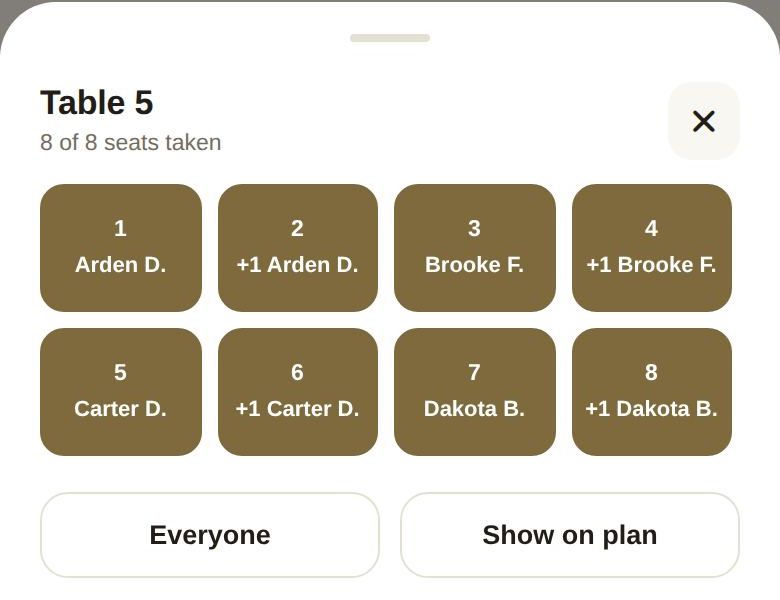
Names on the plan
Seated guests show on the plan by first name and last initial, like "Priya S.". Plus-ones without a name show as "+1" followed by their guest's name. Use the person button on the right of the plan to hide or show the names.
Good to know
- A table with no chairs can't take anyone. Set its seats in Details.
- A table's count turns red if more people are seated than it has chairs.
- Each plan is seated separately. A rain plan has its own seating.
- Seats belong to you. Vendors you share the plan with see how many seats are taken, never the names.
Did this answer it?
Updated September 30, 2026