Help · For wedding businesses · Calendar and tours
Appointments: add, move or cancel
Add a tour, call or walkthrough yourself, and move or cancel one from the portal or your phone.
Couples who book from your page create their own appointments. You can add one yourself too, for a couple who rang, or a final walkthrough, and move or cancel any of them.
Add one from a lead
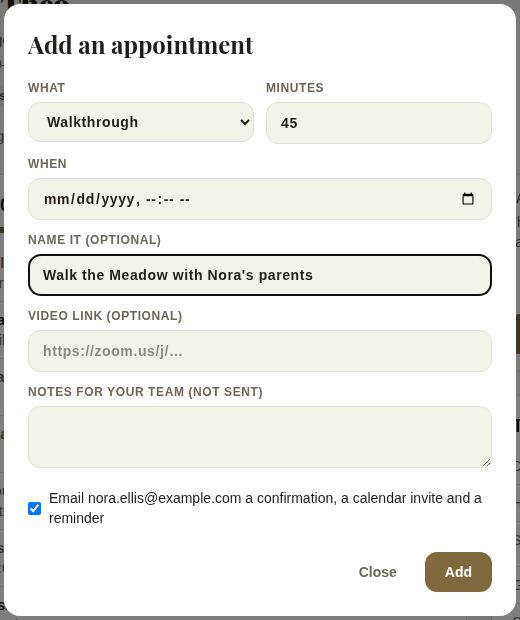
- On the lead, next to the date at the top, tap + Appointment.
- What: Tour, Call, Consultation, Tasting, Meeting or Walkthrough.
- Minutes: between 10 minutes and 10 hours.
- When: the day and time.
- Name it (optional), for example "Final walkthrough".
- Video link (optional). For calls and consultations, leaving it blank uses the one on your booking page.
- Notes for your team (not sent).
- Leave Email ... a confirmation, a calendar invite and a reminder ticked to tell the client, or untick it.
- Tap Add.
Team members with a Today page can also add one from Tours & calls there with + Add; they fill in Who and Their email as well. See Your Today page.
Move or cancel
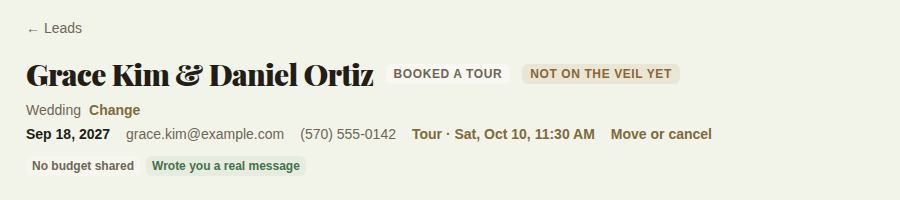
Once a lead has an appointment, the top of the lead shows it, for example "Tour · Sat, Oct 10, 11:30 AM", with Move or cancel beside it.
Tap Move or cancel:
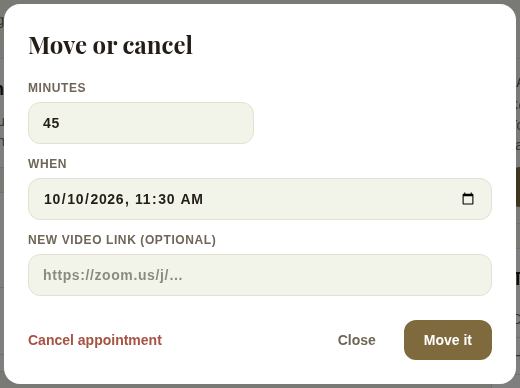
- Change Minutes or When, and optionally a New video link, then tap Move it.
- Cancel appointment calls it off.
- Close leaves it as it is.
If the client had a confirmation, they're emailed when you move or cancel it.
On your phone
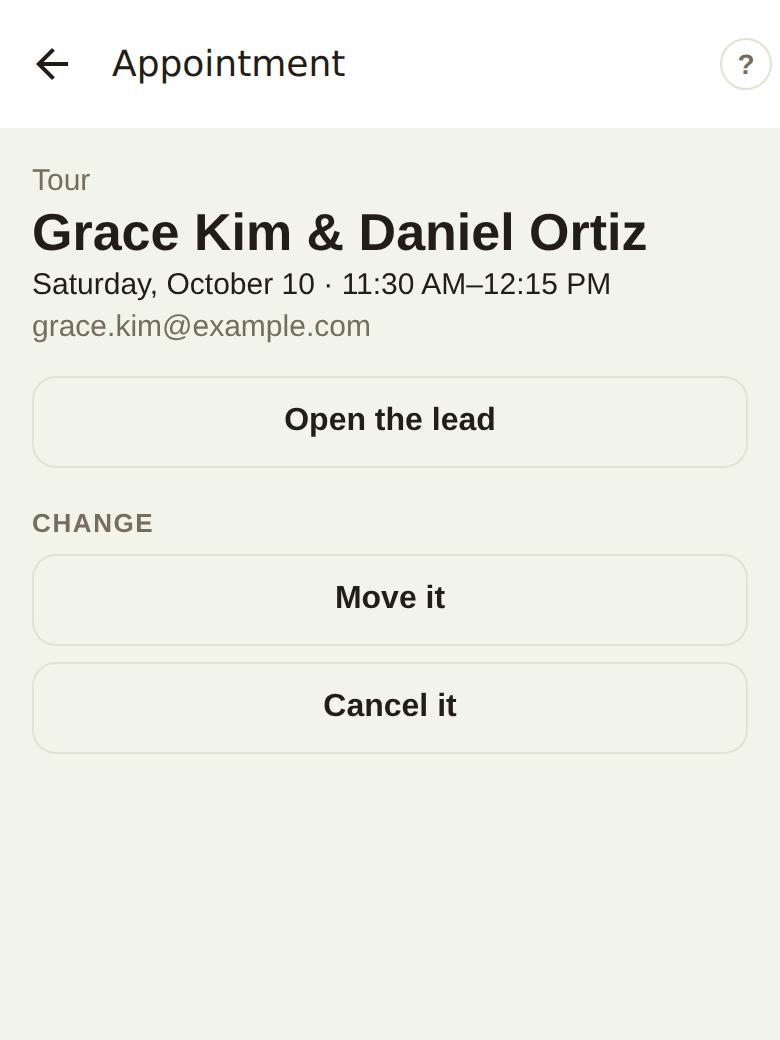
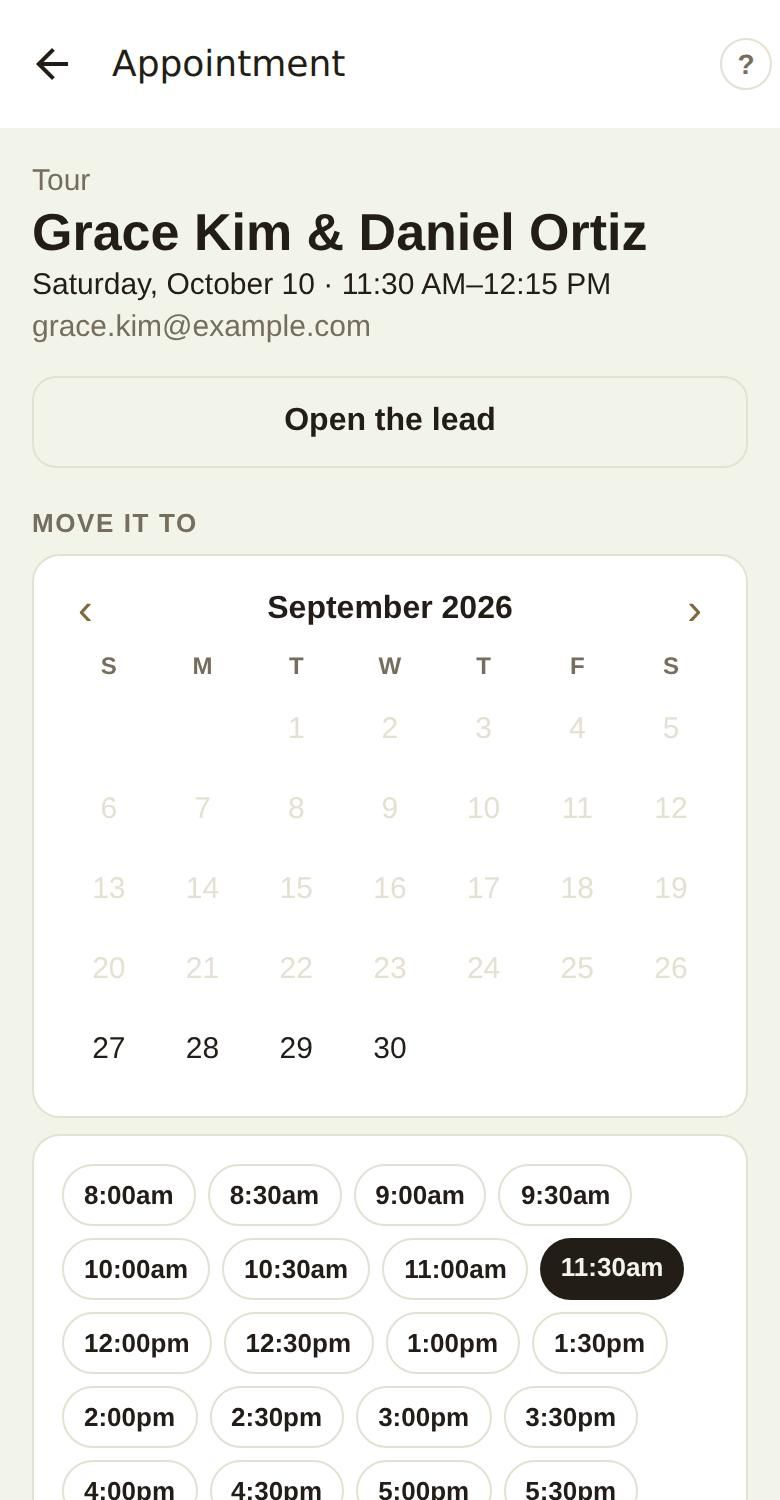
In The Veil Vendors, open Calendar and tap the tour or call. You'll see the kind, who, when and their email, Open the lead, and under Change, Move it and Cancel it.
Move it shows a month and times every half hour. Pick a day and a time and tap Move it; the app confirms the new time and that they've been emailed. Cancel it asks first (Keep it or Cancel it) and emails them that it's off.
Good to know
- A time that has already passed can't be picked.
- Walkthroughs and rehearsals for a booked wedding can also be added under Around the day on the lead, which puts them on the couple's day and every booked vendor's run of show. See Walkthrough, rehearsal, load-in and the rain plan.
- If an appointment can't be changed any more, the dialog tells you so.
Did this answer it?
Updated September 30, 2026