Help · For wedding businesses · Calendar and tours
Your calendar in the phone app
The next 60 days in one list, and blocking dates, in The Veil Vendors.
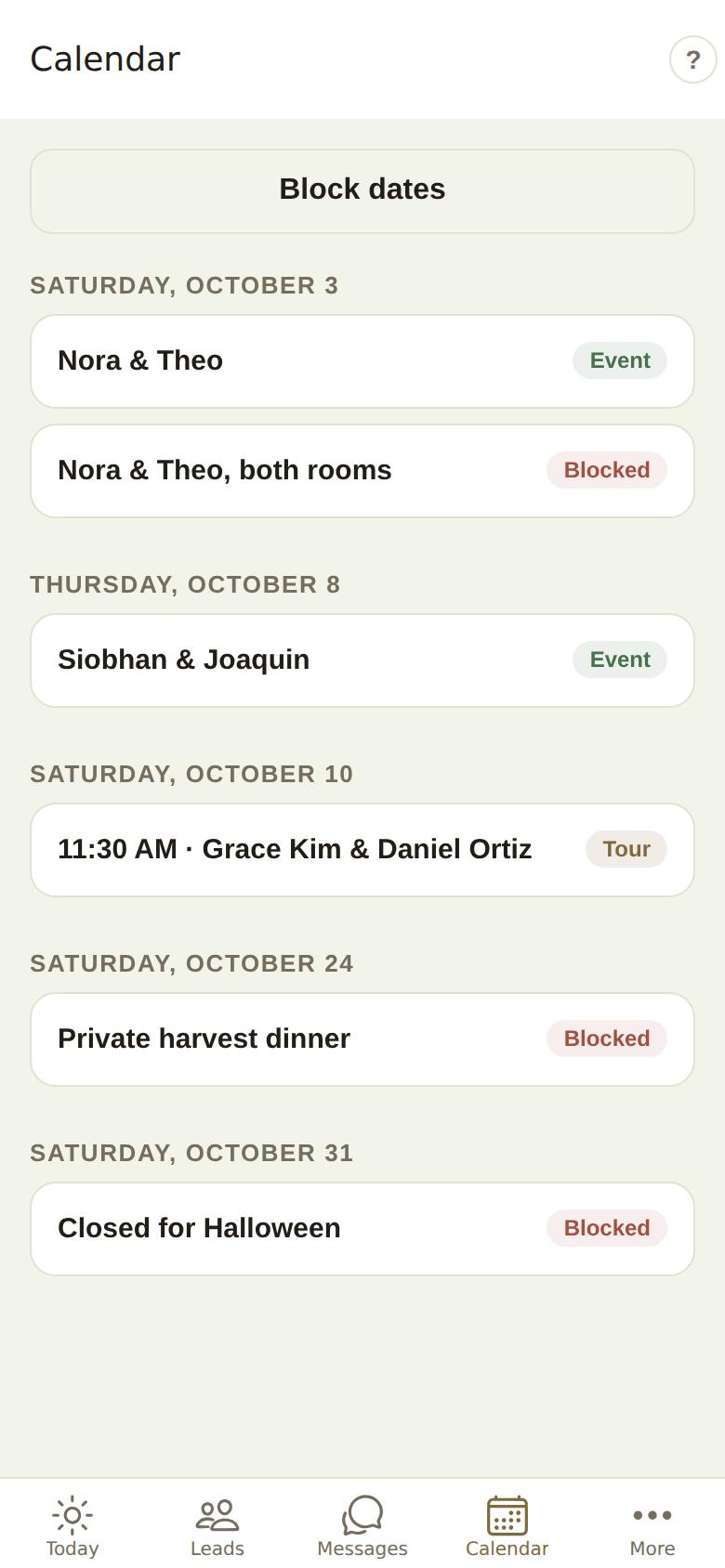
The Calendar tab in The Veil Vendors is the next 60 days as one list, grouped by day.
What's on it
Each row has a label on the right:
- Event: a booked wedding or event. Tap it to open its day sheet.
- Tour: a tour, call, tasting or other appointment, with its time. Tap it to open the appointment and move or cancel it. See Appointments: add, move or cancel.
- Hold: a date on hold, with the lead's name and whether it's the first, second or third hold. Tap it to open the lead. See Holds.
- Blocked: a date you've closed, with your reason. Tap it to go to Block dates.
If nothing is coming up, it says Nothing in the next 60 days.
Block dates
Tap Block dates at the top (or More, then Block dates).
- Use the arrows to find the month and tap a day. Blocked days are marked.
- Type Why (only your team sees it).
- Tap Block this date.
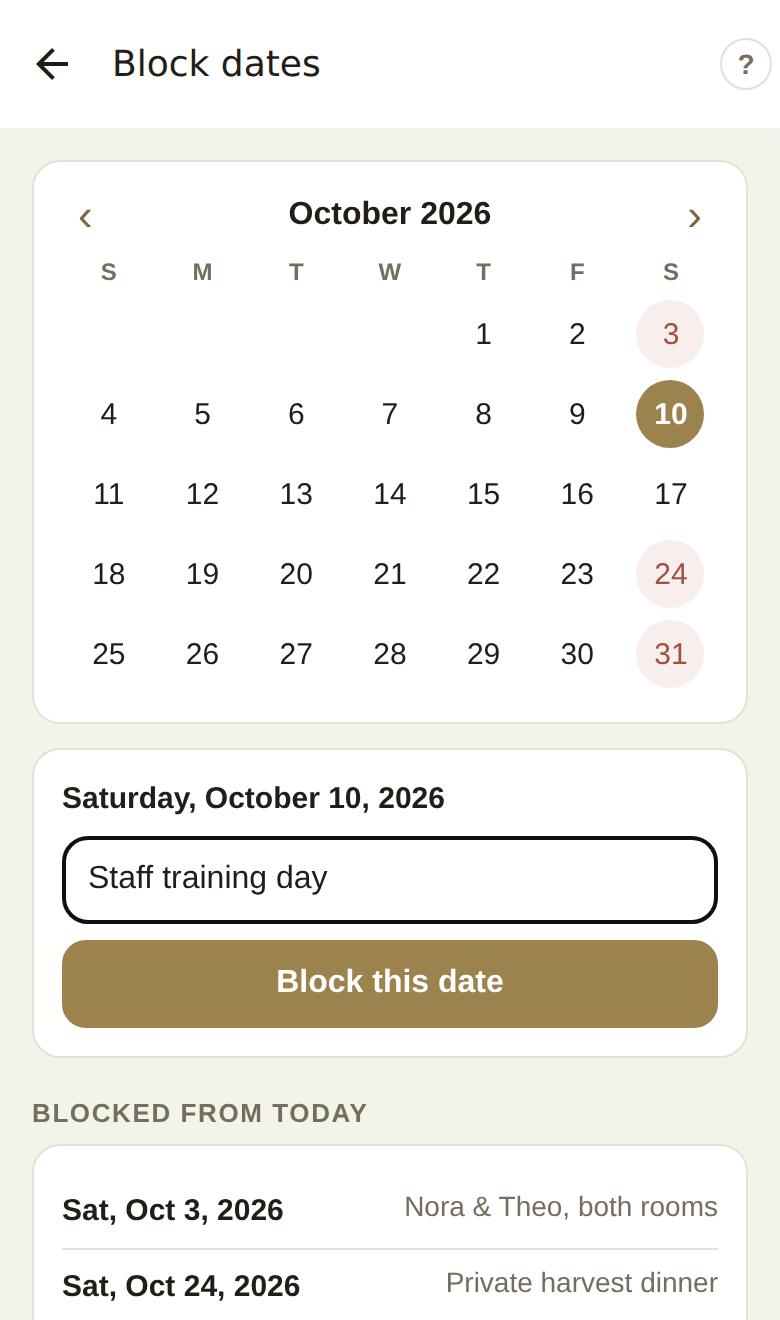
To open a blocked day again, tap it (in the month or in Blocked from today) and tap Open this date back up. A day blocked by one of your synced calendars says (from your calendar).
Good to know
- These are the same blocks as Availability in the portal. See Availability and blocking dates.
- Blocking is for owners and managers on Pro or Studio.
- The ? at the top right of each screen opens its help.
Did this answer it?
Updated September 30, 2026