Help · For wedding businesses · Calendar and tours
Tours, tastings and calls
Let couples book a time with you from your page. It lands as a lead with the time on your calendar.
Couples can book a tour, tasting, consultation or call straight from your public page. The slots come from your hours, blocked dates stay blocked, and each booking arrives in Leads.
Set it up
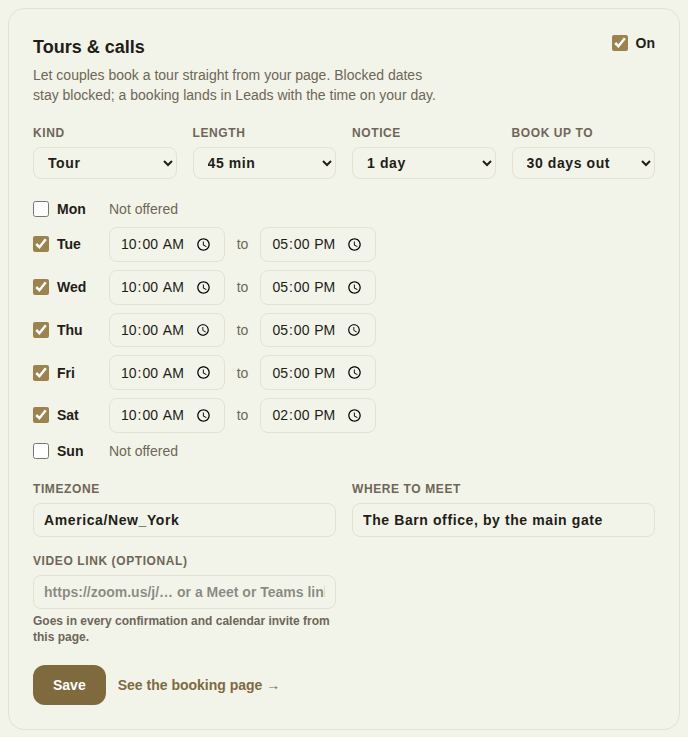
- Open Availability and scroll to Tours & calls.
- Tick the box at the top right so it says On.
- Kind: Tour, Tasting, Consultation or Call. Until you save, it follows your trade: venues are toured, caterers and cake makers tasted, everyone else met.
- Length: 15, 20, 30, 45, 60, 90 or 120 minutes.
- Notice: how soon a couple can book, from 2 hours to 3 days ahead.
- Book up to: how far ahead, 14, 30, 60 or 90 days out.
- Tick each day you offer and set its hours. Unticked days say Not offered.
- Timezone: what your hours mean, for example America/New_York.
- Where to meet: shown to the couple, for example "Barn office" or a phone number.
- Video link: optional for tours and tastings, expected for calls and consultations. It must start with https:// and goes in every confirmation and calendar invite.
- Tap Save. See the booking page opens what couples see.
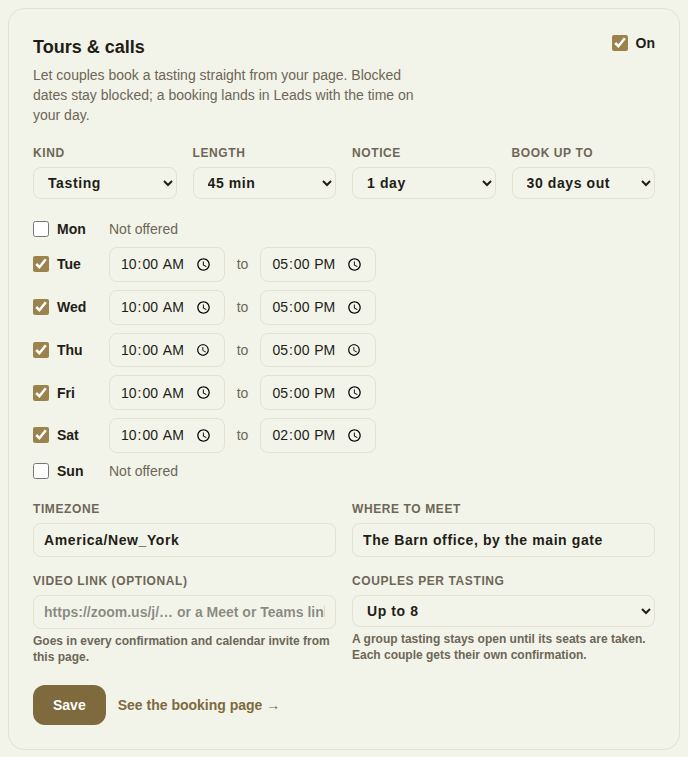
Group tastings
Choose Tasting and a Couples per tasting field appears: 1 (private) up to 30. A group tasting stays open until its seats are taken, couples see how many places are left, and each couple gets their own confirmation.
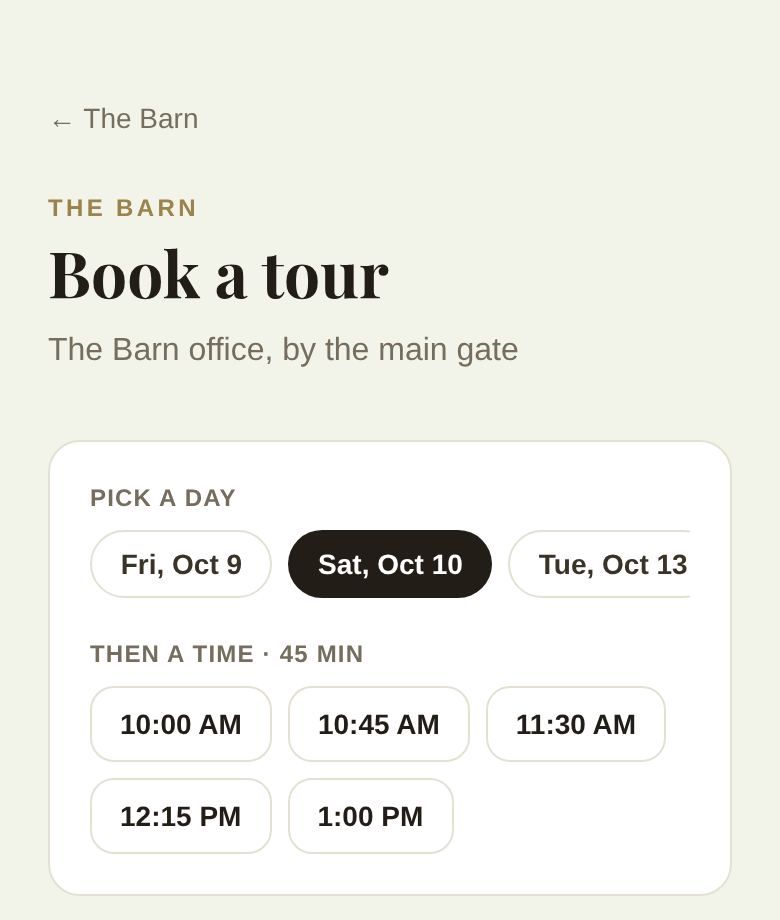
What the couple sees
From your page they tap to book, then pick a day and a time. The slots are your hours cut into your length, minus blocked dates, minus times already booked, and never sooner than your notice.
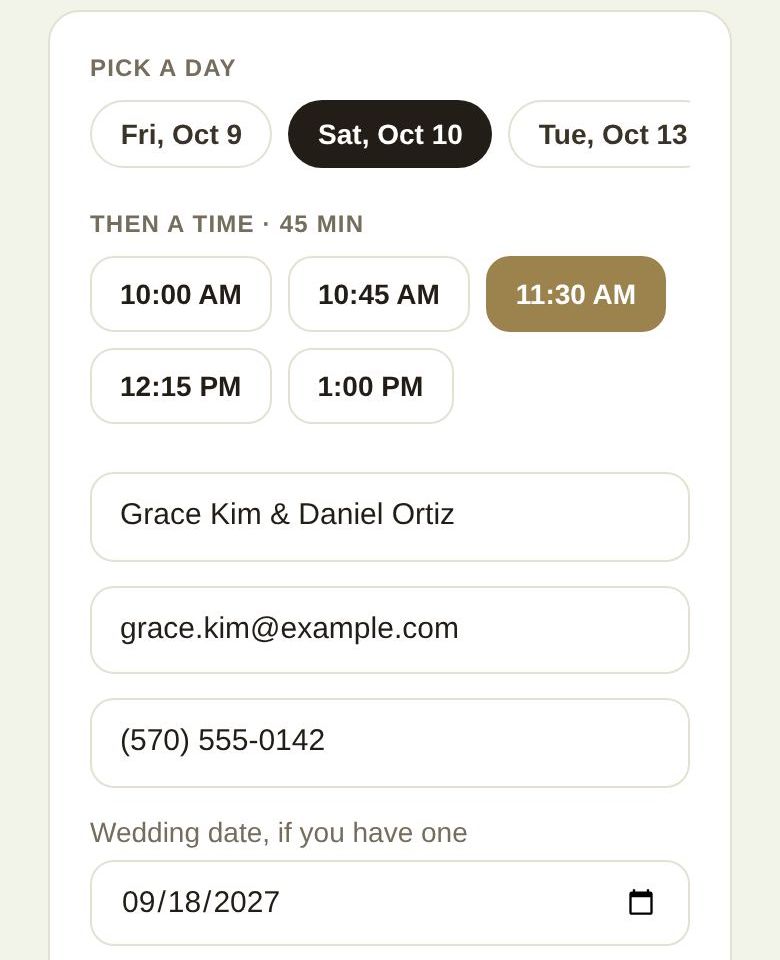
They add their names, email, an optional phone number, their wedding date if they have one, and a note, then tap the book button, which repeats the day and time.
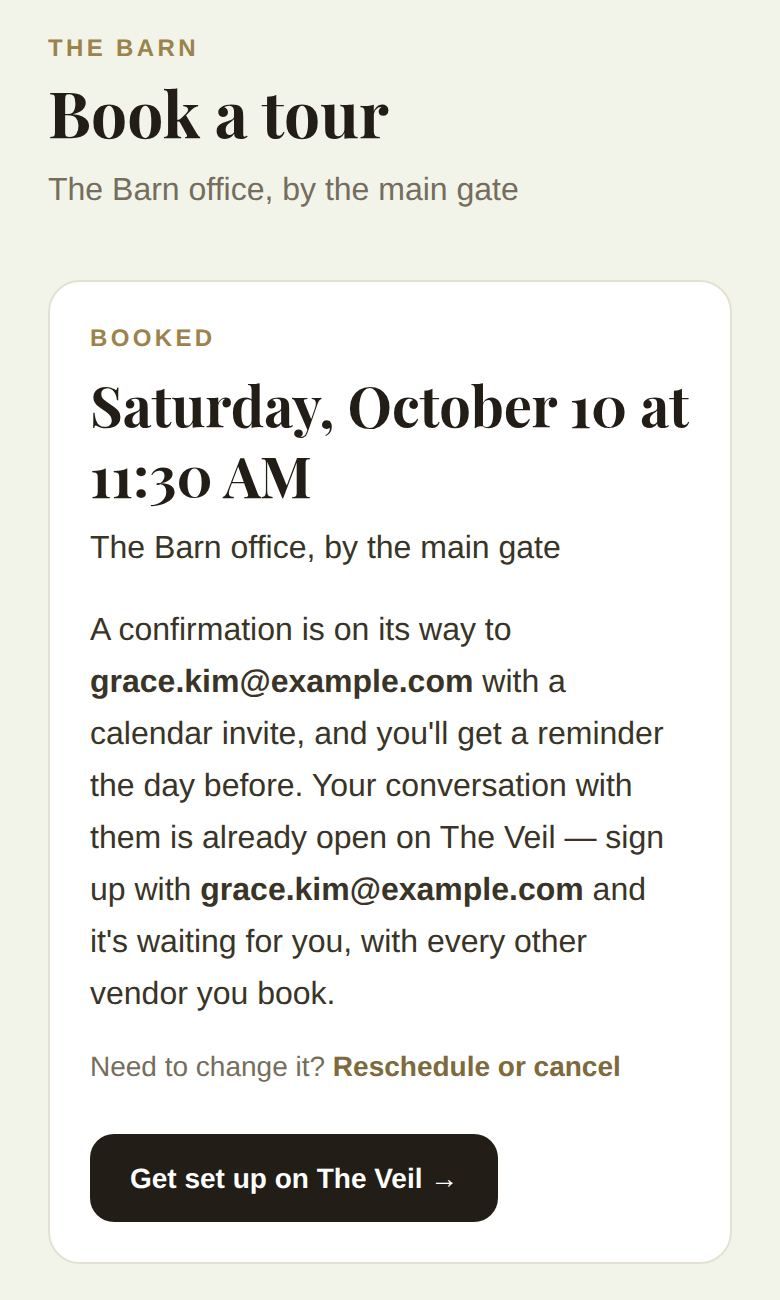
They see it's booked, and get a confirmation email with a calendar invite, a reminder the day before, and a Reschedule or cancel link. Their conversation with you is already open on The Veil when they sign up with that email.
What you see
The booking is a new lead with the source Booked a tour, and the time sits on the lead under its date, on your phone's Calendar, and in your calendar feed. To move or cancel it, see Appointments: add, move or cancel.
Good to know
- Tours and calls are on every plan.
- Blocked dates never show slots, so block your wedding days and holidays first.
- If someone takes the same slot first, the couple is told "That time just went" and shown the times that are left.
- Nothing shows if your page isn't live yet.
Did this answer it?
Updated September 30, 2026