Help · For couples · Budget, checklist and timeline
Suggested lines and vendor confirmations
How the timeline drafts your day from your vendors and ceremony, and how vendors confirm the lines you share.
Two cards on your Timeline do a lot of the work for you: Suggested for your day, which drafts lines, and Your vendors, which shows who has confirmed your schedule.
Suggested for your day
Once your wedding date is set, The Veil drafts a day from what it knows. Each line has a time and says where it came from.
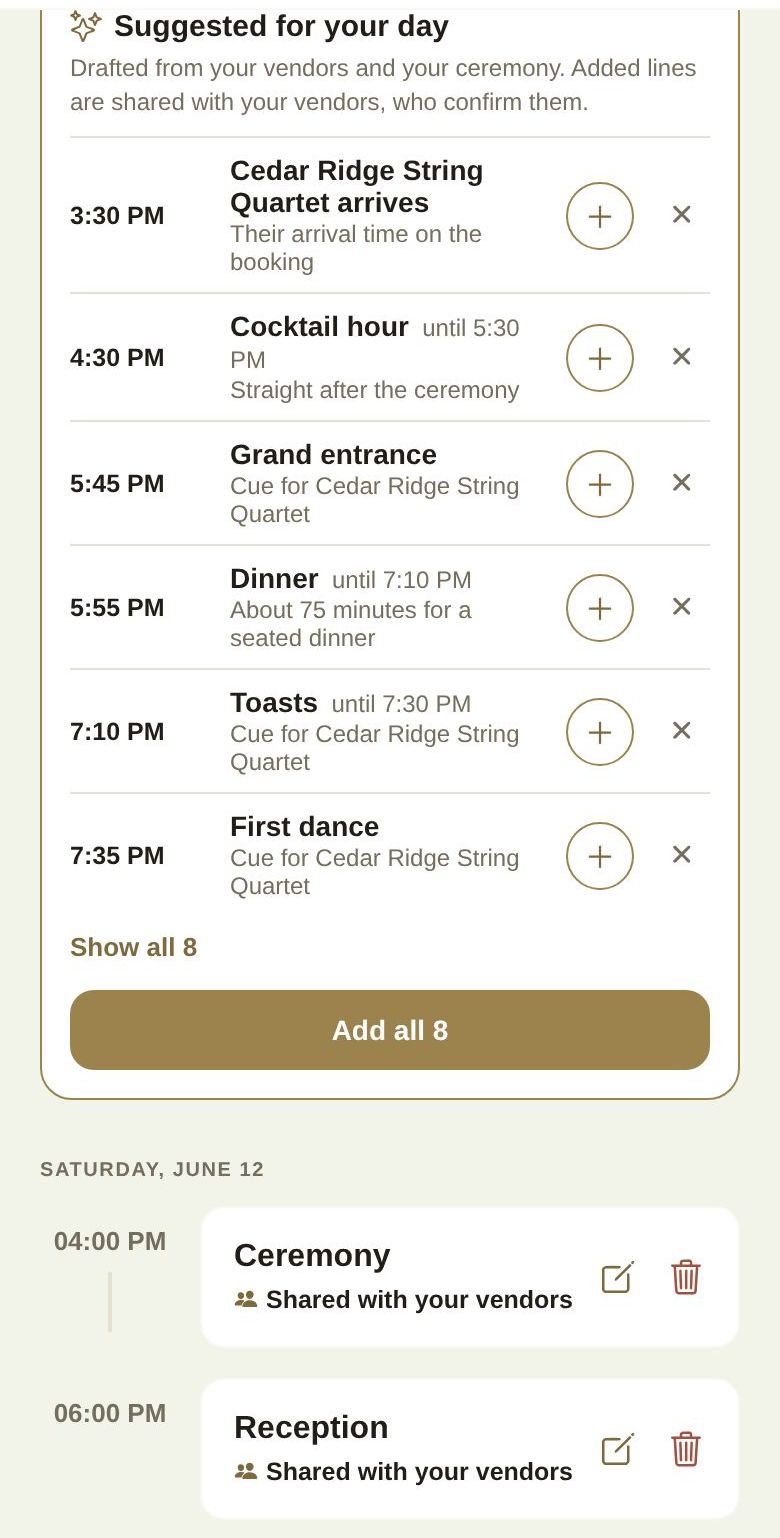
What it can suggest:
- Ceremony. A 4pm start is most common, so that's the suggestion until you add your own ceremony. Everything else follows from your ceremony time.
- Hair and makeup, from your beauty vendor's own schedule for the morning.
- Walkthrough, rehearsal and load-in, as your vendors set them, marked Set by and the vendor.
- Each vendor's arrival, from the arrival time on their booking.
- The reception, following your ceremony: cocktail hour, grand entrance, dinner (about 75 minutes for a seated dinner), toasts, first dance, cake cutting and a last dance. If your DJ or band is booked, those lines say Cue for and their name.
- Golden hour portraits, worked out from sunset at your booked venue on your date.
If you already have a line for something (say, your own "Dinner and toasts"), the suggestion for it disappears and the next lines follow your times instead.
Add or dismiss suggestions
- Tap + beside a line to add it.
- Tap × to say not for us. It won't come back.
- Show all reveals the rest if there are more than six, and Add all adds every line at once.
Suggested lines you add are shared with your booked vendors, so each vendor can confirm the new day. You can edit or delete them like any other event.
If your date isn't set yet you'll see "Set your wedding date and we'll draft the day from your vendors." Set it in Wedding Vibe.
Your vendors: who has confirmed
Once you've booked and paid vendors through The Veil, a card called Your vendors appears with a count, like "0 of 4 confirmed".
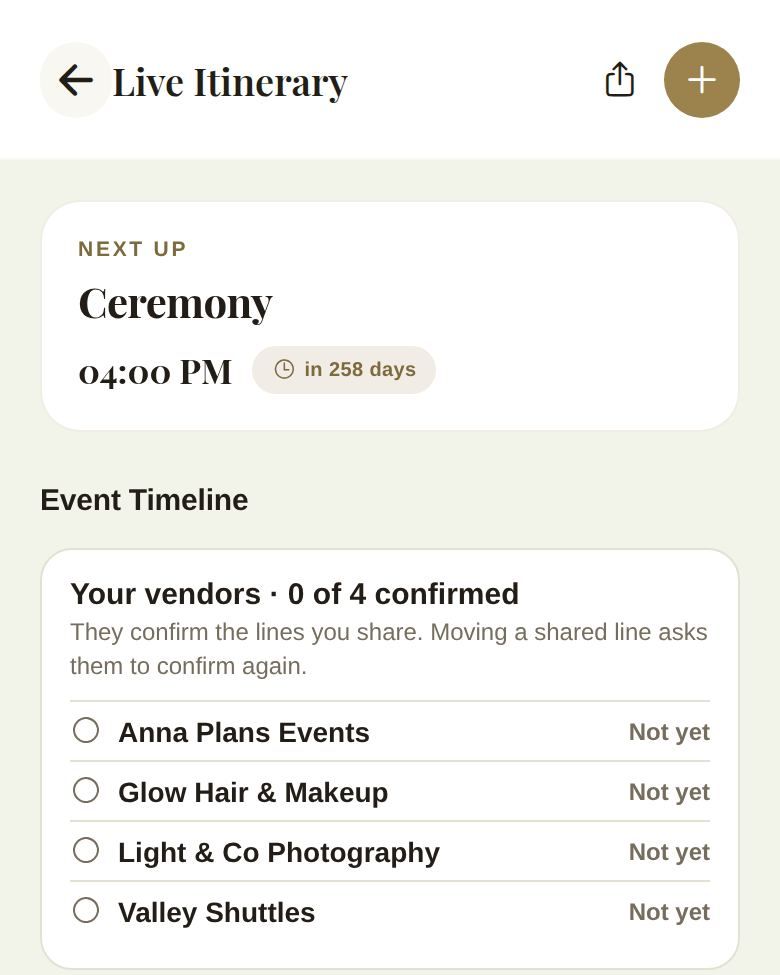
Each vendor shows one of:
- Confirmed: they have the current version of the lines you've shared.
- Changed since they confirmed: you moved a shared line, so they've been asked to confirm again.
- Not yet: they haven't confirmed.
Where a vendor has an arrival time on their booking, it shows next to their name.
What vendors see
Your booked vendors see only the events you've shared, with the time and place. They confirm from their side of The Veil. See What your vendors can see.
Good to know
- Only vendors with a paid booking through The Veil see shared events or appear in Your vendors. For a vendor you booked elsewhere, send them your timeline yourself. See Vendors you booked elsewhere.
- Suggestions never change your timeline on their own. Nothing is added until you tap + or Add all.
Did this answer it?
Updated September 30, 2026