Help · For couples · Budget, checklist and timeline
Change your total and rebalance
Update your budget target, let AI re-split it around what you've already committed, or move money by hand.
Budgets change. The Allocation & AI tab in Budget is where you change your total and decide how it's split. It's free.
Change your total
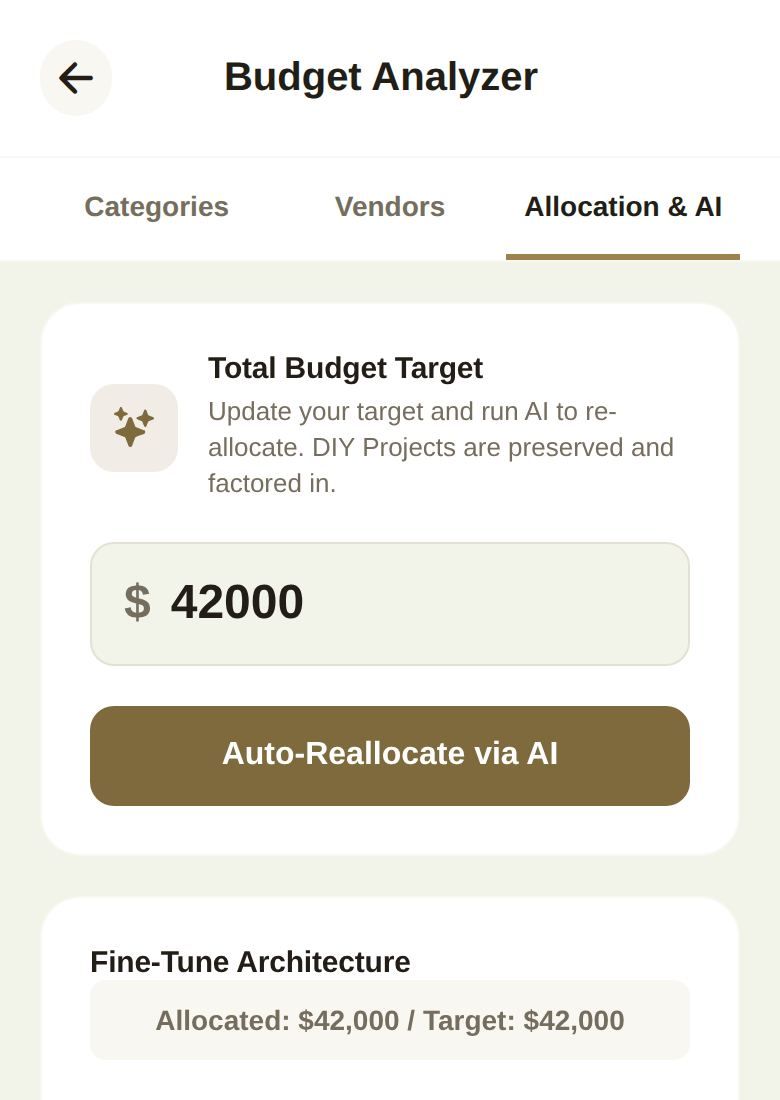
- Open Budget from Home and tap Allocation & AI.
- Under Total Budget Target, type your new total.
Your target updates right away. Your categories don't change until you rebalance them, so Allocated and Target may no longer match.
Let AI rebalance
Tap Auto-Reallocate via AI. The AI splits your total across your categories, rounded to $50, and it's careful about money you've already committed:
- Signed vendors. Every category with a booked vendor keeps at least what you owe them, including installments that are scheduled but not paid yet. The difference comes out of the categories with the most room.
- DIY. If you have DIY projects, the DIY Projects category keeps at least what your projects cost, and the DIY workbench's own budget is scaled to match.
When it's done you'll see one of these:
- Budget successfully reallocated!
- Budget reallocated — every category with signed vendors now covers what they are owed, when vendor commitments shaped the result.
- A note that your vendor commitments are more than your total can cover, with the amount. Raise the total or talk to a vendor about the contract; nothing else can close that gap.
An example
Say your total is $42,000 and you've booked a photographer for $4,800, with $2,400 already paid and $2,400 due in May. After Auto-Reallocate via AI, Photography is at least $4,800, because the unpaid installment counts too. If the AI would have given Photography less, the difference is taken from other categories with room to spare.
Move money by hand
Under Fine-Tune Architecture, each category has a slider in $50 steps. Drag it and the amount beside the name updates. The badge above shows Allocated against Target, and turns red when you've allocated more than your total.
Moving the DIY Projects slider also resizes the DIY workbench's budget, so the two always agree.
Good to know
- Rebalancing replaces your current split. If you've tuned categories by hand, note the numbers first.
- AI rebalancing is free. The ranges that show what's typical near you need Plus; see Is our budget split normal?
- Co-planners with budget access can do all of this, but it reaches you as a request to approve.
Did this answer it?
Updated September 30, 2026