Help · For wedding businesses · Tools for your trade
Preferred vendors and rules for outside vendors (venues)
Your recommended list on your page, and the rules every other vendor gets.
Venues can keep a preferred list: the vendors who know the building. It shows on your page, and to couples who book you, beside the vendors they still need. Anyone else they book is an outside vendor, and gets your rules.
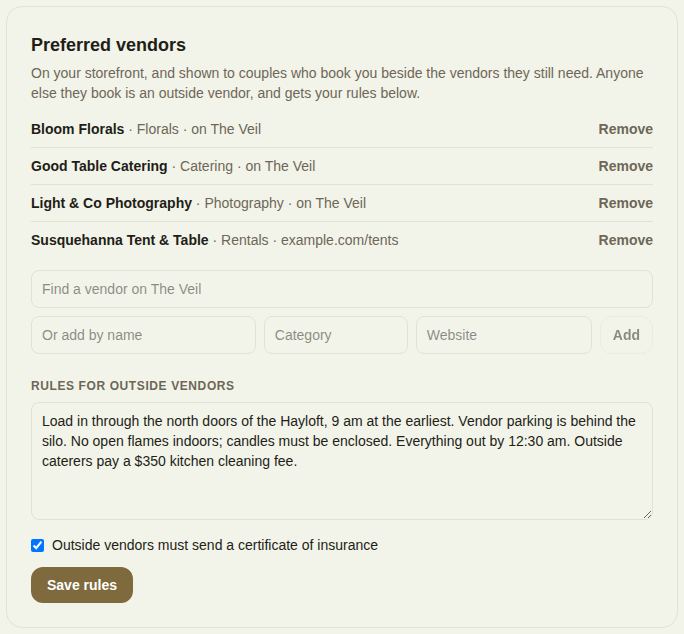
Your list
- Open Settings and find Preferred vendors.
- Type in Find a vendor on The Veil and tap a result to add them.
- For someone not on The Veil, fill in Or add by name, a category and a website, and tap Add.
- Remove takes someone off.
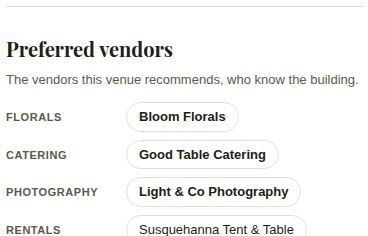
On your public page, Preferred vendors lists them by category, with a link to each one on The Veil.
Rules for outside vendors
Under Rules for outside vendors, write what an outside vendor needs to know: load-in times and the door to use, insurance, fees, anything not allowed. Tick Outside vendors must send a certificate of insurance if they must. Tap Save rules.
On each booked wedding
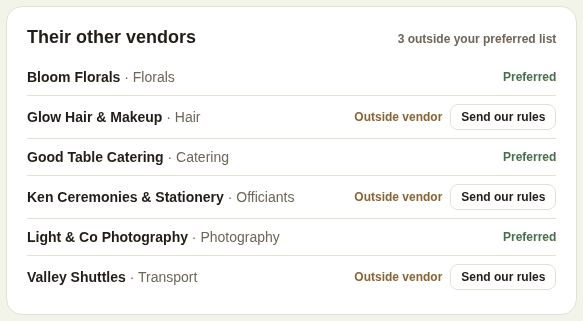
Their other vendors lists the vendors the couple booked through The Veil. Preferred ones are marked Preferred; the rest Outside vendor, with Send our rules. Once sent, it shows the date and send again. If you haven't written rules yet, it links to Write your rules.
What the other vendor sees
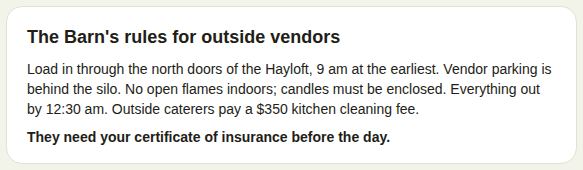
On their own lead for the wedding, an outside vendor sees The Barn's rules for outside vendors (with your name), and "They need your certificate of insurance before the day" if you require it. A preferred vendor sees "You're on ...'s preferred list."
Good to know
- Only owners and managers change the list and the rules.
- To collect certificates from specific vendors on one event, use Other vendors and insurance certificates.
Did this answer it?
Updated September 30, 2026