Help · For wedding businesses · Tools for your trade
Hair and makeup schedule
Who's in the chair, how long, how many artists: the morning worked back from ready-for-photos.
Hair and makeup artists get Getting ready on a booked lead. Tell it who's in the chair and how long each takes, and it works the morning back from the time everyone has to be ready.
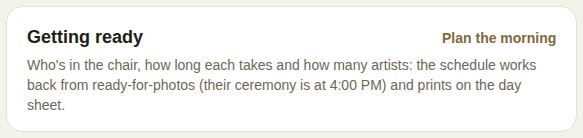
Plan the morning
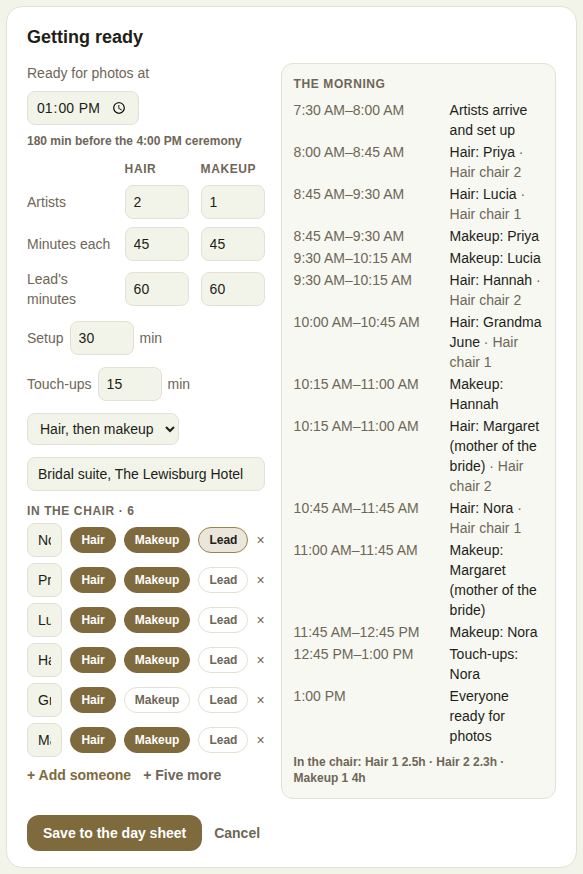
- Tap Plan the morning (or Change).
- Ready for photos at: the time everyone has to be finished. If the couple has shared their ceremony, it starts an hour before, and shows how many minutes before the ceremony your time is.
- Artists: how many hair and how many makeup artists (up to 8 each).
- Minutes each for hair and for makeup, and Lead's minutes for the person who takes longer.
- Setup and Touch-ups, in minutes.
- Hair, then makeup or Makeup, then hair.
- Where, for example "Bridal suite, The Lewisburg Hotel".
- In the chair: each person's name, with Hair and Makeup switched on or off, and Lead for the one who finishes last with the lead's minutes. + Add someone and + Five more add people; the × removes one.
The morning on the right updates as you go: when artists arrive and set up, each person in each chair, touch-ups, and Everyone ready for photos. Under it, the hours each chair is in use, handy for your invoice.
It warns you when something doesn't work: someone needs hair but there are no hair artists, the start is before 5 AM ("Another artist would bring it later"), or it doesn't fit in the day.
Save it
Tap Save to the day sheet. The schedule shows on the lead and prints on the day sheet under Getting ready, before the run sheet.
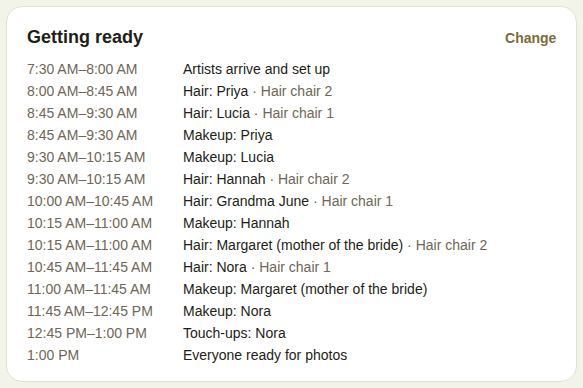
Remove the schedule takes it off the lead and the day sheet.
When the ceremony moves
If the couple moves their ceremony after you've saved, the box says "Their ceremony moved from 4:00 PM to 4:30 PM", with Move the morning to match. One tap redoes the schedule with the same gap before the ceremony.
Good to know
- Coordinators and above plan and change it.
- It works whether or not the couple is on The Veil. Without them, there's no ceremony time to start from, so set Ready for photos at yourself.
- The schedule is yours: the couple's own timeline stays as they wrote it.
Did this answer it?
Updated September 30, 2026