Help · For wedding businesses · Tools for your trade
Delivery deadlines
Promise a sneak peek, gallery or film by a date after the wedding, and tell the couple when it's delivered.
If you deliver work after the wedding (a gallery, a film, thank-you cards), set what you promise once and every booked wedding gets its own due dates, which the couple sees in their app.
Set what you deliver
- Open Settings and find What you deliver after the wedding.
- Add each delivery: a name, for example "Full gallery", and how many days after the wedding (0 to 730).
- + Add a delivery adds another, up to six. Remove takes one off.
- Photographers, videographers and stationers get Use the usual, for example "sneak peek in 7 days, full gallery in 60 days".
- Tap Save. Your booked weddings show the new dates.
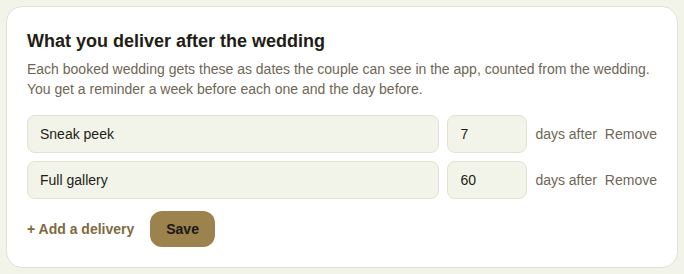
Each needs its own name. Owners and managers set them.
On each booked lead
Deliveries lists each promise with its due date, red once it's past. When one is ready:
- Tap Mark delivered.
- Paste a link to it if you like (it has to start with https://).
- Tap Delivered, tell the couple.
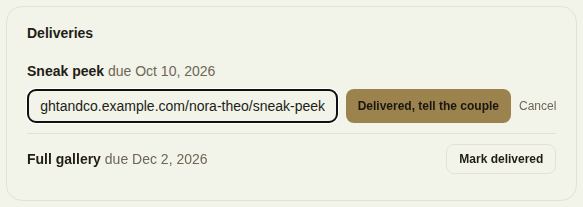
The couple is told, with the link. Undo reverses it.
If you haven't set any promises, the lead says so with a link to Set what you deliver.
Reminders
You get a reminder a week before each due date and the day before.
Good to know
- Changing your promises updates every booked wedding from the last year that hasn't been delivered yet.
- Changing a wedding's date moves its due dates with it.
Did this answer it?
Updated September 30, 2026