Help · For wedding businesses · Tools for your trade
Stationery: envelopes, place cards and the seating chart
Every invitation's mailing address, and place cards and the chart at the door from the couple's seats.
Stationers and planners get two sections on a booked lead, filled from the couple's guest list once they share them under For your vendors in their app.
Envelope list
One row per invitation: the names on the envelope and the mailing address. The top says how many invitations and how many have an address so far. Guests can add their own address from their invitation link, so it fills in over time.
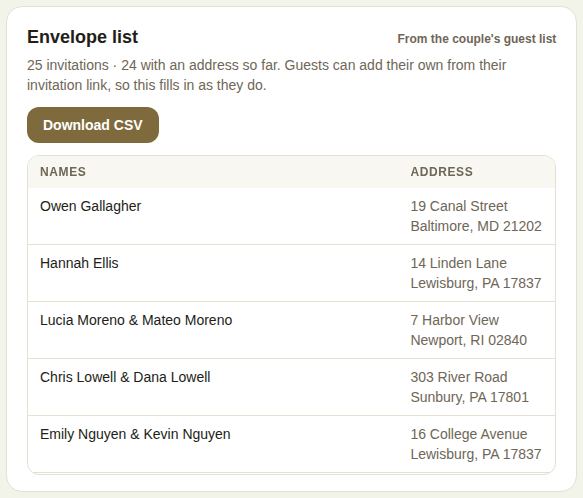
Download CSV gives the names on the envelope, the number of guests, the mailing address, email, group and RSVP for every invitation.
Place cards and the seating chart
Once the couple shares their seating, you see every table with who's sitting there, and how many place cards across how many tables.
- Place cards (CSV): every name with its table, sorted by last name, and the room when there's more than one.
- Print the seating chart: a page for the easel at the door, with each table and its guests, then everyone A to Z with their table, under "Please find your seat". Tap Print.
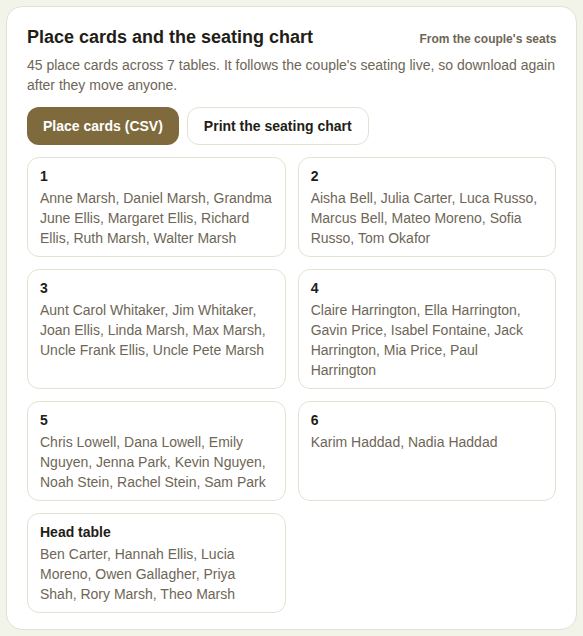
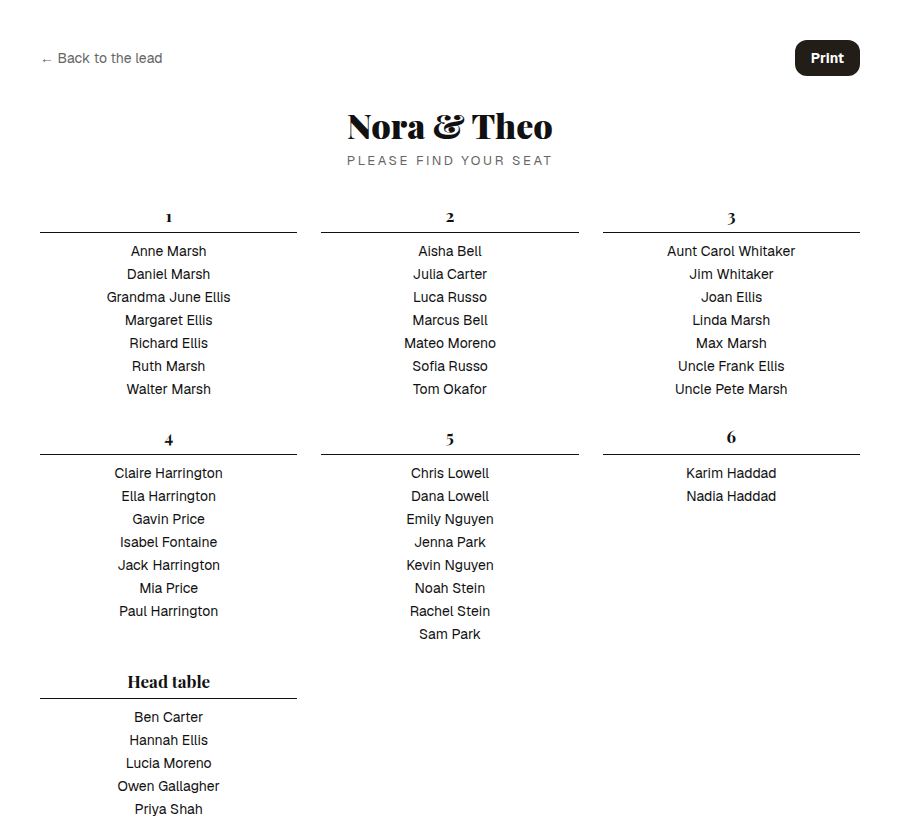
It follows the couple's seating live, so download or print again after they move anyone.
Good to know
- You need to be booked and paid through The Veil, and a coordinator or above, or on the wedding's crew.
- If the couple hasn't shared addresses or seating yet, each section says so and where they turn it on.
Did this answer it?
Updated September 30, 2026