Help · For wedding businesses · Your business
Report a problem or share an idea
Tell us about something broken or awkward, with a picture of the page, and see what we did about it.
When something isn't working, or could be better, tell us in a few words. It goes straight to us, and you hear back when there's news.
From the portal
- Choose Report a problem or share an idea, at the bottom of the menu or of any page.
- Pick what kind: Something's broken, Something's awkward, An idea or Something you love.
- Write it In a few words, then the details: what happened and what you expected, what you were trying to do, or what would make your day easier.
- For a problem, Include a picture of the page I was on is ticked, with a preview. Only our team sees it. Untick it if it shows anything private.
- Choose Send.
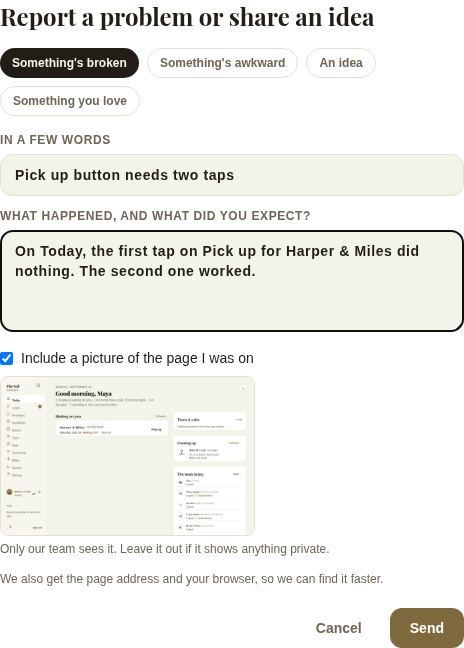
We also get the page address and your browser, so we can find it faster.
From the app
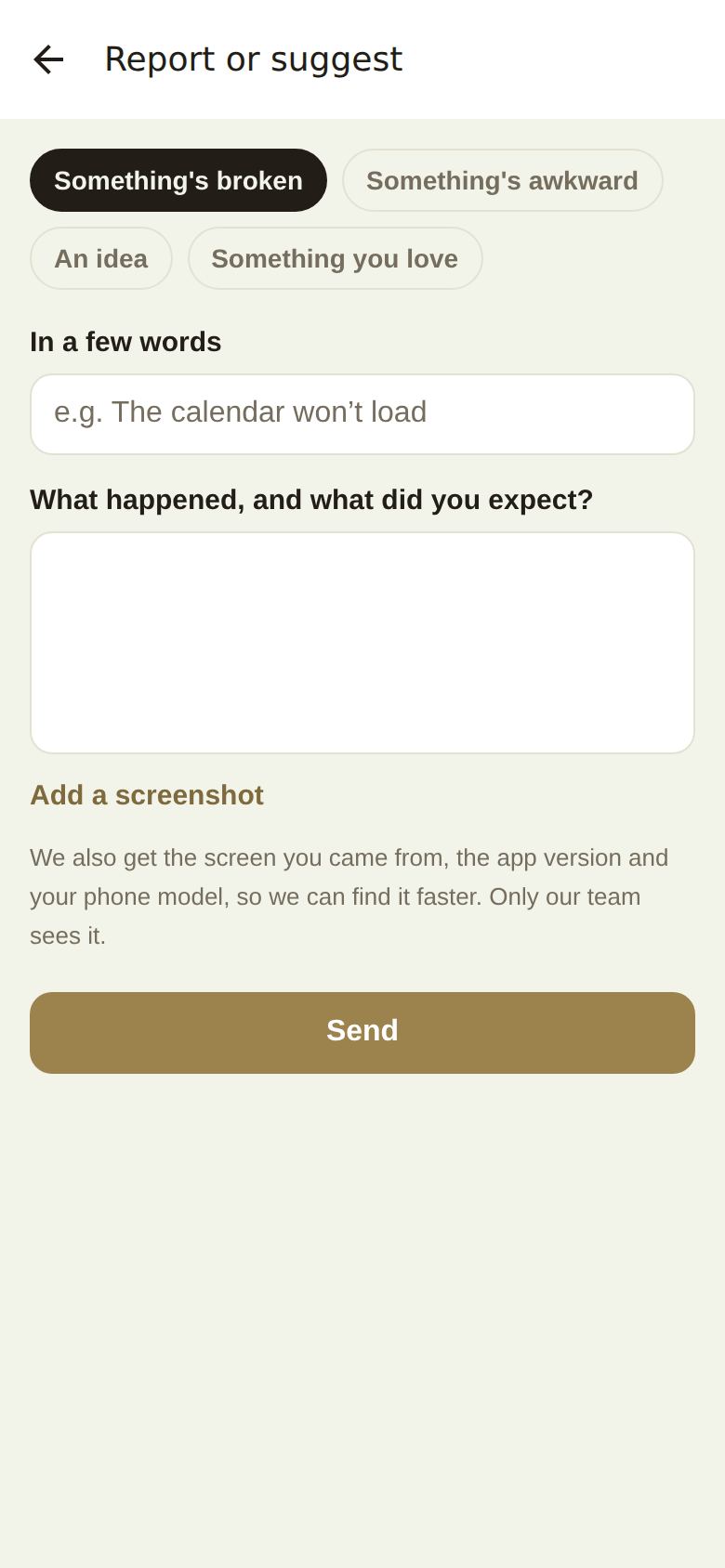
More, Report a problem or share an idea. Pick the kind, write it in a few words, add the details, and Add a screenshot if it helps. We also get the screen you came from, the app version and your phone model.
What happens next
You get a note in the bell and by email when there's news. Everything you've sent is listed under Help, Your reports (in the app, Get help, Your reports), with its status: Sent, Looking into it, Fixed, Answered or Already known.
Writing a report we can act on
- Say what you did, what you expected and what happened instead.
- Name the lead, invoice or page it happened on.
- Keep the picture of the page unless it shows something private.
- One problem per report, so each can be marked fixed on its own.
Report or ask?
- Report when you want us to know, but don't need an answer to carry on.
- Ask under Get help when you need a person to help you now, or it's about a client, a payment or the wedding day.
Did this answer it?
Updated September 30, 2026