Help · For wedding businesses · Your business
Get help
Search the guide, ask a person, follow your requests, and what to do on the wedding day.
Help is under Help in the portal menu (and at the bottom of every page), and under More, Get help in the app. A person answers, usually the founder.
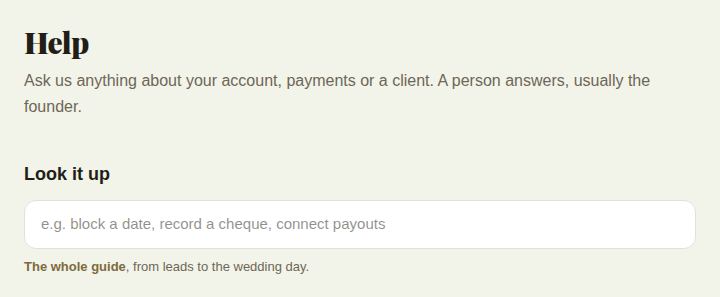
Look it up
Type a few words under Look it up, such as "block a date" or "connect payouts". Matching articles appear as you type. The whole guide opens every article, from leads to the wedding day.
Every portal page also has a ? at the top right, with the articles for that page and Ask a person.
Ask us
- Under What's it about?, pick a topic: Account and sign-in, Billing and plans, Payments and payouts, A booking or client, The wedding day, Something isn't working, Privacy or Something else.
- Add a Subject if you like, and write How can we help?: what happened, which client or invoice it's about, and what you've tried.
- As you type, These might answer it suggests articles.
- Add a picture if it helps, such as a screenshot.
- Choose Send.
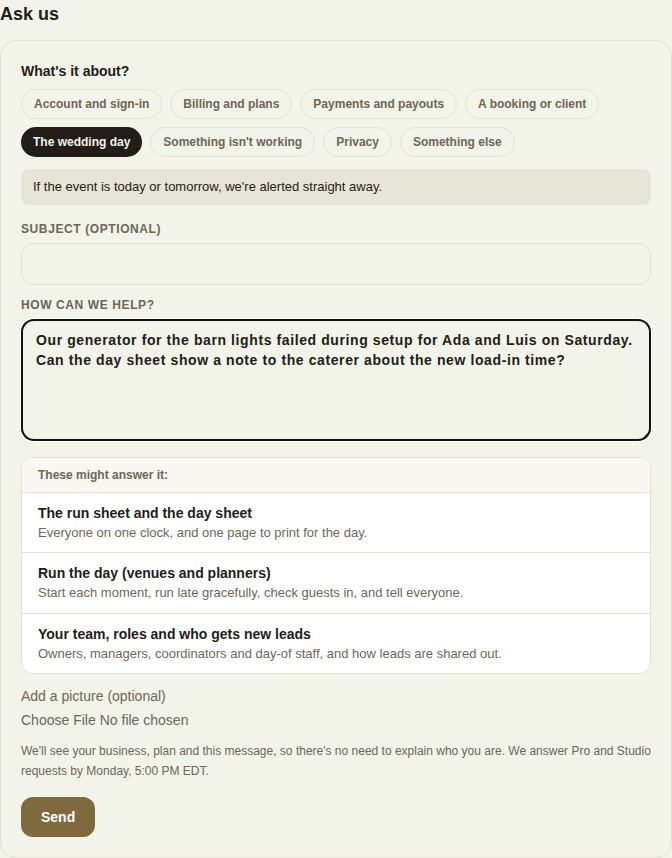
We see your business, plan and message, so there's no need to explain who you are. The form tells you when to expect an answer.
How fast we answer
- The wedding day, when the event is within a day or two: marked urgent, and we're alerted straight away. If it's about today, the venue coordinator can help in the meantime.
- Pro and Studio: the same business day.
- Everyone else: by the end of the next business day.
Your requests
Every request is listed under Your requests with its number and status: Sent, We're on it, Waiting on you, Resolved or Closed. A dot marks a new reply. Open one to read the conversation and add to it.
Answers arrive as a notification and an email. Replying to that email continues the same request.
When it's done, Did this help? takes a Yes or Not really, and It's sorted, close it closes it. A closed request opens again if you write to it. Requests that are resolved or waiting on you close themselves after seven days.
Known problems
If something is broken for everyone, a note at the top of the portal and the app says so. Write to us about it and you'll hear the moment it's fixed.
Other ways
- Email vendors@theveilwedding.com (at the bottom of every portal page).
- To report a problem without needing an answer, see Report a problem or share an idea.
Did this answer it?
Updated September 30, 2026