Help · For couples · Registry and photos
Get paid: Stripe and payment links
Connect Stripe so guests can give by card, Apple Pay or Google Pay straight to your bank, and add Venmo, PayPal, Cash App or Zelle.
Open Registry, then Payments. Only the two of you see this tab.
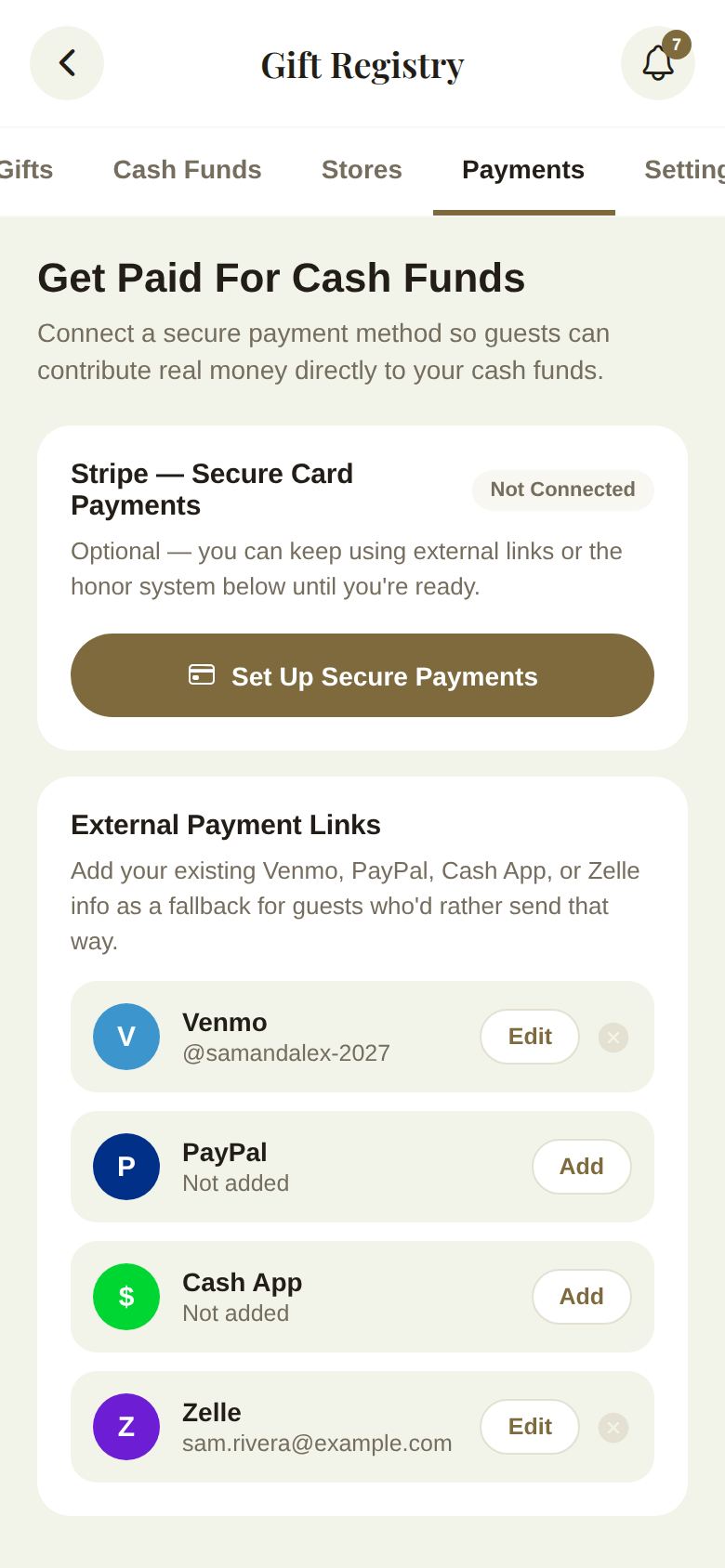
Card payments with Stripe
The Veil works with Stripe to move guests' contributions straight into your own bank account. We never touch or hold your money.
- Tap Set Up Secure Payments.
- Read the sheet, which shows your platform fee: 1.5% on the free plan, waived entirely with Plus, on top of Stripe's processing fee.
- Tap Connect with Stripe. Stripe asks a few questions on its own secure pages to verify your identity and bank details.
- Come back to The Veil when you're done. Set up payments later closes the sheet.
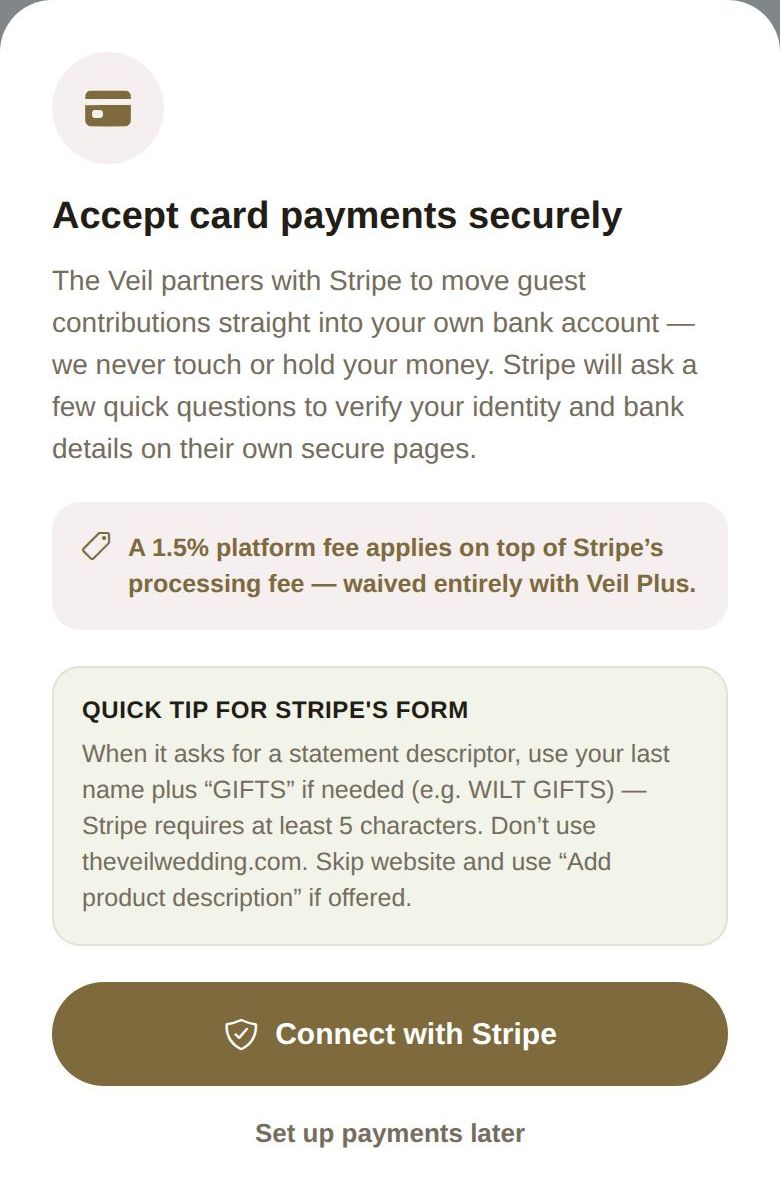
A tip on Stripe's form: when it asks for a statement descriptor, use your last name plus "GIFTS" if needed, since Stripe needs at least 5 characters. Don't use theveilwedding.com, and skip the website field.
Stripe status
The badge on the Stripe card tells you where you are:
- Not Connected: not started. It's optional; you can use payment links in the meantime.
- Connected, Finish Setup or Verification Pending: Stripe needs one more step, or is still checking. Guests can't pay by card until it's Active. Tap Continue Stripe Setup.
- Active: guests can pay you by card, Apple Pay or Google Pay. Open Stripe Dashboard shows your payouts, and Disconnect Stripe unlinks it.
If you disconnect, guests can no longer pay by card, but your payment links still work. You can reconnect any time.
Venmo, PayPal, Cash App and Zelle
Under External Payment Links, tap Add next to a service and enter your handle or link (for Zelle, your email or phone number). Tap Save. Edit changes it; the small X removes it.
Guests who'd rather send money that way see these next to your funds. They tap I've sent it afterward, and the contribution is marked self-reported in your ledger.
Good to know
- The fee is checked on our side, from your actual plan, when each card payment is made.
- Money sent by Venmo, PayPal, Cash App or Zelle goes straight to you and carries no fee from us.
Did this answer it?
Updated September 30, 2026