Help · For couples · Registry and photos
Cash funds
Create funds for a honeymoon, a home or anything else, set a goal, and see every contribution.
Cash funds let guests put money toward something you want, instead of a boxed gift.
Create a fund
- Open Registry, then Cash Funds.
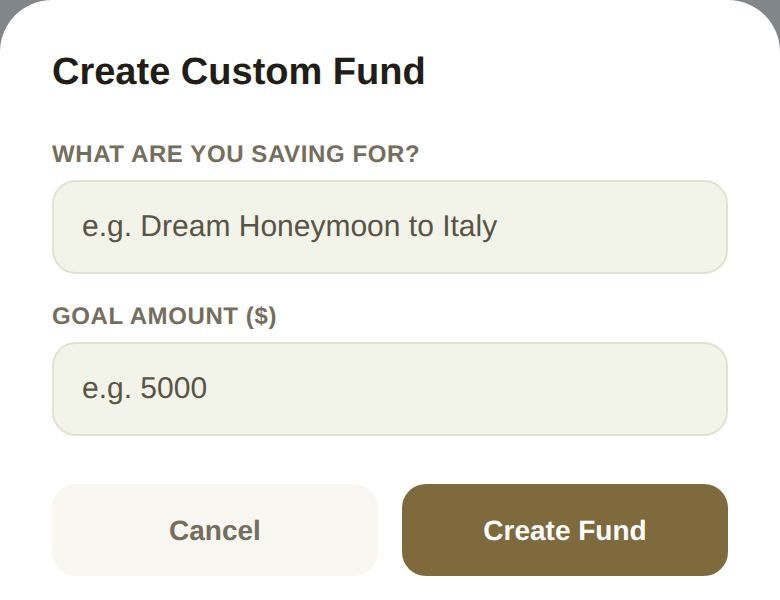
- Tap one of the ideas to start from it (New Home Fund, Honeymoon Fund, Couple's Massage, Romantic Dinner or Round-Trip Airfare), or tap + Add Custom Fund.
- In Create Custom Fund, fill in What are you saving for? and Goal Amount ($).
- Tap Create Fund.
Your funds
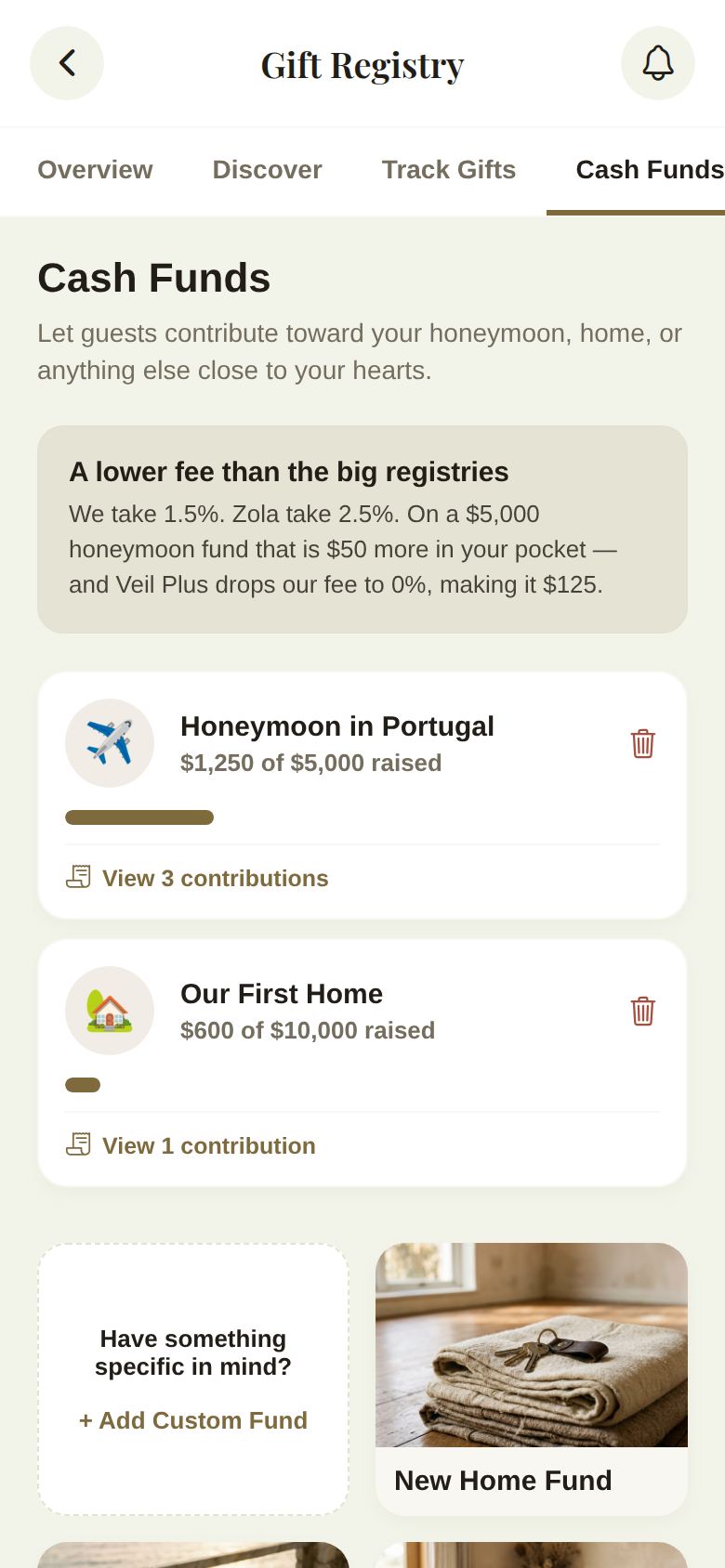
Each fund shows how much has been raised against its goal, like $1,250 of $5,000 raised, with a progress bar. The card above your funds explains the fee: 1.5% on the free plan, 0% with Plus.
See who gave
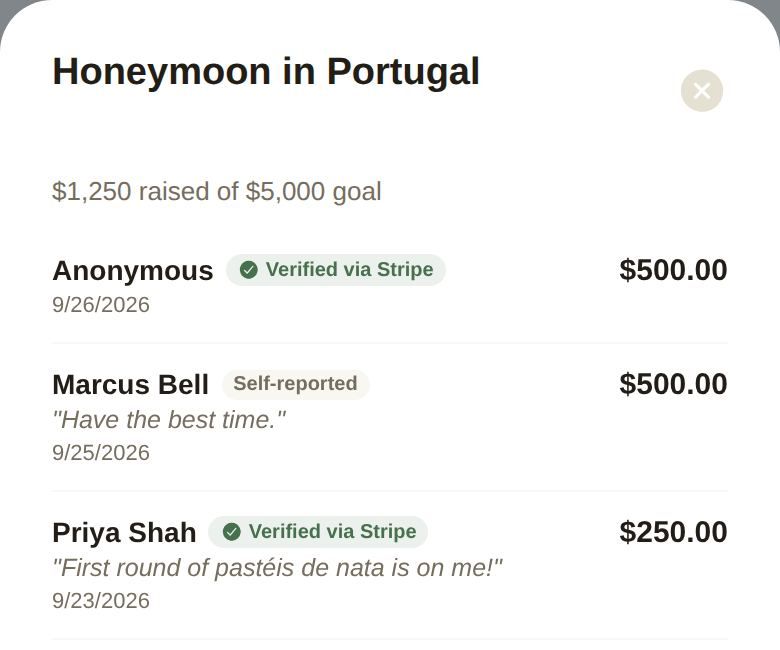
Tap View 3 contributions (or however many) on a fund to open its ledger:
- Each contribution, with the guest's name or Anonymous, the amount, the date and their message.
- Verified via Stripe for card payments made through The Veil.
- Self-reported for money a guest says they sent another way, such as Venmo or Zelle. We can't confirm those, so check your account.
Remove a fund
Tap the bin on a fund and confirm.
Good to know
- To take card payments, connect Stripe under Payments. Without it, guests can still use your Venmo, PayPal, Cash App or Zelle. See Get paid: Stripe and payment links.
- You choose whether guests see dollar amounts on your funds in Settings. See Registry settings and notifications.
Did this answer it?
Updated September 30, 2026