Help · For couples · Registry and photos
Add gifts to your registry
Search Amazon, browse ideas, or paste a link to a gift from any store, then track who gave what.
Discover
Open Registry, then Discover.
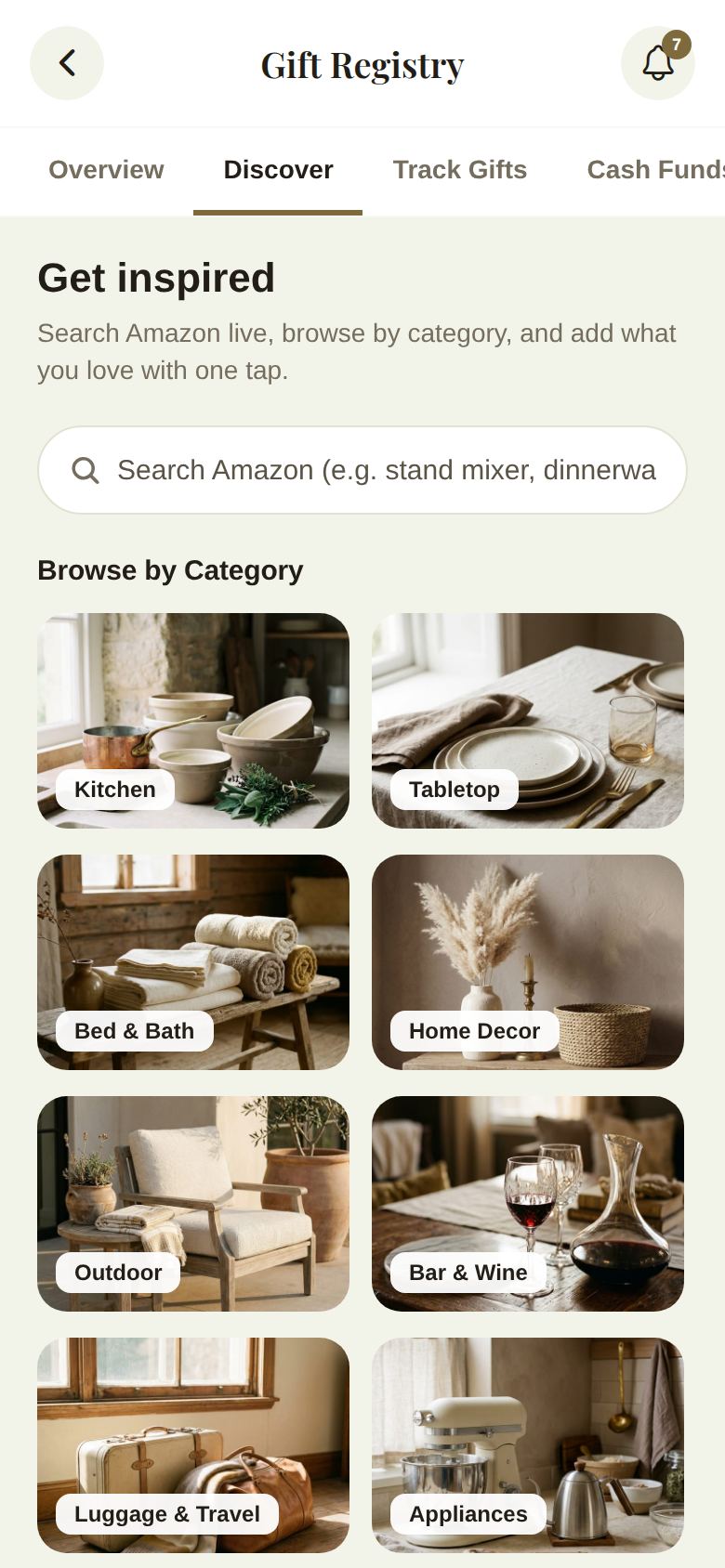
- Search Amazon searches live, for example "stand mixer" or "dinnerware". Tap a result to add it.
- Browse by Category: Kitchen, Tabletop, Bed & Bath, Home Decor, Outdoor, Bar & Wine, Luggage & Travel, Appliances, Cleaning, Experiences and Electronics.
- Popular Gifts from Other Couples: the most added across Veil weddings lately, when there are some.
- Trending Ideas: quick searches like Espresso Machine or Carry-On Luggage.
If live search can't be reached, we show a few starter ideas instead.
Add a gift from any store
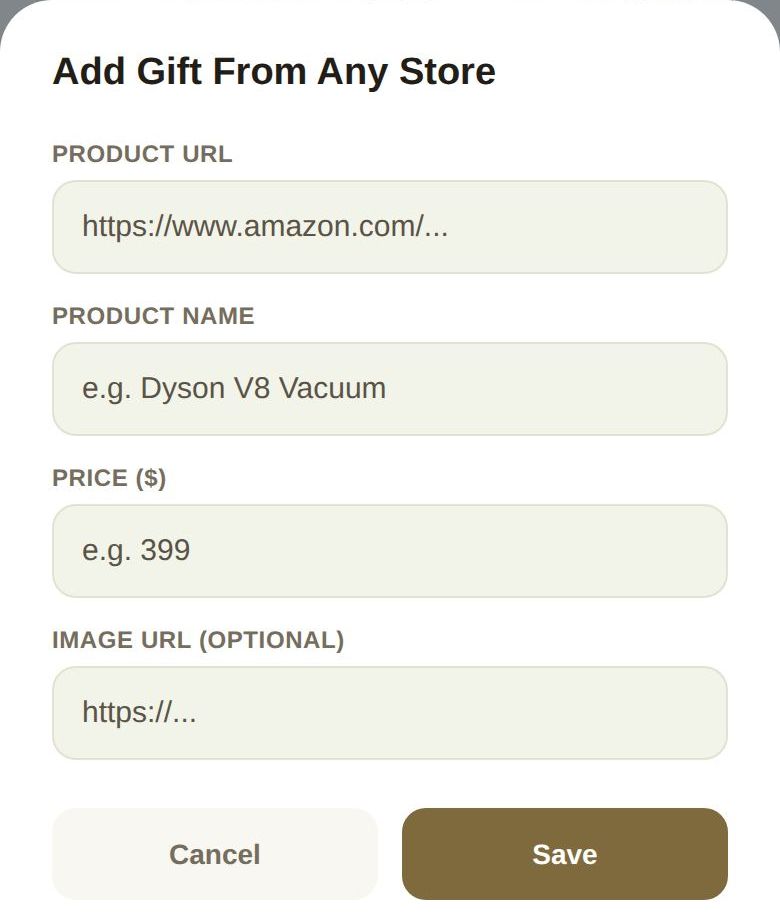
- On Discover, tap Add a gift from any store by pasting a link. (Or Add Custom Gift Link on Track Gifts.)
- Fill in Product URL, Product Name and Price ($). Image URL (optional) adds a picture.
- Tap Save.
For Amazon links, The Veil's Amazon Associates tag is added automatically. Prices stay the same for you and your guests.
Track Gifts
Track Gifts lists every gift by category, with Gift Progress at the top, like 2 of 5 items received.
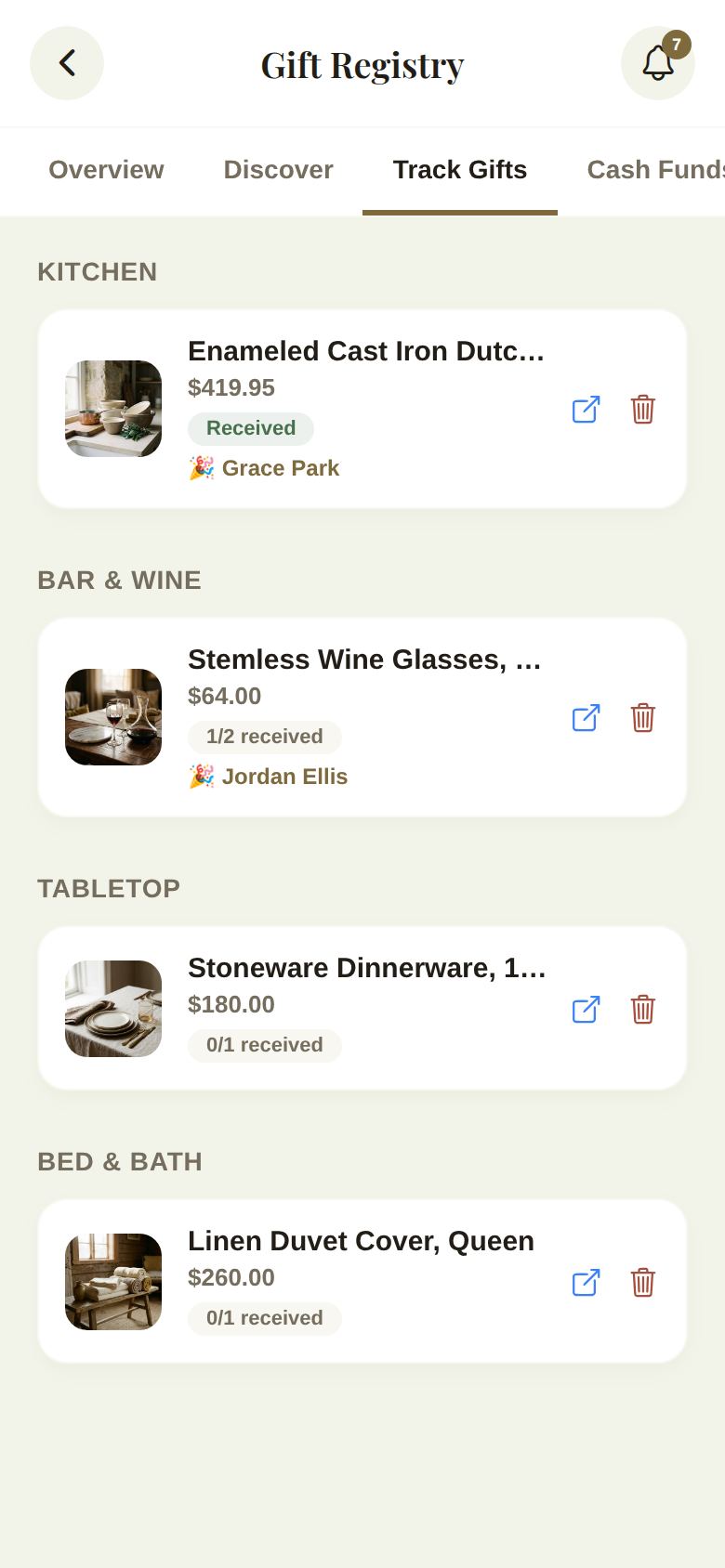
- Received when the gift is complete, or a count like 1/2 received when you asked for more than one.
- The names of the guests who gave it, or Anonymous.
- The link icon opens the gift in its store. The bin removes it, after you confirm.
Good to know
- Guests mark a gift as purchased from your registry, so nobody buys it twice.
- A co-planner's additions and removals go to you for approval first.
Did this answer it?
Updated September 30, 2026