Help · For guests · Your invitation
Everything on your invitation page
The day's schedule, where it is, what to wear, where to stay, the registry, your calendar and your address.
Your invitation page is more than an RSVP. It's where the couple keeps everything guests usually text them about, and it's always current: when they change the schedule, the page changes too.
From top to bottom
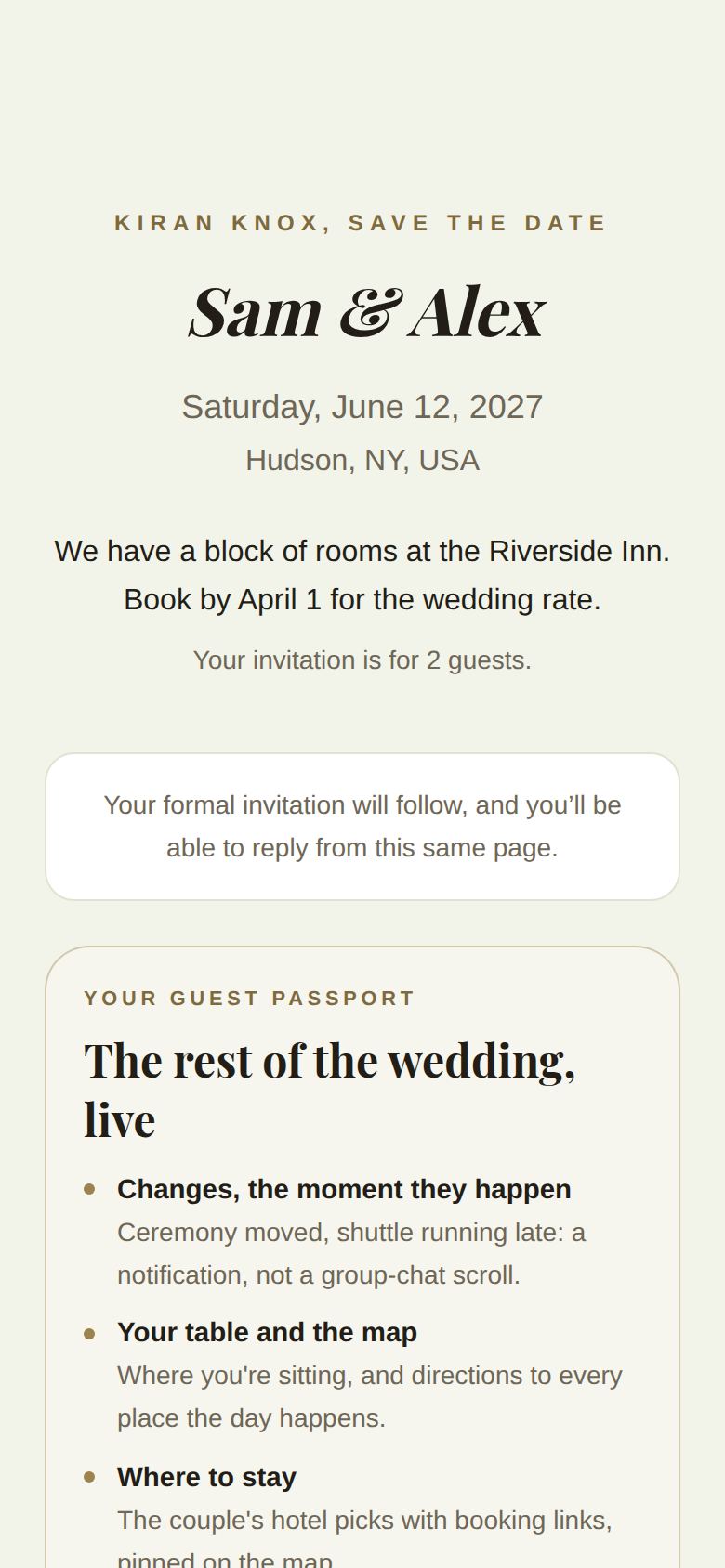
- Your greeting: (Your name), you're invited, the couple's names, the date, the place and a message from them. If your invitation is for more than one, it says Your invitation is for 3 guests (or however many).
- Today: on the wedding day (and the day either side), what's happening now and the latest updates. See On the wedding day.
- RSVP: your reply. See Reply to your invitation.
- Your guest passport: what the app adds, and a button to open it. See What the app adds for guests.
- Add it to your calendar: downloads the schedule as a calendar file for your phone or computer.
- Your address: see below.
- Photos: add your photos of the day. See Share your photos.
- The day: the schedule, with times. Weddings over more than one day are grouped by day.
- Where: the venue, with Open in Maps →.
- What to wear: the dress code.
- Good to know: the couple's notes, like parking or where to meet.
- Where to stay: hotels the couple recommends, with Book a room →.
- Registry: gifts and cash funds, if the couple has turned it on.
- Our story: in the couple's words.
Sections only appear once the couple has filled them in.
A save-the-date first
If the couple sent a save-the-date, the page starts as one: Save the date, with the date and place. Your formal invitation will follow, and you'll be able to reply from this same page. Keep the link.
Your address
If the couple doesn't have your address or email yet, a card asks Where should the couple send thank-you cards and anything else by mail?
- Type your Mailing address and your Email.
- Tap Save. You'll see Thank you. The couple has it.
Only the couple, and the stationer they book, will see it. The card disappears once they have both.
Good to know
- The page is private to your party and isn't listed on search engines.
- You can open it on any phone or computer, as often as you like.
- Trouble with this page or your RSVP? Ask us at the bottom reaches our team. See Get help as a guest.
Did this answer it?
Updated September 30, 2026