Help · For guests · Your invitation
Can't find your invitation?
Use the couple's wedding link to find your invitation by name.
Couples often share one link for everyone: on the save-the-date, in a group chat, or as a QR code on a sign. Open it and you'll see The wedding of (the couple), with the date. From there you can find your own invitation.
Find it by name
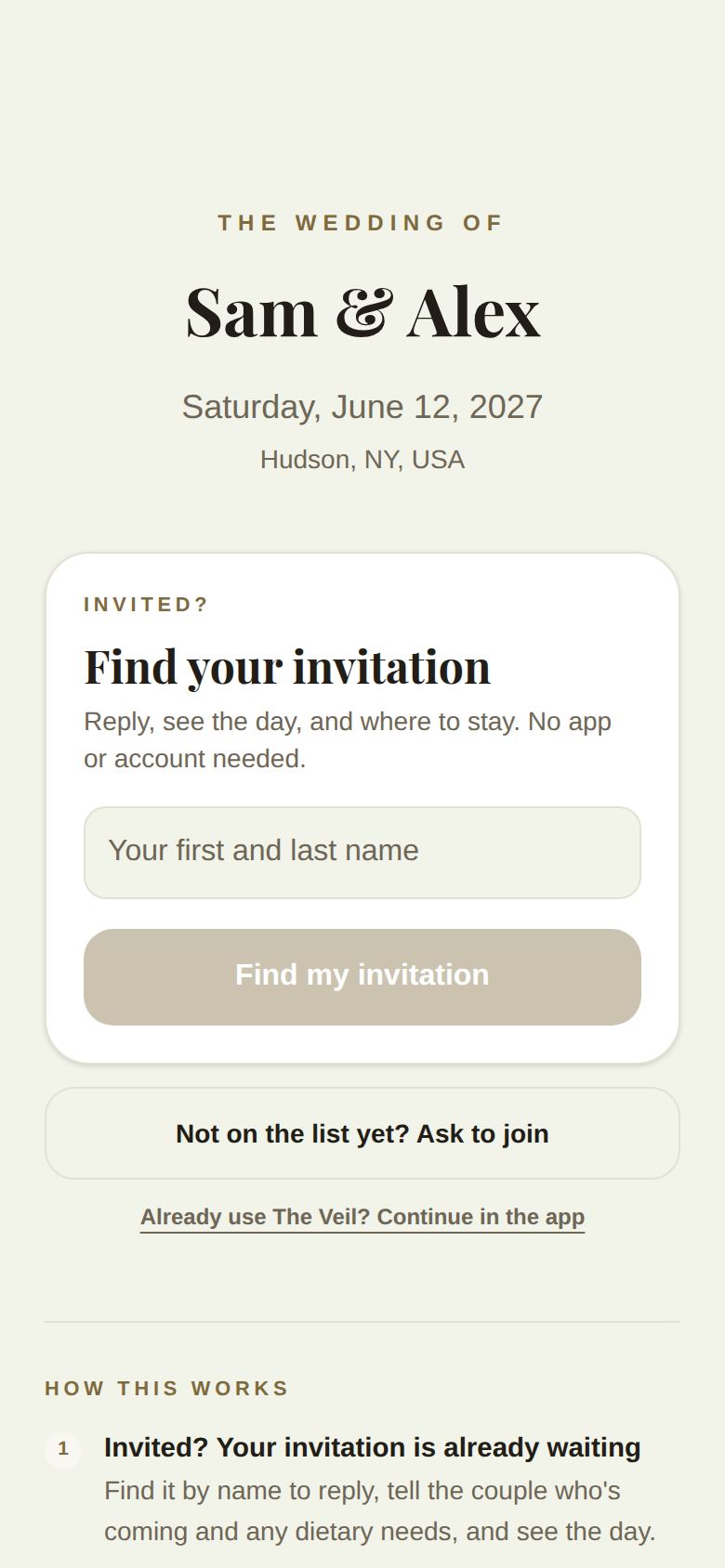
- Under Find your invitation, type Your first and last name, the way the couple would have it.
- Tap Find my invitation.
- If the couple has a phone number for you, you'll be asked for the Last 4 digits of your phone, so only you can open it. Enter them and tap Find my invitation again.
Your invitation opens, ready for you to reply.
What the messages mean
- We couldn't find that name on the guest list. Try the name the couple would use for you (a full first name rather than a nickname, or your married name). Or ask to join.
- You're on (name)'s invitation. You're in someone else's party. They can reply for everyone, or ask them to forward you the link.
- Those digits don't match the number the couple has. Check them, or try the number the couple would have for you.
- More than one guest has that name. Ask the couple to send your invitation directly.
- Your invitation is already open in The Veil. Open the app to see it and change your reply.
- Lots of people are looking right now. Wait a few minutes and try again.
Not on the list?
Tap Not on the list yet? Ask to join. See Ask to join a wedding.
Already use The Veil?
Already use The Veil? Continue in the app opens the wedding in the app.
Still stuck? Write to us and say whose wedding it is.
Did this answer it?
Updated September 30, 2026