Help · For guests · The wedding day
On the wedding day
Your invitation page shows the day as it happens: what's on now, the latest news and any moved times.
From the day before the wedding until the day after, your invitation page opens with Today.
What Today shows
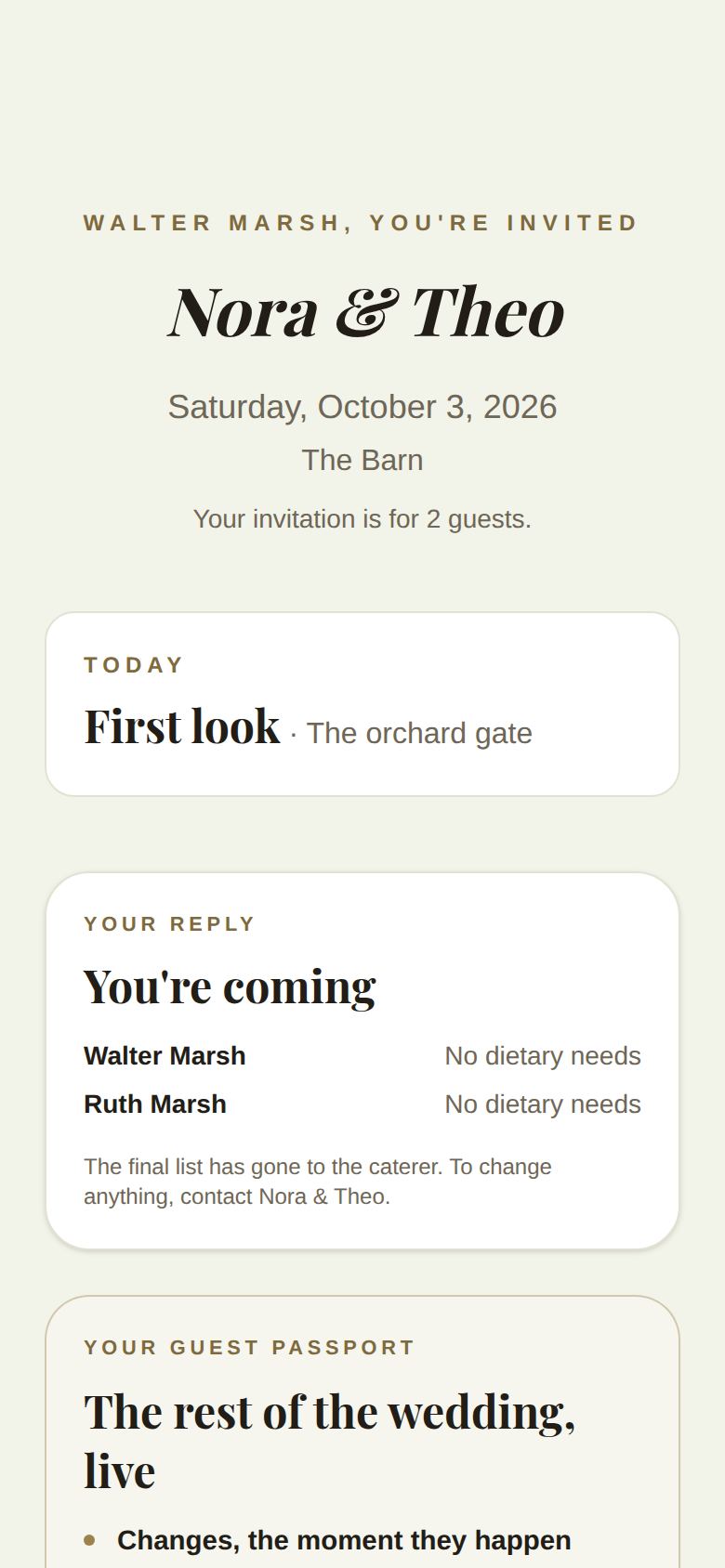
- What's happening now, and where, for example "Ceremony · The Oak Lawn".
- The latest updates from whoever is running the day, like "We're running 15 minutes behind" or "The ceremony moves inside". The newest is highlighted, with the time it was sent.
- The schedule for the day, with each moment's time. If a time has moved, the new time is shown with the old one crossed out. The moment happening now is marked Now, and finished moments are greyed.
The page refreshes itself every minute while it's open.
When something changes
- If you use The Veil app, you get a notification.
- If you don't, and the couple has your email, updates from the venue or coordinator come by email with a link to your invitation page, which always shows the day as it is now.
Need something on the day?
In the app, the contact card turns into Day-of Contacts on the wedding day: It's the wedding day — please don't text the couple. These are the people to call. Tap it to call the couple's day-of coordinator or another day-of contact. On other days the same card lets you Call Couple.
Good to know
- Bring your phone: from two hours before the first event you can add photos to the couple's gallery. See Share your photos.
- Add it to your calendar on your invitation page puts the schedule in your phone's calendar, but only the page shows last-minute changes.
Did this answer it?
Updated September 30, 2026