Help · For guests · Your invitation
Reply to your invitation
Say yes or no from your invitation page, name who's coming and add dietary needs. No app or account needed.
Your invitation is a web page made for your party. Open the link in the email or message the couple sent you, or scan the QR code on your printed invitation. It opens with your name: (Your name), you're invited.
You don't need an app or an account to reply, and it takes about a minute.
Say yes
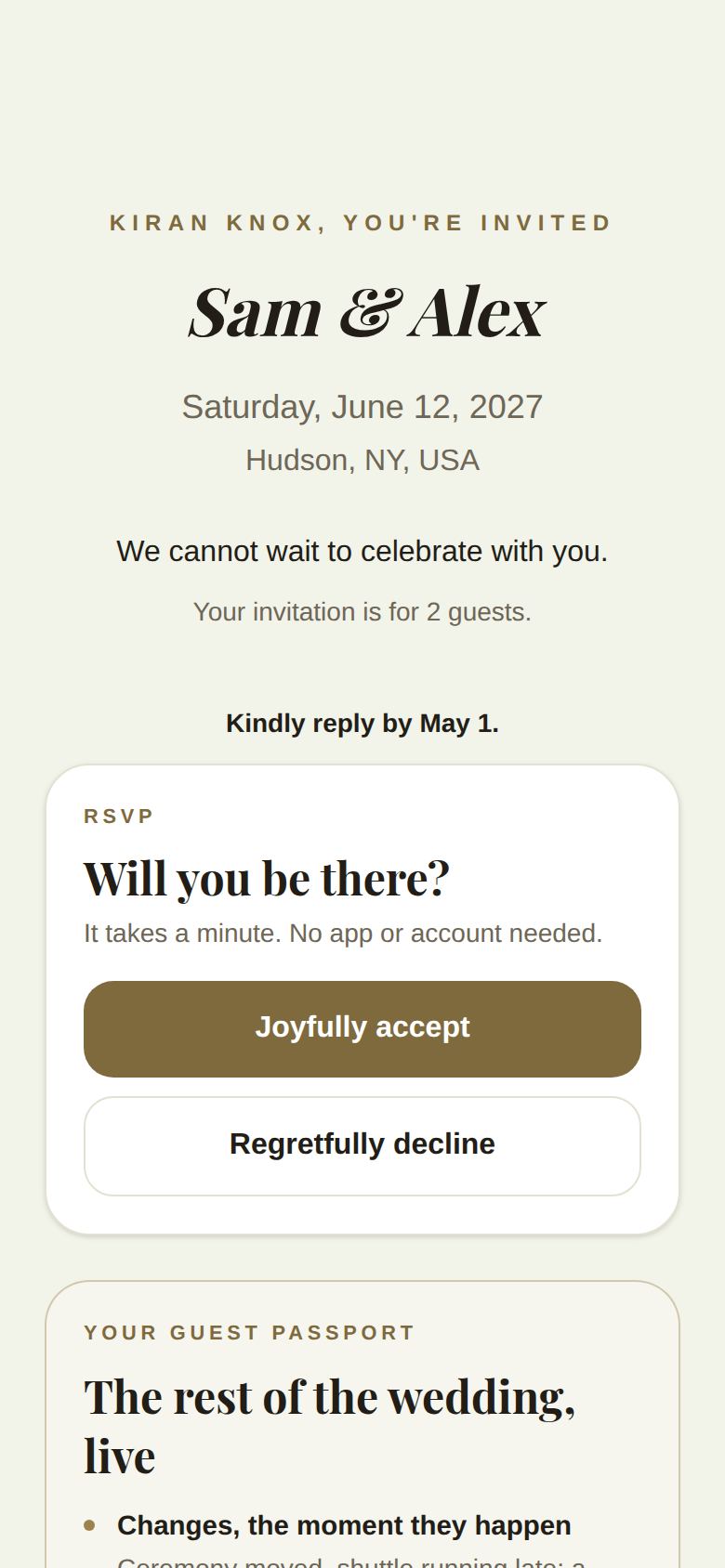
- Under Will you be there?, tap Joyfully accept.
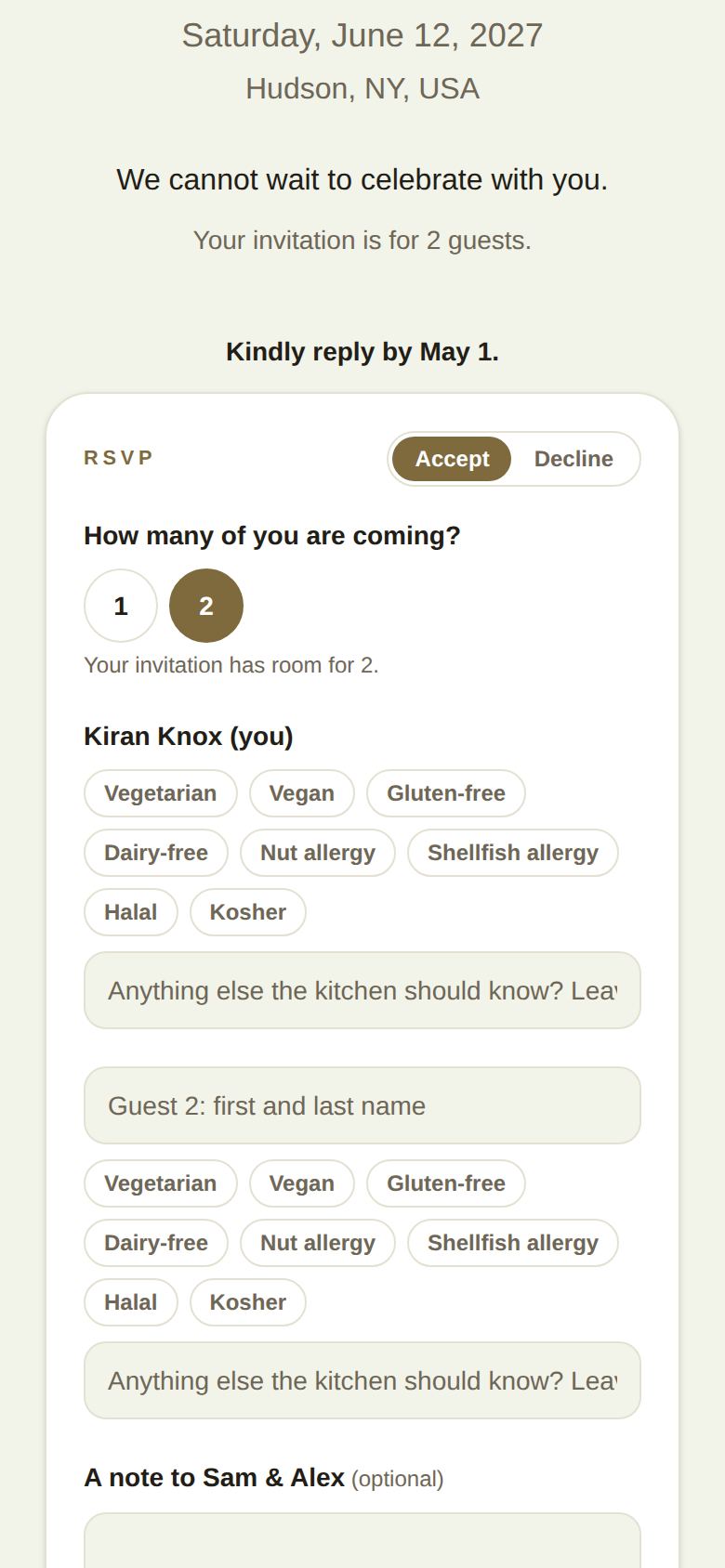
- If your invitation is for more than one person, choose How many of you are coming?. You can come with fewer than the invitation allows: Your invitation has room for 4 (or however many).
- For each extra guest, type their first and last name in Guest 2: first and last name and so on. Everyone coming needs a name, so they have a place card.
- Under each name, tap any dietary needs that apply: Vegetarian, Vegan, Gluten-free, Dairy-free, Nut allergy, Shellfish allergy, Halal or Kosher. Anything else goes in Anything else the kitchen should know?. Leave it blank for none.
- Add A note to (the couple) if you like.
- Tap Send my reply (or Send our reply for more than one).
You'll see See you there, with everyone you replied for and their dietary needs, and (The couple) have your reply.
Say no
Tap Regretfully decline, add a note if you like, and tap Send regrets. The couple hears straight away. You can still change your mind later.
Change your reply
Open the same link and tap Change your reply. You can switch between Accept and Decline, change who's coming and update dietary needs, until the couple closes replies.
If there's a date to reply by, the page says Kindly reply by (date).
Good to know
- Dietary needs go to the caterer with the final list, and nowhere else.
- When replies close: once the couple sends the final list to their caterer, the page says The final list has gone to the caterer. Contact the couple directly to change anything.
- If you open the invitation in The Veil app, your reply moves into your guest passport and the page says It's in your passport. Reply there from then on. See What the app adds for guests.
- This link is for your party only. Once it's opened in The Veil, it belongs to that account, so please don't forward it.
Troubleshooting
- "That's more people than this invitation has room for." Your invitation is for fewer people. Ask the couple if you need another seat.
- "Add a name for everyone who's coming." Fill in each guest's name, or choose fewer people.
- "We couldn't find that invite." The link was probably cut short. Ask the couple to send it again, or scan the code on your invitation.
- Still stuck? Tap Ask us at the bottom of the page. See Get help as a guest.
Did this answer it?
Updated September 30, 2026