Help · For wedding businesses · The phone app
The Today tab in the app
Leads waiting on your reply, today's appointments, the next two weeks of events and holds about to run out.
Today is the first tab in The Veil Vendors: what needs you now, in the order it matters.
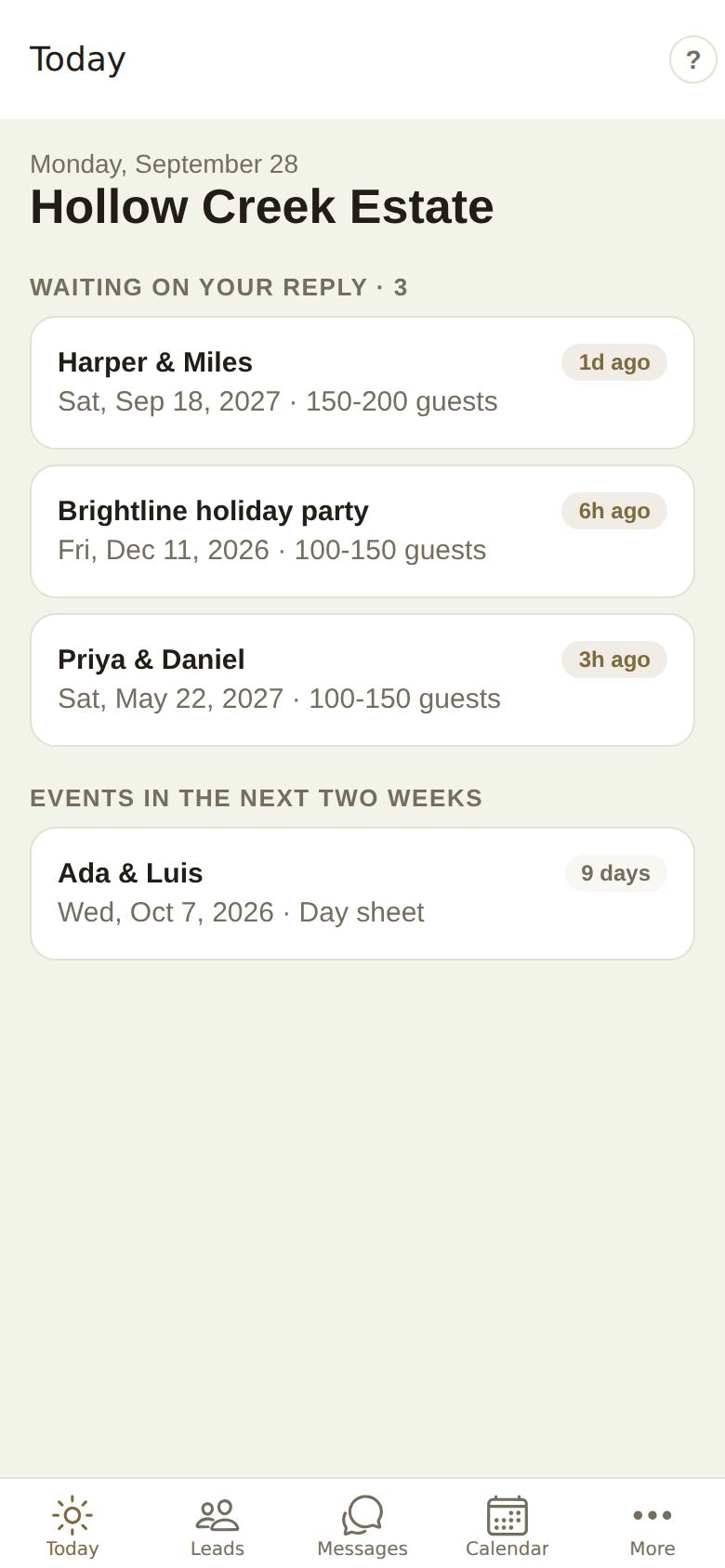
Waiting on your reply
Leads you haven't answered, with a count in the heading. Each card shows the couple (or the event's name), the date, the guest count and how long ago they wrote. A reply is judged by how long it took, so start at the top. Tap one to open the lead and reply. The first eight show here; the rest are under Leads, New.
Today
Tours, tastings, consultations and calls booked for today, with the time. Tap one to open its lead.
Events in the next two weeks
Booked weddings and events coming up, with Today, Tomorrow or the number of days to go. Tap one to open its Day sheet. See Run sheet and day sheet.
Holds running out
Dates you're holding first for a couple where the hold ends within three days. Tap one to open the lead and confirm, extend or let it go. See Holds.
Nothing here?
When there's nothing waiting, today's schedule is empty and no events are close, Today says Nothing waiting on you.
Tips
- Pull down to refresh. Today also refreshes each time you come back to it.
- Answer the oldest first. Your Response time badge is worked out from how long your first reply takes; see Share your page and badges.
- To reply later instead of now, open the lead and schedule the reply; see Reply fast.
- If there's a known problem with The Veil, a Known problem note shows at the top. Write to us about it and you'll hear the moment it's fixed.
- On a team, Today shows what your role can see: coordinators see their own leads and the pool.
- The ? at the top right opens this guide.
Did this answer it?
Updated September 30, 2026