Help · For couples · Getting started
Invite your partner (Secondary Host)
Your partner joins as Secondary Host: the whole wedding, the same access as you, and free.
You plan your wedding together, so your partner doesn't get a limited helper role. They join as your Secondary Host. That means they open the same wedding you do and can see and change everything you can: the guest list, the budget and your vendors, the timeline, seating, music, the registry, photos from your guests and song requests. It costs nothing extra.
A Secondary Host is not a co-planner. Co-planners are friends or family you give a few chosen parts of the wedding to, and their changes wait for your approval. Your partner's changes save straight away, just like yours. If you want a helper instead, see Co-planners and your day-of coordinator.
Send the invitation
- From Home, open Guests (the Guest Roster).
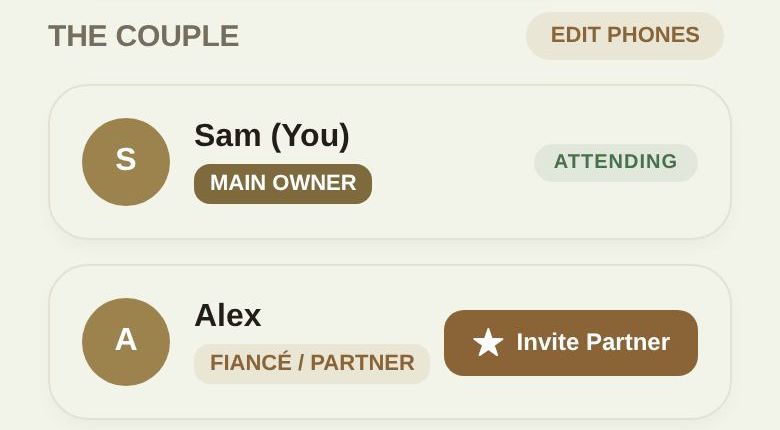
- At the top, under The Couple, you'll see your own card marked MAIN OWNER and a card for your partner marked FIANCÉ / PARTNER.
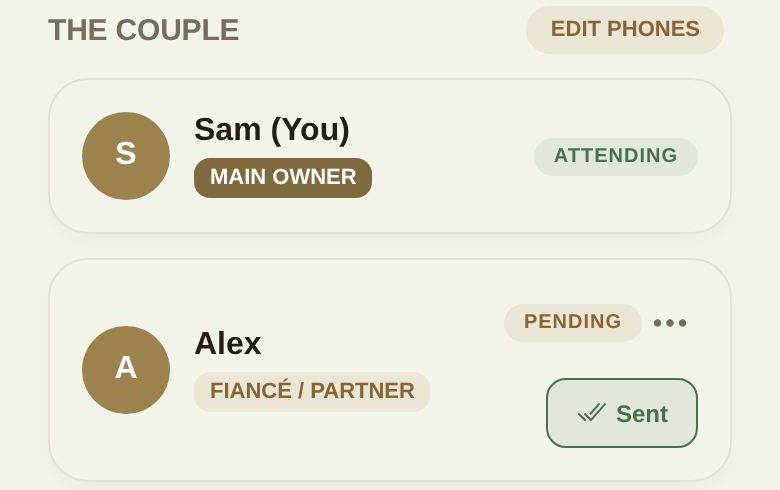
- Tap Invite Partner. Your partner's card now shows PENDING and a Sent button.
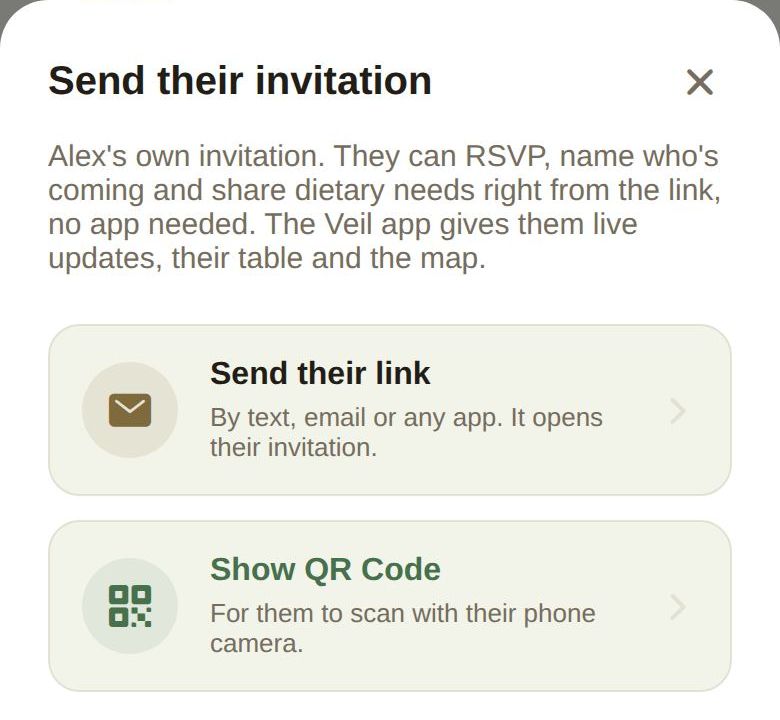
- Tap Sent (or Invite) to open Send their invitation.
- Choose Send their link to share it by text, email or any app, or Show QR Code so they can scan it with their phone camera while you're together.
The link your partner gets is a special Secondary Host invite, not an ordinary guest invitation. Send it only to your partner.
What your partner does
- They install The Veil and create their own account with their own email.
- When the app asks Which of these is you?, they choose We're getting married.
- At Has one of you already started your wedding on The Veil?, they choose Yes — my partner started it.
- They scan your QR code or paste your link and continue.
Their card on your roster changes from PENDING to LINKED, and your wedding appears in their app as theirs to plan.
If your partner had already started a wedding
Sometimes both of you start a wedding before you realize. When your partner accepts your link and already has a wedding of their own, the app asks You already have a wedding and gives two choices:
- Keep in storage: their wedding is put away safely and comes back automatically if they ever disconnect.
- Move to Trash: it goes to Trash, where they can restore it any time.
Nothing is merged. Decide together which wedding you'll keep before your partner accepts.
Good to know
- Plus is shared. If you have The Veil Plus, your partner gets Plus too while they're in your wedding. It doesn't carry over to a wedding of their own.
- One login each. Don't share a single account. With two accounts, each of you gets your own notifications and messages, and the activity log shows who changed what.
- Disconnecting. Either of you can end the link from your wedding list under Secondary Host Connections, with Disconnect. Your partner loses access to your wedding; anything they stored comes back to them.
- A Secondary Host always has full access. Co-planner permissions never limit your partner.
Troubleshooting
- The card still says PENDING. Your partner hasn't finished. Check they chose Yes — my partner started it and used the link or QR code from Send their invitation, not a guest invitation.
- They see a guest passport instead of the planner. They opened an ordinary guest invitation. Send them the partner link again from their card.
Did this answer it?
Updated September 30, 2026