Help · For couples · DIY Workbench
The DIY workbench (Plus)
Browse 60 wedding DIY projects, plan the materials, track the cost and see what you're saving.
The DIY workbench (DIY & Decor on Home) is for couples making some of their own decor: garlands, centerpieces, lighting, backdrops and favors. It's part of The Veil Plus. On the free plan the tile shows a lock.
What's inside
Four tabs across the top:
- Discover: 60 ready-made projects designed by our team, plus projects other couples have shared. See Find DIY projects and add them.
- My Projects: the projects you're making, with every material, its cost and a link to buy it. See My Projects: materials and costs.
- Comparison: what doing it yourself saves against buying from a vendor, plus a fresh-versus-silk flower planner. See DIY savings and the floral planner.
- Inspiration: the whole catalog as a gallery, by category and search. See Find DIY projects and add them.
You can also create your own projects and share them with other couples. See Create and share your own DIY project.
The DIY budget overview
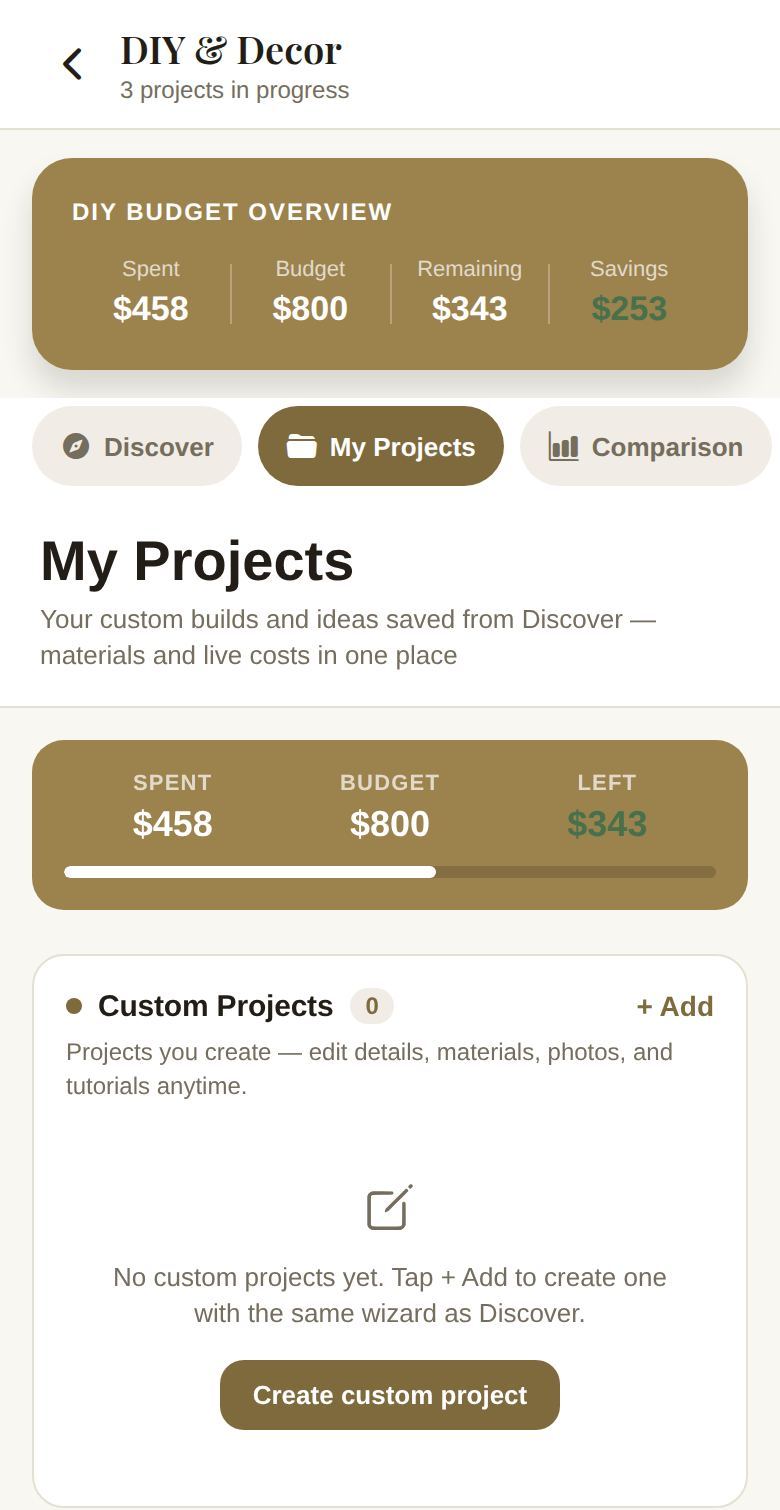
Once you've added a project, a card at the top shows DIY Budget Overview:
- Spent: the total cost of your projects' materials.
- Budget: your DIY Projects budget.
- Remaining: what's left. It turns red when you're over.
- Savings: how much less you're paying than buying the same things finished.
How it connects to the rest of your plan
- Budget. Your DIY budget is the DIY Projects category in Budget. Change it there with the slider or by rebalancing, and the workbench follows. What your projects cost appears in Budget as an AUTO line called "DIY projects & materials". See Your budget.
- Checklist. Each project gets a build day on your checklist, due two weeks before the wedding. See A checklist that keeps up with you.
Working with helpers
Co-planners with DIY access can browse and change projects; their changes come to you as a request with Send Request. If someone else has DIY open, you'll see who.
Good to know
- Each alternate build keeps its own DIY projects.
- Prices are estimates until you pick real products for your materials.
Did this answer it?
Updated September 30, 2026