Help · For couples · DIY Workbench
Find DIY projects and add them
Search the catalog on Discover and Inspiration, read a project's steps and materials, and add it to My Projects.
The Discover tab is the DIY catalog: 60 projects from our team across six categories, plus projects shared by other couples. The DIY workbench is part of The Veil Plus.
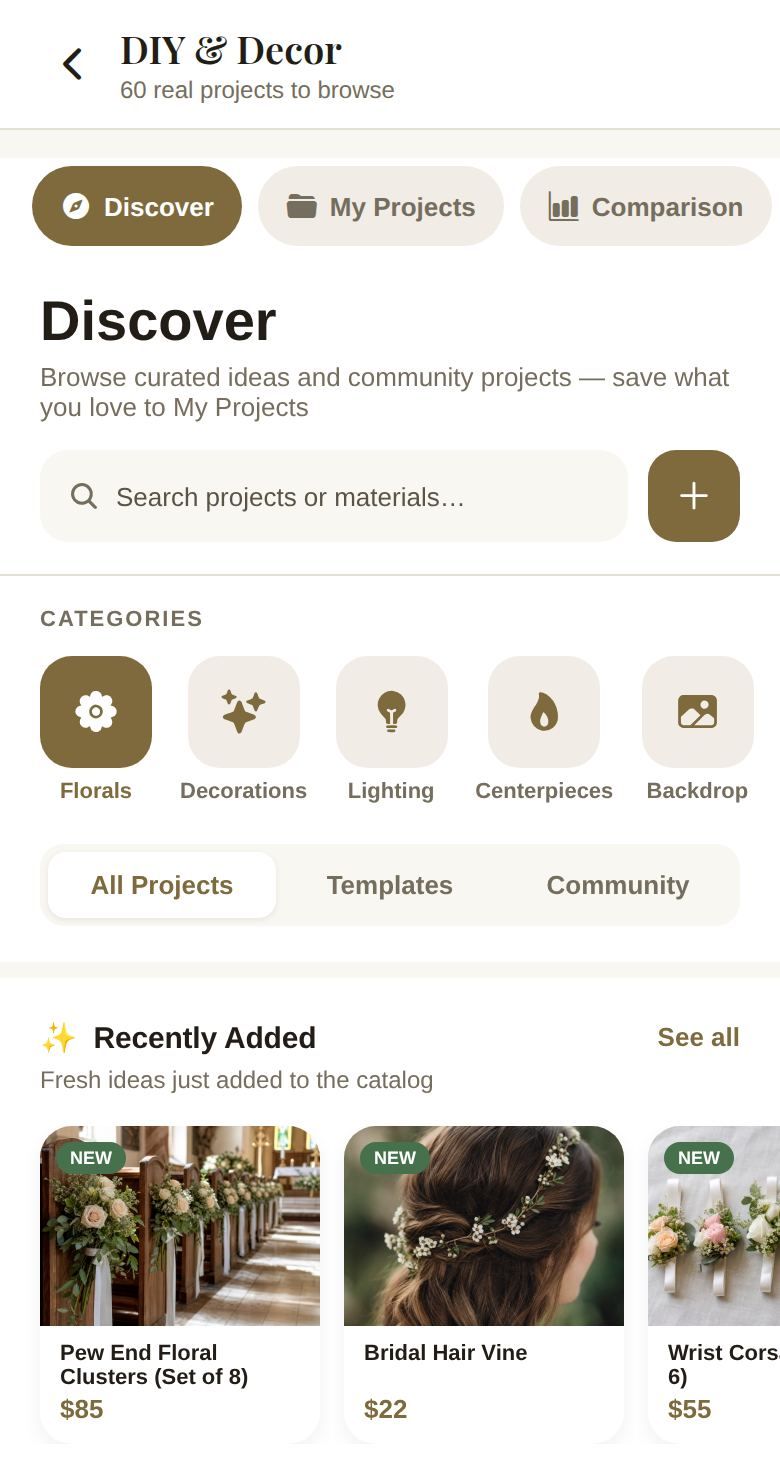
Browse
- Search projects or materials… finds projects by name or by what they use.
- Categories: Florals, Decorations, Lighting, Centerpieces, Backdrop and Favors.
- Switch between All Projects, Templates (our team's) and Community (shared by couples).
- Sections include Popular This Month, Recently Added (marked NEW), The Veil Template Projects and Verified Community Projects. See all opens a full list; Back to Discover returns.
Each card shows the difficulty (Easy, Medium or Hard), how long it takes, your estimated cost, the retail price for comparison, and how much you'd save.
Open a project
Tap a project to see its details.
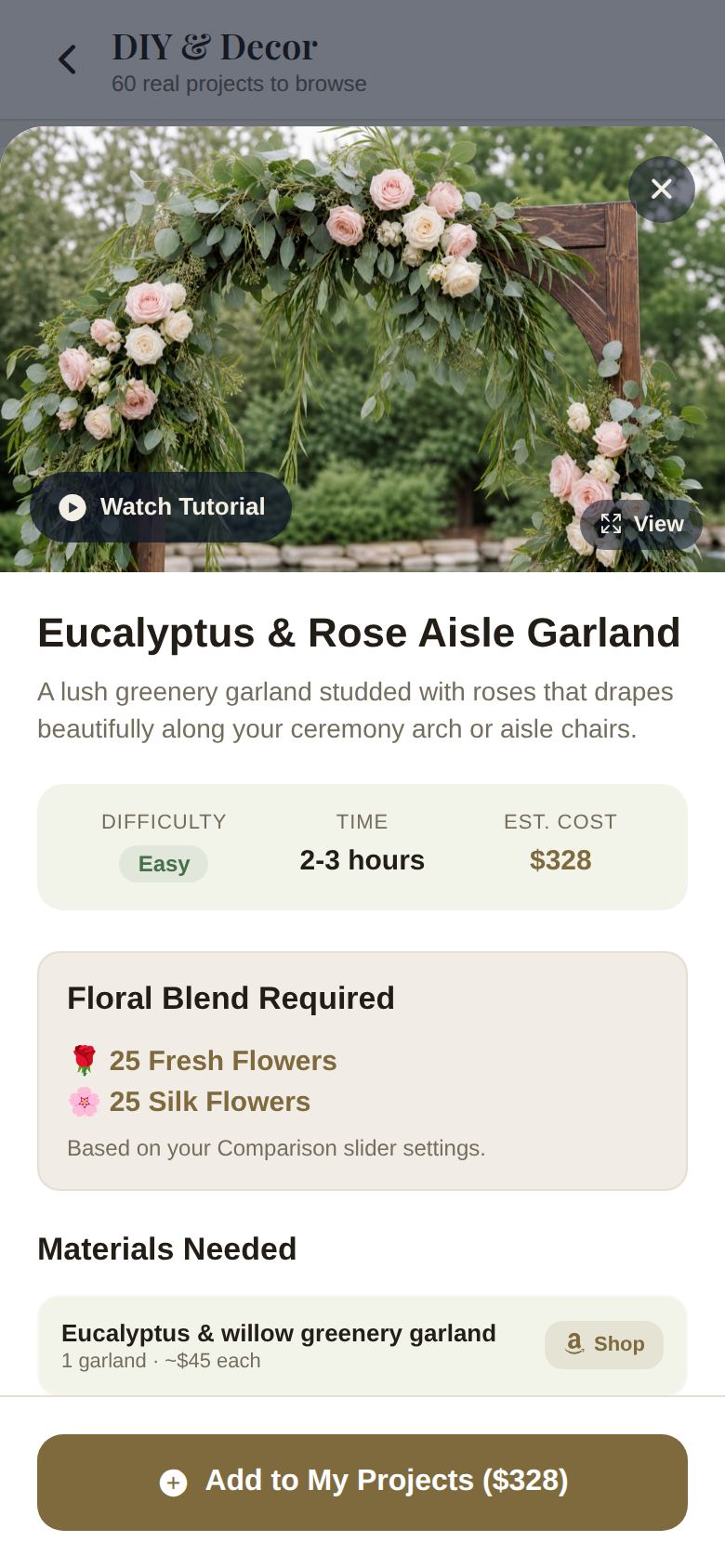
- Watch Tutorial opens a video guide. View shows the photo full size.
- Difficulty, Time and Est. Cost.
- Floral Blend Required on flower projects: how many fresh and silk flowers you'll need, based on your fresh-to-silk setting in Comparison. Change the blend and the cost changes. See DIY savings and the floral planner.
- Materials Needed: each material with the quantity and a rough price. Tap Shop to search Amazon for it, or Open if the project links a product.
- Step-by-Step Guide: numbered steps.
- On a community project, Report this project flags it as spam, misleading or inappropriate. Projects that get enough reports are hidden.
Add it
Tap Add to My Projects (the button shows the estimated cost). You'll see a confirmation, and the project moves to My Projects, where you can adjust the materials and prices. See My Projects: materials and costs.
The Inspiration tab
Inspiration shows every catalog project as a gallery, most popular first.
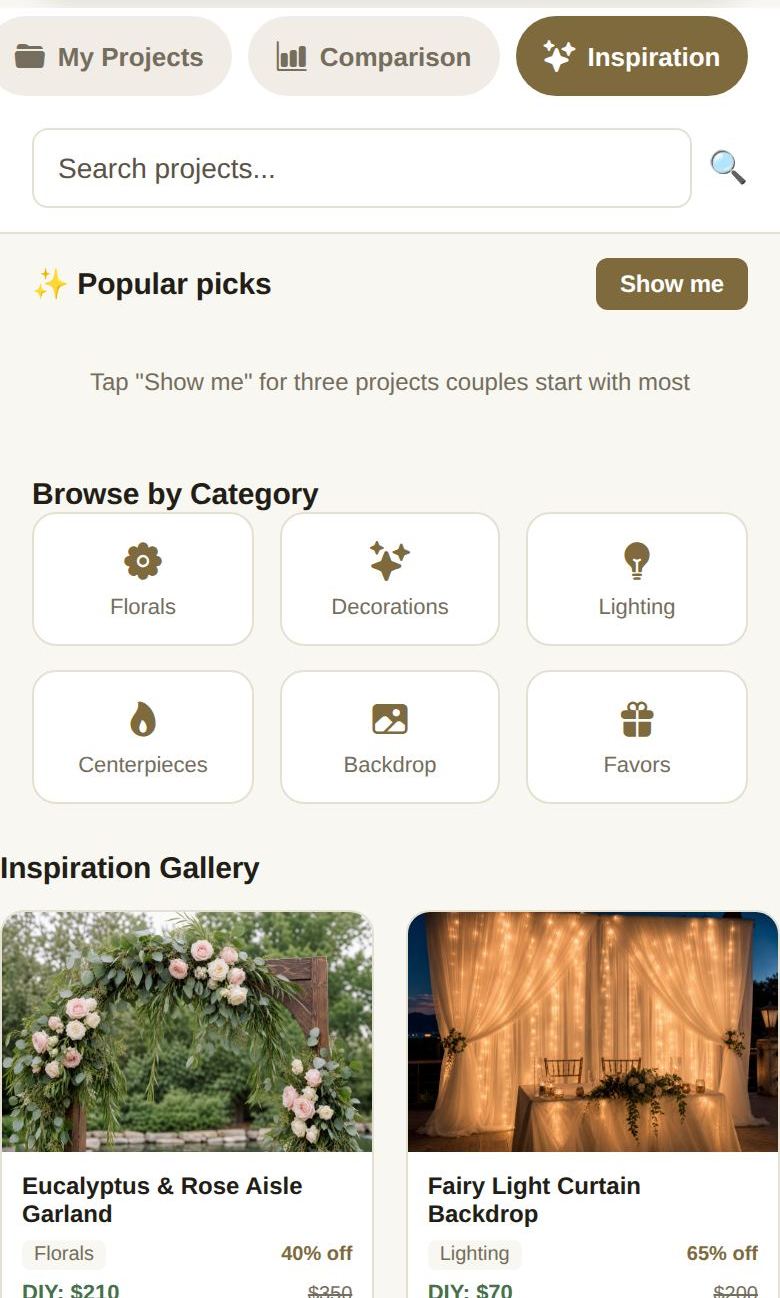
- Search projects... narrows the gallery as you type, and Browse by Category filters it. Clear Filters shows everything again.
- Each card shows the category, the percentage off retail, the DIY price and the retail price. Tap one for the full project and Add to My Projects.
- Popular picks: tap Show me to see three projects couples start with most, with a short reason each, and + Add to My Projects to add one.
- At the bottom: Projects Available, typical Avg Savings, Categories, and Pro Tips such as starting with easy projects and adding 20% to every time estimate.
Prices on Inspiration cards are the catalog's standard estimates. Flower projects in Discover and My Projects use your fresh-to-silk blend instead, so their prices can differ.
Good to know
- Community projects are reviewed by our team before they appear, and are marked Verified.
- Want to make something that isn't here? Tap Add Custom Project. See Create and share your own DIY project.
Did this answer it?
Updated September 30, 2026