Help · For wedding businesses · Switch kit
Bring your contract and price list across
Upload the contract and price list you use now; we draft your contract template, packages, fees and payment plan for you to check.
Under Leads, Import or export, Your contract, packages and payment plan, you can hand us the paperwork you already use and get back drafts ready for The Veil. Owners and managers can use it.
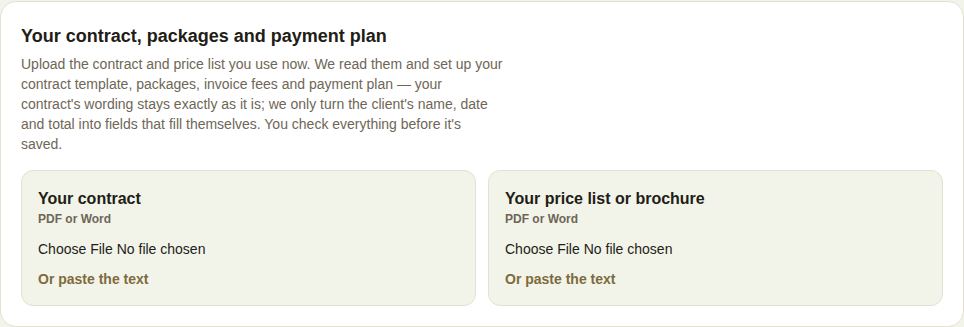
Your contract
- Under Your contract, choose your file (PDF or Word .docx), or Or paste the text.
- Wait while it's read. It takes about half a minute.
- You see Your original beside Your template. The wording stays exactly as it is; we only turn the client's name, date and total into fields that fill themselves, for example {{couple_names}}. The list Filled in automatically for each client shows each field and where it was in your text.
- Edit anything in Your template, give it a name, and choose Save as a contract template.
It's then in the contract picker on every lead and fills in each client's details when you send it. See Contracts and signing.
If we couldn't find anything client-specific, you can type fields like {{couple_names}} yourself.
Your price list or brochure
- Under Your price list or brochure, choose the file or paste the text.
- You get Packages for your page and Fees you invoice on their own, each with a tick box. A price we couldn't find in your file is marked Not found in your file, check it.
- Edit the names, prices and what's included, untick anything you don't want, and choose Save the ones ticked.
Up to 6 packages and 5 fees. A package or fee with the same name as one you already have is replaced. Saving fees for invoices is on Pro and Studio; on Free, packages save and fees don't.
Your payment plan
If your file mentions a deposit and balance, we show Your file says: with the schedule, and an editor to Save this as your usual payment plan. See Payment plans.
Limits and errors
- Files up to 8 MB. A longer contract than 40,000 characters needs splitting, or paste the main part.
- A scan or a photo has no text to read. Paste the text instead.
- Ten documents a day per business.
- You can keep up to six contracts. If you already have six, delete one in Settings first.
Good to know
- The contract draft is a starting point. Keep having it reviewed by your lawyer; we don't change its legal wording.
- Your uploads are listed at the top of the section so you can open a draft again.
Did this answer it?
Updated September 30, 2026